VaultBridge
Offline document anonymization and local Claude connector for macOS. Keep your original documents on your Mac, share clean placeholder Markdown with Claude, and restore answers locally.
VaultBridge 1.0.0 by Quan Dang · macOS 15 or later on Apple Silicon · Signed and notarized by Apple
SHA-256: 6704c2cc859d045cb186e37caffb806821a11cbee165ec75e15a6eb4c46ab5d3
What it does
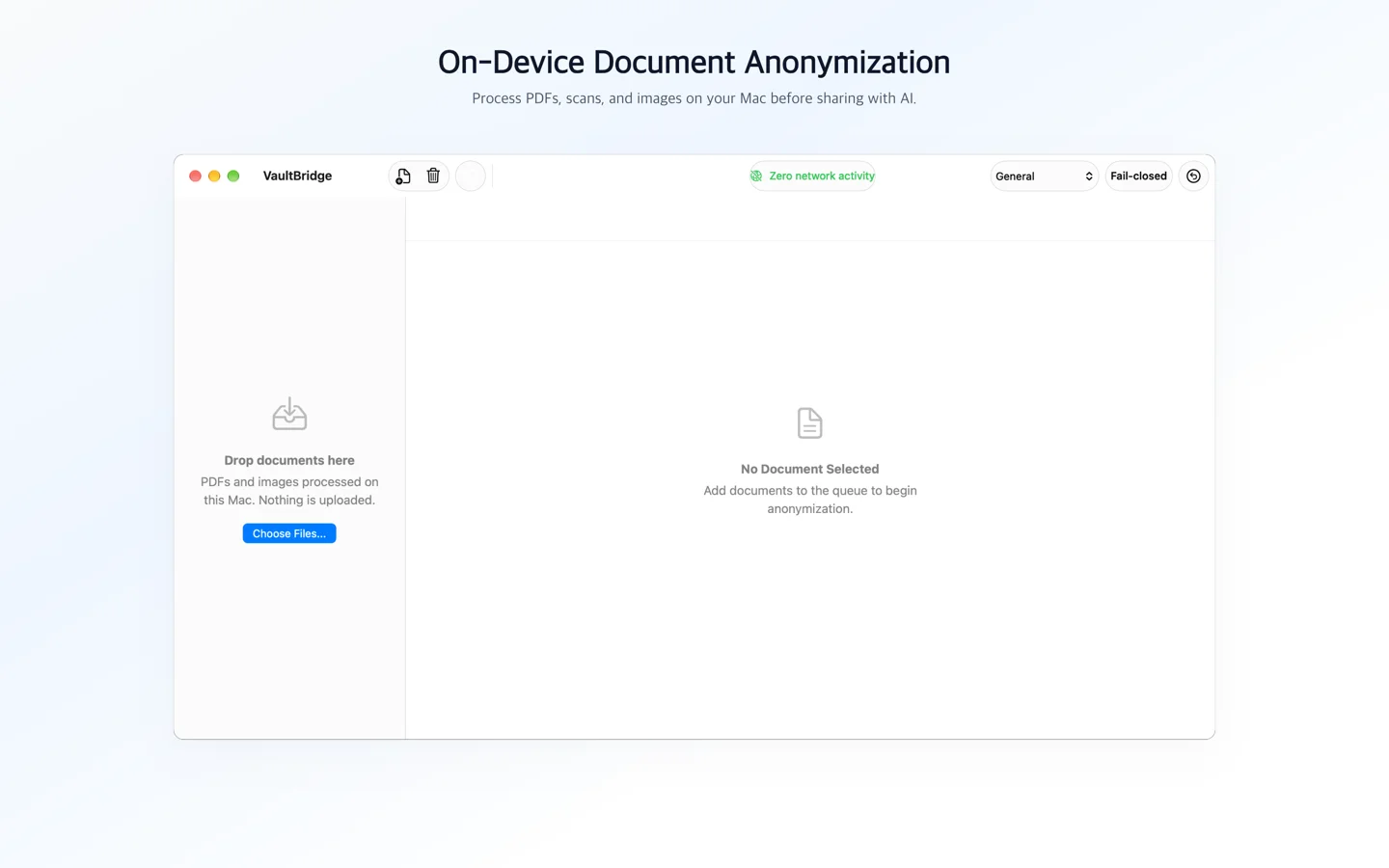
- Offline on-device processing: All document reading, text extraction, and detection run locally on your Mac. The desktop app is sandboxed with zero network entitlements, makes no network connections, has no telemetry or analytics, and downloads nothing at runtime.
- Local document ingestion: Ingests PDFs and images (including
.pdf,.png,.jpg,.jpeg,.tiff,.tif, and.heic) via drag-and-drop (including folders of up to 500 files) or the file picker, supporting multi-frame TIFF images. - Native text extraction & Vision OCR: Reads selectable text layers via PDFKit and automatically triggers on-device Apple Vision OCR for scanned or image-based pages.
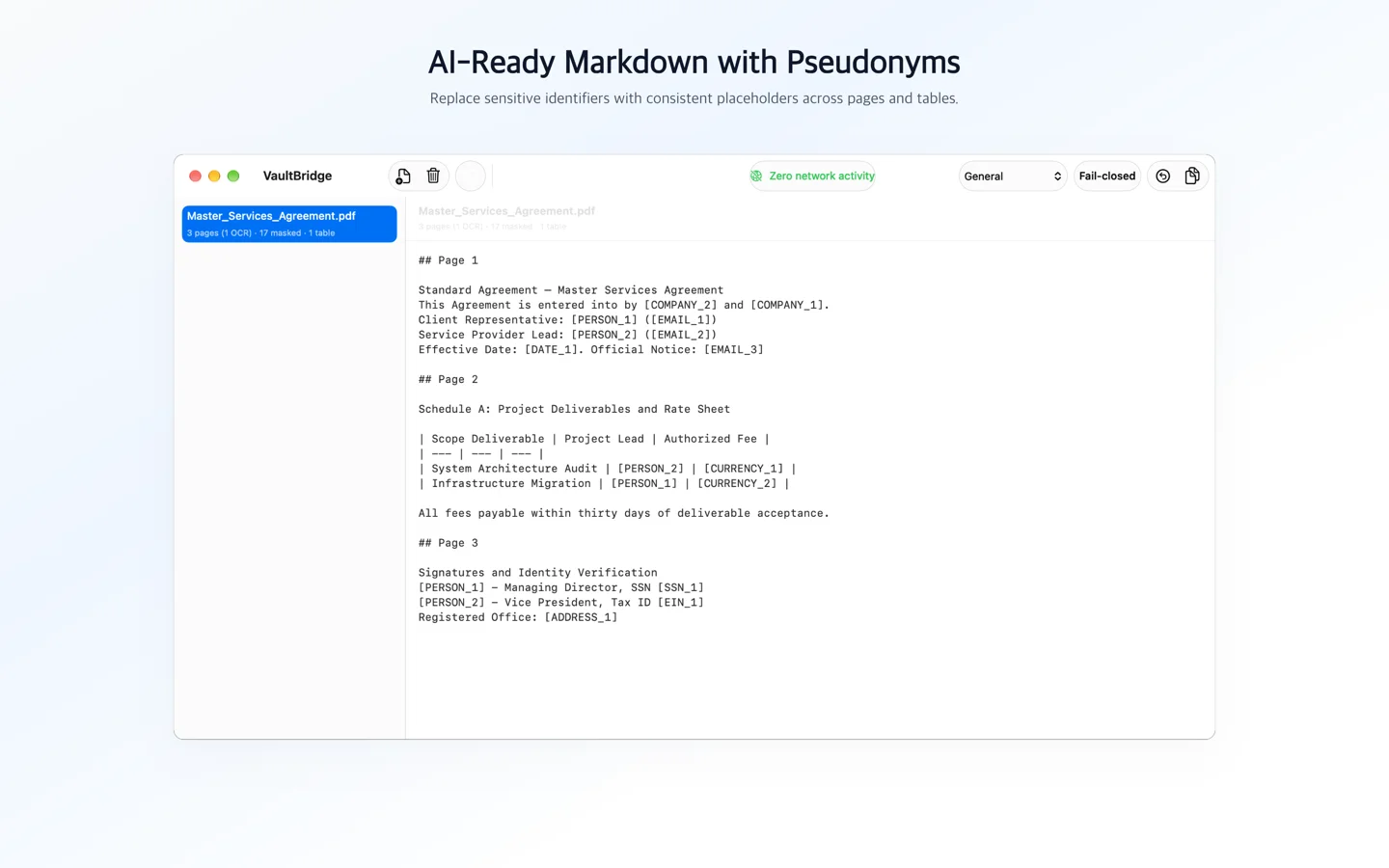
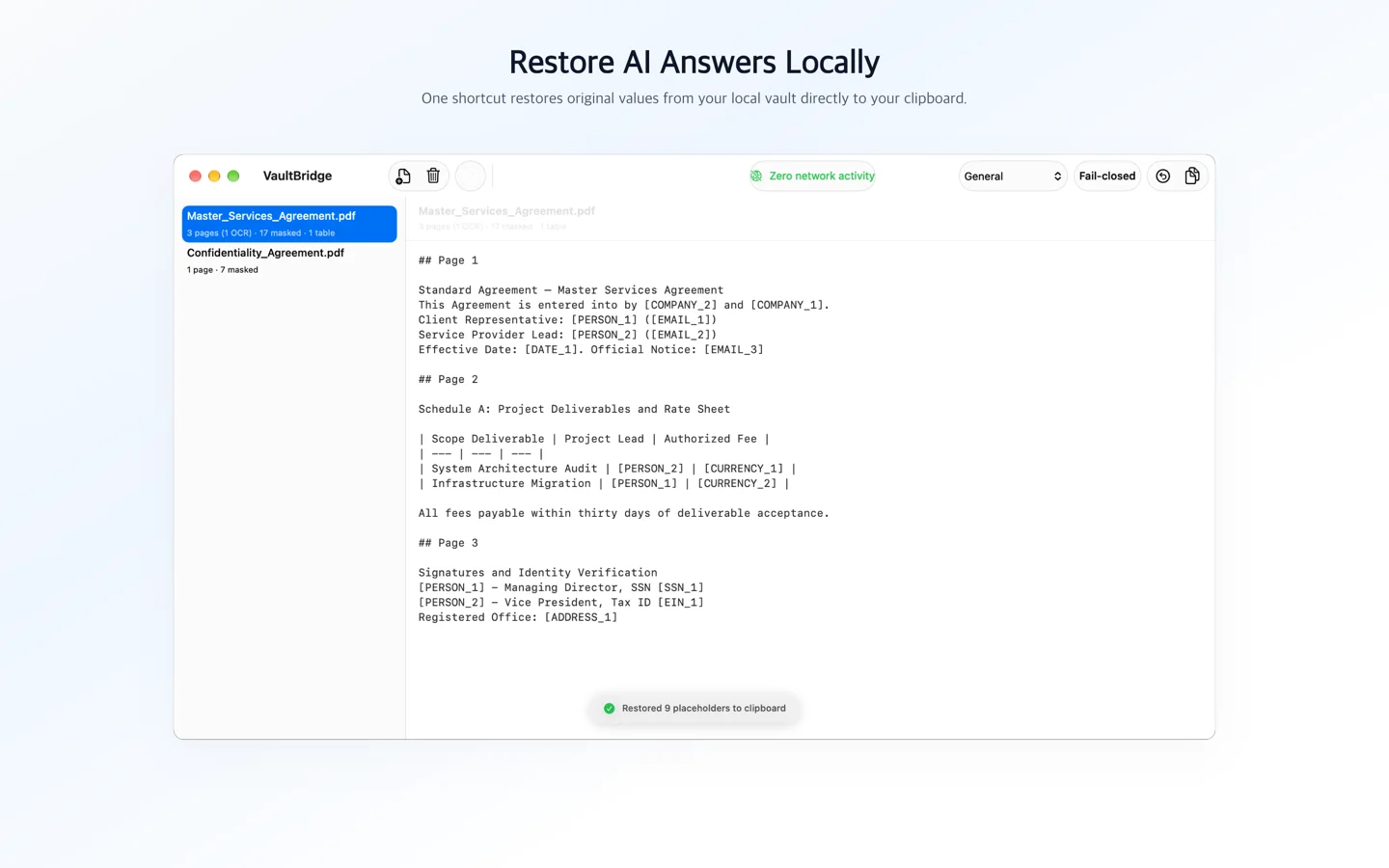
- Table reconstruction: Identifies two-dimensional grid layouts and reconstructs them into clean Markdown pipe tables, preserving tabular context for reasoning.
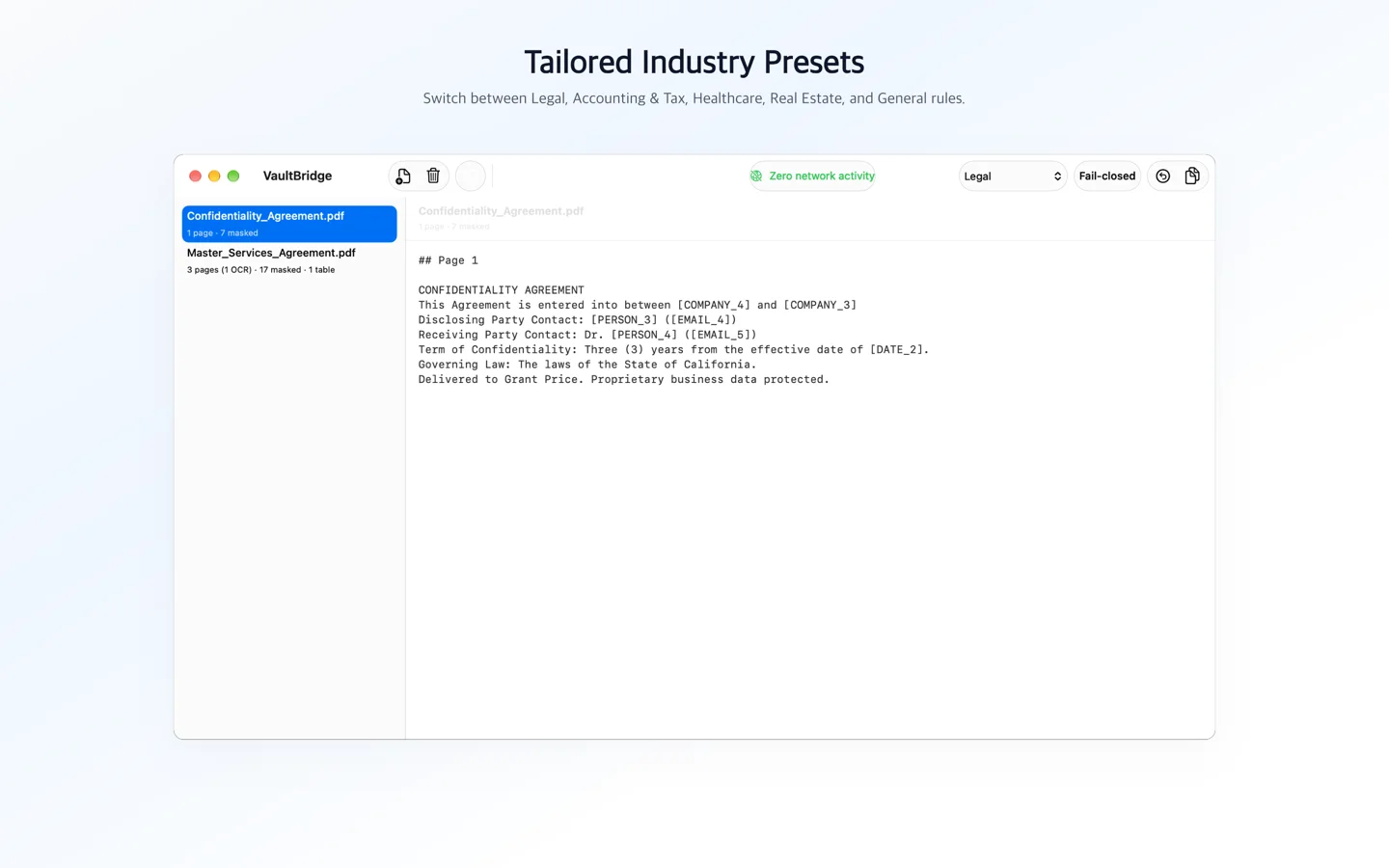
- Smart page routing: Scores and filters multi-page documents down to relevant pages matching your query focus or industry preset, staying within character and token limits.
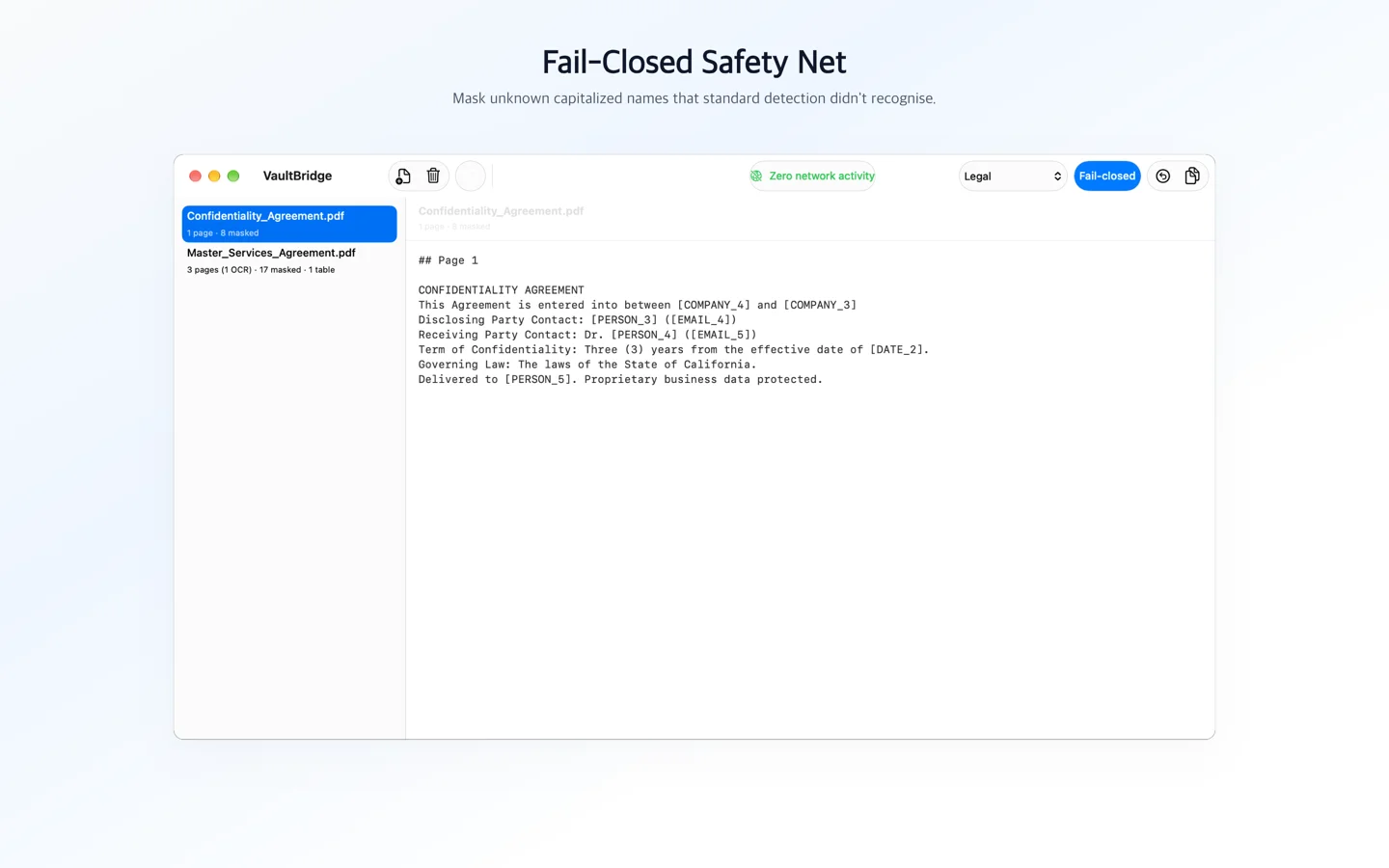
- Multi-tier detection pipeline: Combines pattern rules for structured identifiers (checksum-validated credit card and routing numbers, plus SSNs, phone numbers, dates, and federal court docket numbers), on-device named entity recognition (bundled GLiNER small model and Apple NLTagger), context classification, and an optional fail-closed safety net for capitalized word sequences.
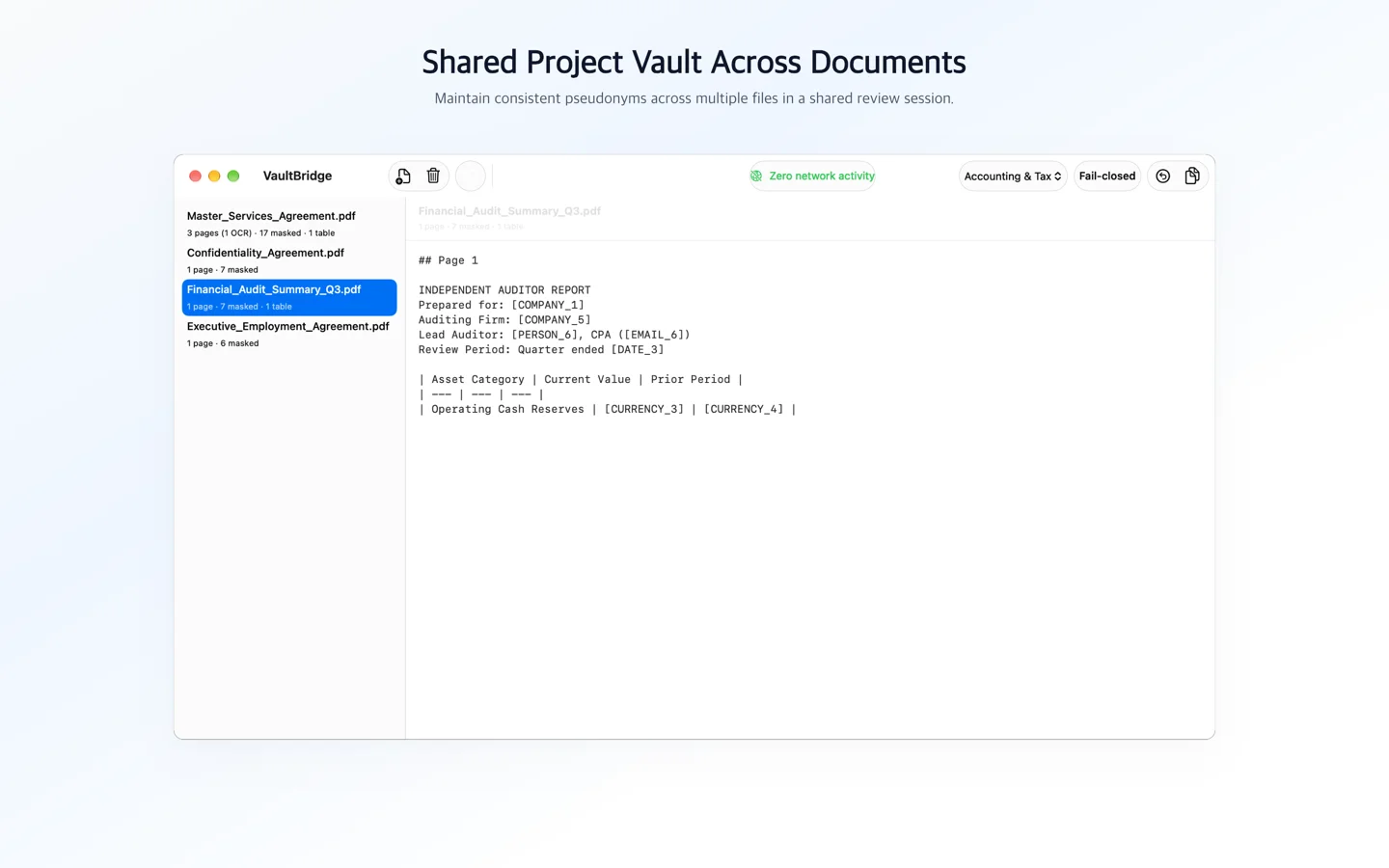
- Deterministic placeholders: Replaces detected personal and proprietary identifiers with consistent tokens such as
[PERSON_1],[ORG_1],[DATE_1], and[SSN_1]across routed pages. - Local restoration boundary: Restores tokens in AI responses back to original values on your Mac. Restored plaintext is written exclusively to the macOS clipboard (marked with concealed and transient pasteboard markers) or saved to a private local file in
~/Downloads(with owner-only0600permissions; file output is available through the Claude connector). The tool never returns restored values to Claude. - Review before sharing: Automated detection is not guaranteed and can miss values. Users must review masked output before sharing it.
Screenshots
The Anonymize → Reason → Restore Workflow
- Anonymize on your Mac: Open documents in the VaultBridge application or let Claude call the embedded MCP tool (
vault_anonymize_file). The document is read locally, tables are reconstructed, detected identifiers are replaced with placeholders, and AI-ready Markdown is generated. - Reason in Claude: Claude receives the placeholder Markdown and works on it. Any value the detector missed is sent as written, so review the output first.
- Restore locally: Restore with the same tool you anonymized with: text anonymized in the app is restored in the app (Restore Clipboard, ⌘⇧U), and text anonymized through Claude is restored with
vault_restore_text. The vault lives only in memory, so quitting the app or restarting your Claude client clears it. The tool never returns restored values to Claude.
Frequently asked questions
What is VaultBridge?
VaultBridge is an offline macOS desktop application and bundled Claude connector (stdio MCP server) that anonymizes documents on-device, provides Claude with clean placeholder Markdown, and restores answers locally.
How does VaultBridge protect document privacy when using Claude?
All document reading, OCR, and detection happen entirely on your Mac. VaultBridge returns masked text, with detected values replaced by placeholders such as [PERSON_1] or [DATE_1], to Claude. Values it misses stay in the text. When you restore the AI's response, placeholders are replaced locally on your Mac, and the tool never returns restored values to Claude.
What are the system requirements for VaultBridge?
VaultBridge requires macOS 15 or later on Apple Silicon (M-series Mac), and Claude Desktop or the Claude Code CLI.
How do I connect VaultBridge to Claude Desktop?
Add the vaultbridge MCP server entry pointing to the embedded binary at /Applications/VaultBridge.app/Contents/MacOS/vaultbridge-mcp in your Claude Desktop configuration file (claude_desktop_config.json).
Does VaultBridge guarantee that every sensitive value is detected?
No. Detection is automated and cannot guarantee complete removal of sensitive information. Detection can miss values, particularly in non-standard formatting, unlabelled numbers, or unstructured health information. You must always review the masked output before sharing it with Claude or external services.