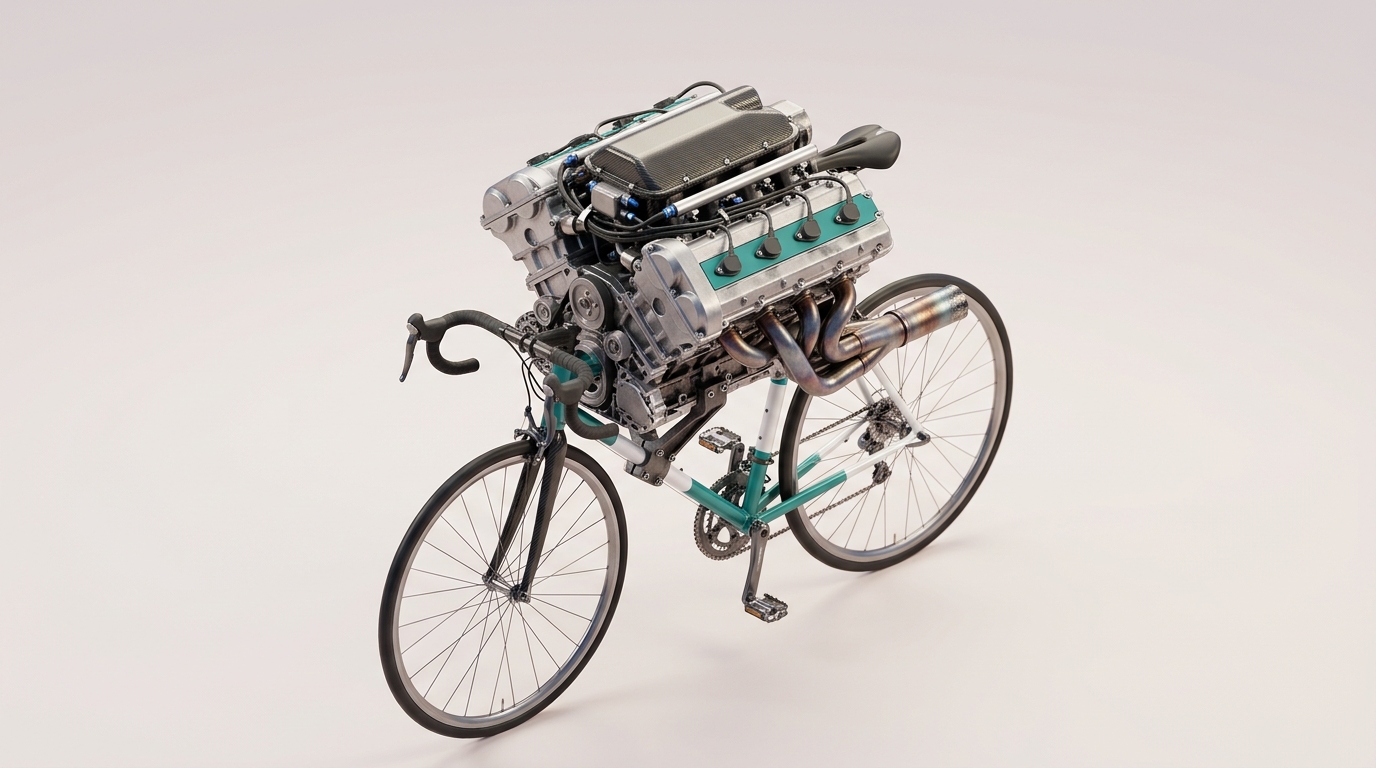
<?xml version="1.0" encoding="utf-8"?><feed xmlns="http://www.w3.org/2005/Atom" ><generator uri="https://jekyllrb.com/" version="3.10.0">Jekyll</generator><link href="https://dangquan1402.github.io/llm-engineering-notes/feed.xml" rel="self" type="application/atom+xml" /><link href="https://dangquan1402.github.io/llm-engineering-notes/" rel="alternate" type="text/html" /><updated>2026-04-17T09:43:08+00:00</updated><id>https://dangquan1402.github.io/llm-engineering-notes/feed.xml</id><title type="html">Dquan’s LLM Notes</title><subtitle>Open discussions on working with LLMs</subtitle><author><name>Quan Dang</name></author><entry><title type="html">Harnesses Aren’t Portable — Why Each CLI Agent Has Its Own</title><link href="https://dangquan1402.github.io/llm-engineering-notes/2026/04/17/harnesses-arent-portable.html" rel="alternate" type="text/html" title="Harnesses Aren’t Portable — Why Each CLI Agent Has Its Own" /><published>2026-04-17T00:00:00+00:00</published><updated>2026-04-17T00:00:00+00:00</updated><id>https://dangquan1402.github.io/llm-engineering-notes/2026/04/17/harnesses-arent-portable</id><content type="html" xml:base="https://dangquan1402.github.io/llm-engineering-notes/2026/04/17/harnesses-arent-portable.html"><![CDATA[<p><img src="/llm-engineering-notes/assets/images/015/hero.jpeg" alt="F1 engine bolted onto a bicycle frame — model without its harness" /></p>

<p>Someone told me recently: “you need to read the output — generating text doesn’t mean anything.” That line stuck. If I plug the OpenAI API into Claude Code, it will absolutely produce tokens. The loop runs, tool calls fire, files get written. But whether any of that is <em>useful</em> — whether the work is actually good — nobody knows until someone reads it. Tokens flowing is not the same as work getting done.</p>

<ul id="markdown-toc">
  <li><a href="#agent--model--harness" id="markdown-toc-agent--model--harness">Agent = Model + Harness</a></li>
  <li><a href="#three-clis-three-harnesses" id="markdown-toc-three-clis-three-harnesses">Three CLIs, Three Harnesses</a></li>
  <li><a href="#the-tools-are-model-coupled" id="markdown-toc-the-tools-are-model-coupled">The Tools Are Model-Coupled</a></li>
  <li><a href="#sandboxes-assume-a-trust-profile" id="markdown-toc-sandboxes-assume-a-trust-profile">Sandboxes Assume a Trust Profile</a></li>
  <li><a href="#the-hard-evidence-596" id="markdown-toc-the-hard-evidence-596">The Hard Evidence: 59.6%</a></li>
  <li><a href="#why-this-matters-in-practice" id="markdown-toc-why-this-matters-in-practice">Why This Matters in Practice</a></li>
</ul>

<h2 id="agent--model--harness">Agent = Model + Harness</h2>

<p>This is the practical edge of a framing that <a href="https://www.langchain.com/blog/the-anatomy-of-an-agent-harness">LangChain [1]</a> has been pushing: Agent = Model + Harness. “A harness is every piece of code, configuration, and execution logic that isn’t the model itself. The model contains the intelligence and the harness is the system that makes that intelligence useful.” The harness is the system prompt, the tool set, the sandbox, the context management, the middleware.</p>

<p>And here’s the part that matters for anyone building with these tools today: <strong>harnesses aren’t portable between models</strong>. Each CLI coding agent — Claude Code, Gemini CLI, OpenAI Codex CLI — is a harness that was co-designed with a specific model. Swap the model out and you get tokens without the quality.</p>

<h2 id="three-clis-three-harnesses">Three CLIs, Three Harnesses</h2>

<p>On the surface these tools all do the same thing: you type, the agent edits files and runs shell commands. Underneath, the architectures are deeply different.</p>

<table>
  <thead>
    <tr>
      <th>Dimension</th>
      <th>Claude Code</th>
      <th>Gemini CLI</th>
      <th>OpenAI Codex CLI</th>
    </tr>
  </thead>
  <tbody>
    <tr>
      <td>Signature tool</td>
      <td><code class="language-plaintext highlighter-rouge">TodoWrite</code>, Skills, sub-agents (Task)</td>
      <td>Google Search grounding as a built-in tool</td>
      <td><code class="language-plaintext highlighter-rouge">apply_patch</code> (V4A patch format)</td>
    </tr>
    <tr>
      <td>Memory convention</td>
      <td><code class="language-plaintext highlighter-rouge">CLAUDE.md</code> re-injected each session</td>
      <td><code class="language-plaintext highlighter-rouge">GEMINI.md</code></td>
      <td>AGENTS.md, terse system prompts</td>
    </tr>
    <tr>
      <td>Sandbox</td>
      <td>Permission modes + Auto mode (Sonnet classifier approves safe calls)</td>
      <td>Trusted Folders, optional container</td>
      <td>Mandatory: Seatbelt (macOS) / Bubblewrap+Landlock (Linux)</td>
    </tr>
    <tr>
      <td>Context strategy</td>
      <td>Auto-compact at ~92%, tiered drop/summarize</td>
      <td>Leans on 1M-token Gemini 3 window</td>
      <td>Assumes reasoning-model internal scratchpad; terse external context</td>
    </tr>
    <tr>
      <td>Hooks/extensibility</td>
      <td><code class="language-plaintext highlighter-rouge">PreToolUse</code>, <code class="language-plaintext highlighter-rouge">PostToolUse</code>, <code class="language-plaintext highlighter-rouge">SessionStart</code>, MCP, slash commands</td>
      <td>MCP, media-gen MCPs (Imagen/Veo/Lyria)</td>
      <td>Approval policies: <code class="language-plaintext highlighter-rouge">untrusted</code>, <code class="language-plaintext highlighter-rouge">on-request</code>, <code class="language-plaintext highlighter-rouge">never</code></td>
    </tr>
  </tbody>
</table>

<p>Each of these choices is tuned for one specific model’s strengths and quirks.</p>

<h2 id="the-tools-are-model-coupled">The Tools Are Model-Coupled</h2>

<p>The clearest evidence is the tools themselves. <code class="language-plaintext highlighter-rouge">apply_patch</code> in Codex isn’t a generic edit tool — it’s a <a href="https://github.com/openai/codex">V4A-style structured patch format [2]</a> that GPT-5-Codex and the o-series were explicitly post-trained to emit correctly. Hand the same tool description to Claude or Gemini and you’ll get syntactically valid patches <em>sometimes</em>, but the model wasn’t trained to reason in that format.</p>

<p>Claude’s <code class="language-plaintext highlighter-rouge">TodoWrite</code> is the mirror image. <a href="https://www.langchain.com/blog/deep-agents">It technically does nothing [3]</a> — it’s a no-op that just writes the plan into the conversation. But Claude models are trained to use it as an externalization anchor during long tasks. Drop <code class="language-plaintext highlighter-rouge">TodoWrite</code> into a harness around a non-Claude model and it becomes dead weight. The tool only works because the model knows how to use it.</p>

<p>Gemini CLI has Google Search as a first-class grounding tool. Claude Code and Codex don’t — they have <code class="language-plaintext highlighter-rouge">WebFetch</code> and <code class="language-plaintext highlighter-rouge">WebSearch</code> wrappers, but nothing like native grounding where the model was trained to interleave search calls with generation.</p>

<div class="language-text highlighter-rouge"><div class="highlight"><pre class="highlight"><code>Model-coupled tools (the ones you can't port):

Claude Code    → TodoWrite, Skills, sub-agent Task tool
Gemini CLI     → Google Search grounding
Codex CLI      → apply_patch (V4A format)
</code></pre></div></div>

<h2 id="sandboxes-assume-a-trust-profile">Sandboxes Assume a Trust Profile</h2>

<p>Sandboxes aren’t just security — they’re a bet about how the model behaves. Codex makes its sandbox <em>mandatory</em> because reasoning models are trusted to plan long autonomous sequences; the sandbox exists precisely so the human doesn’t need to approve every step. Claude Code’s Auto mode goes the other way: it <a href="https://smartscope.blog/en/generative-ai/claude/claude-code-auto-permission-guide/">uses a Sonnet classifier [4]</a> to decide which tool calls are safe to auto-approve — which is a harness-level design choice that literally only works because Sonnet is the one classifying. You can’t lift that component out and run it in a different harness without bringing the model with it.</p>

<p>Gemini CLI’s lighter “Trusted Folders” model reflects a different assumption again — that long context (1M tokens) carries enough of the workspace state that per-call approval adds less value than it costs in friction.</p>

<h2 id="the-hard-evidence-596">The Hard Evidence: 59.6%</h2>

<p>Principles transfer across harnesses. Performance numbers don’t. LangChain ran the experiment directly: they took Claude Opus 4.6 and plugged it into Codex’s harness. The result was <a href="https://www.langchain.com/blog/improving-deep-agents-with-harness-engineering">59.6% on Terminal Bench 2.0 [5]</a> — worse than Codex’s own model on the same harness. Their own explanation: “we didn’t run the same Improvement Loop with Claude.” The harness had been iteratively tuned against GPT-5 Codex’s specific failure modes. A different model hits different failure modes, which the harness was never shaped to catch.</p>

<p>This is the quiet version of the “generating ≠ doing” point. The foreign model’s loop completed. Tokens were produced. Tools got called. The score dropped 7+ points anyway.</p>

<h2 id="why-this-matters-in-practice">Why This Matters in Practice</h2>

<pre class="mermaid">
graph LR
    M["Model"] --&gt; H["Harness"]
    H --&gt; O["Output"]
    O -.read.-&gt; V["Verify"]
    V -.tune.-&gt; H

    style M fill:#264653,color:#fff
    style H fill:#2a9d8f,color:#fff
    style O fill:#e9c46a,color:#000
    style V fill:#e76f51,color:#fff
</pre>

<p>Three things follow from this:</p>

<ol>
  <li><strong>There is no one-size-fits-all harness.</strong> Every CLI agent on the market today is a co-design. Picking Claude Code isn’t just picking Anthropic’s model — it’s picking a tool set, prompt style, and sandbox philosophy that were tuned together.</li>
  <li><strong>Model swaps need harness re-tuning.</strong> If you want to run a different model through a CLI you love, expect to re-run the improvement loop — new failure modes, new middleware, new system prompt. You’re not swapping a part, you’re rebuilding the scaffolding.</li>
  <li><strong>Read the output.</strong> The loop completing is not the signal. Tokens are not quality. The only way to know if your agent is actually working is to look at what it produced and evaluate it against the task — which, ironically, is the same rule that applies to the humans using these tools.</li>
</ol>

<p>The uncomfortable implication: if you’ve been running evals by counting successful tool calls or passing unit tests that the agent itself wrote, you might be measuring the harness convincing itself, not the work getting done.</p>

<p>What harness-level change has made the biggest quality difference for you — a middleware, a sandbox policy, a system-prompt tweak? I’d love to hear what actually moved the needle.</p>

<hr />

<p>References:</p>

<p>[1] Harrison Chase. <a href="https://www.langchain.com/blog/the-anatomy-of-an-agent-harness">“The Anatomy of an Agent Harness.”</a> LangChain Blog 2025.<br />
[2] OpenAI. <a href="https://github.com/openai/codex">“Codex CLI.”</a> GitHub 2025.<br />
[3] Harrison Chase. <a href="https://www.langchain.com/blog/deep-agents">“Deep Agents.”</a> LangChain Blog 2025.<br />
[4] <a href="https://smartscope.blog/en/generative-ai/claude/claude-code-auto-permission-guide/">“Claude Code Auto Permission Guide.”</a> SmartScope 2025.<br />
[5] LangChain Team. <a href="https://www.langchain.com/blog/improving-deep-agents-with-harness-engineering">“Improving Deep Agents with Harness Engineering.”</a> LangChain Blog 2025.<br />
[6] OpenAI. <a href="https://developers.openai.com/codex/concepts/sandboxing">“Codex Sandboxing.”</a> OpenAI Developer Docs 2025.<br />
[7] Google. <a href="https://github.com/google-gemini/gemini-cli">“gemini-cli.”</a> GitHub 2025.</p>]]></content><author><name>Quan Dang</name></author><summary type="html"><![CDATA[]]></summary></entry><entry><title type="html">Anatomy of a Claude Code Session — What’s Built-in, What’s Configurable, and What You Control</title><link href="https://dangquan1402.github.io/llm-engineering-notes/2026/04/05/anatomy-of-claude-code-session.html" rel="alternate" type="text/html" title="Anatomy of a Claude Code Session — What’s Built-in, What’s Configurable, and What You Control" /><published>2026-04-05T00:00:00+00:00</published><updated>2026-04-05T00:00:00+00:00</updated><id>https://dangquan1402.github.io/llm-engineering-notes/2026/04/05/anatomy-of-claude-code-session</id><content type="html" xml:base="https://dangquan1402.github.io/llm-engineering-notes/2026/04/05/anatomy-of-claude-code-session.html"><![CDATA[<p>Every time you launch Claude Code, a small orchestra of context layers assembles before you type a single character. The system prompt loads. Built-in tools register. Your CLAUDE.md files get read. Skills discover themselves. MCP servers connect. Memory loads from previous sessions. Most of this is invisible — and understanding it tells you where to invest your customization effort.</p>

<ul id="markdown-toc">
  <li><a href="#the-full-stack-at-a-glance" id="markdown-toc-the-full-stack-at-a-glance">The Full Stack at a Glance</a></li>
  <li><a href="#layer-1-the-system-prompt" id="markdown-toc-layer-1-the-system-prompt">Layer 1: The System Prompt</a></li>
  <li><a href="#layer-2-built-in-tools" id="markdown-toc-layer-2-built-in-tools">Layer 2: Built-in Tools</a></li>
  <li><a href="#layer-3-environment-context" id="markdown-toc-layer-3-environment-context">Layer 3: Environment Context</a></li>
  <li><a href="#layer-4-claudemd--the-highest-leverage-layer" id="markdown-toc-layer-4-claudemd--the-highest-leverage-layer">Layer 4: CLAUDE.md — The Highest-Leverage Layer</a></li>
  <li><a href="#layer-5-settings-settingsjson" id="markdown-toc-layer-5-settings-settingsjson">Layer 5: Settings (settings.json)</a></li>
  <li><a href="#layer-6-hooks--deterministic-automation-opt-in" id="markdown-toc-layer-6-hooks--deterministic-automation-opt-in">Layer 6: Hooks — Deterministic Automation (Opt-in)</a></li>
  <li><a href="#layer-7-skills--custom-slash-commands" id="markdown-toc-layer-7-skills--custom-slash-commands">Layer 7: Skills — Custom Slash Commands</a></li>
  <li><a href="#layer-8-mcp-servers--external-tool-integrations-opt-in" id="markdown-toc-layer-8-mcp-servers--external-tool-integrations-opt-in">Layer 8: MCP Servers — External Tool Integrations (Opt-in)</a></li>
  <li><a href="#layer-9-memory--claudes-persistent-notes" id="markdown-toc-layer-9-memory--claudes-persistent-notes">Layer 9: Memory — Claude’s Persistent Notes</a></li>
  <li><a href="#how-the-layers-compose" id="markdown-toc-how-the-layers-compose">How the Layers Compose</a></li>
  <li><a href="#practical-decision-framework" id="markdown-toc-practical-decision-framework">Practical Decision Framework</a></li>
  <li><a href="#the-meta-principle" id="markdown-toc-the-meta-principle">The Meta-Principle</a></li>
</ul>

<h2 id="the-full-stack-at-a-glance">The Full Stack at a Glance</h2>

<p>Here’s the layered architecture:</p>

<table>
  <thead>
    <tr>
      <th>Layer</th>
      <th>Who controls it</th>
      <th>Default?</th>
      <th>Can disable?</th>
    </tr>
  </thead>
  <tbody>
    <tr>
      <td>System prompt</td>
      <td>Anthropic</td>
      <td>Always on</td>
      <td>No</td>
    </tr>
    <tr>
      <td>Built-in tools</td>
      <td>Anthropic + you (permissions)</td>
      <td>Always on</td>
      <td>Partially (permission modes)</td>
    </tr>
    <tr>
      <td>Environment context</td>
      <td>Auto-detected</td>
      <td>Always on</td>
      <td>No</td>
    </tr>
    <tr>
      <td>CLAUDE.md files</td>
      <td>You (team + personal)</td>
      <td>Loaded when present</td>
      <td>Don’t create the file</td>
    </tr>
    <tr>
      <td>Settings (settings.json)</td>
      <td>You</td>
      <td>Defaults apply</td>
      <td>Yes — override per key</td>
    </tr>
    <tr>
      <td>Hooks</td>
      <td>You</td>
      <td>Off (opt-in)</td>
      <td>Yes — remove from settings</td>
    </tr>
    <tr>
      <td>Skills</td>
      <td>You</td>
      <td>Discovered when present</td>
      <td>Yes — <code class="language-plaintext highlighter-rouge">user-invocable: false</code></td>
    </tr>
    <tr>
      <td>MCP servers</td>
      <td>You</td>
      <td>Off (opt-in)</td>
      <td>Yes — remove from settings</td>
    </tr>
    <tr>
      <td>Memory</td>
      <td>Claude (you direct)</td>
      <td>On when configured</td>
      <td>Yes — delete memory files</td>
    </tr>
  </tbody>
</table>

<h2 id="layer-1-the-system-prompt">Layer 1: The System Prompt</h2>

<p>This is the foundation — a large set of instructions that Anthropic injects at the start of every session. You never see it directly (unless you <a href="https://simonwillison.net/2025/Jun/14/claude-code-system-prompt/">ask Claude to reflect on it [1]</a>, or extract it through prompt injection research). It covers:</p>

<ul>
  <li>Core behavioral instructions — how to approach tasks, when to ask for confirmation, how to handle errors</li>
  <li>Tool usage guidelines — “use Read instead of cat,” “use Grep instead of rg,” specific protocols for each tool</li>
  <li>Safety rules — what to refuse, how to handle destructive operations, when to confirm before acting</li>
  <li>Git protocols — detailed step-by-step instructions for commits and PRs (this is why Claude Code’s git workflow is so consistent)</li>
  <li>Output style — “go straight to the point,” “keep responses short and concise,” “don’t add features beyond what was asked”</li>
  <li>Security awareness — OWASP top 10, command injection prevention, credential handling</li>
</ul>

<p>The system prompt is substantial — thousands of tokens of carefully tuned instructions. It’s why Claude Code behaves differently from raw Claude in the API. You can’t modify it, but understanding it explains a lot of Claude Code’s default behaviors. For example, the reason Claude Code always uses <code class="language-plaintext highlighter-rouge">Read</code> instead of <code class="language-plaintext highlighter-rouge">cat</code> isn’t a learned preference — it’s an explicit instruction in the system prompt.</p>

<p>One important detail: the system prompt includes a “do not overdo it” philosophy. It explicitly says not to add docstrings, comments, or type annotations to code you didn’t change. Not to add error handling for impossible scenarios. Not to create abstractions for one-time operations. If you’ve noticed Claude Code being more restrained than raw Claude, this is why.</p>

<h2 id="layer-2-built-in-tools">Layer 2: Built-in Tools</h2>

<p>Claude Code ships with a fixed set of tools that are always available:</p>

<table>
  <thead>
    <tr>
      <th>Tool</th>
      <th>Purpose</th>
    </tr>
  </thead>
  <tbody>
    <tr>
      <td><code class="language-plaintext highlighter-rouge">Read</code></td>
      <td>Read files (text, images, PDFs, notebooks)</td>
    </tr>
    <tr>
      <td><code class="language-plaintext highlighter-rouge">Write</code></td>
      <td>Create new files or complete rewrites</td>
    </tr>
    <tr>
      <td><code class="language-plaintext highlighter-rouge">Edit</code></td>
      <td>Exact string replacements in existing files</td>
    </tr>
    <tr>
      <td><code class="language-plaintext highlighter-rouge">Bash</code></td>
      <td>Execute shell commands</td>
    </tr>
    <tr>
      <td><code class="language-plaintext highlighter-rouge">Grep</code></td>
      <td>Search file contents (ripgrep-powered)</td>
    </tr>
    <tr>
      <td><code class="language-plaintext highlighter-rouge">Glob</code></td>
      <td>Find files by pattern</td>
    </tr>
    <tr>
      <td><code class="language-plaintext highlighter-rouge">Agent</code></td>
      <td>Spawn sub-agents for complex tasks</td>
    </tr>
    <tr>
      <td><code class="language-plaintext highlighter-rouge">Skill</code></td>
      <td>Invoke user-defined skills</td>
    </tr>
    <tr>
      <td><code class="language-plaintext highlighter-rouge">ToolSearch</code></td>
      <td>Discover deferred/MCP tools</td>
    </tr>
  </tbody>
</table>

<p>These tools are always registered — you can’t remove them. But you control <em>access</em> through <a href="https://docs.anthropic.com/en/docs/claude-code/settings">permission modes [2]</a>:</p>

<table>
  <thead>
    <tr>
      <th>Mode</th>
      <th>Behavior</th>
    </tr>
  </thead>
  <tbody>
    <tr>
      <td><code class="language-plaintext highlighter-rouge">default</code></td>
      <td>Prompts for approval on potentially risky operations</td>
    </tr>
    <tr>
      <td><code class="language-plaintext highlighter-rouge">auto</code></td>
      <td>Auto-approves most operations (still blocks destructive ones)</td>
    </tr>
    <tr>
      <td><code class="language-plaintext highlighter-rouge">plan</code></td>
      <td>Requires plan approval before execution</td>
    </tr>
    <tr>
      <td><code class="language-plaintext highlighter-rouge">bypassPermissions</code></td>
      <td>No prompts (use with caution)</td>
    </tr>
  </tbody>
</table>

<p>You can also set per-tool permissions in <code class="language-plaintext highlighter-rouge">settings.json</code>:</p>

<div class="language-json highlighter-rouge"><div class="highlight"><pre class="highlight"><code><span class="p">{</span><span class="w">
  </span><span class="nl">"permissions"</span><span class="p">:</span><span class="w"> </span><span class="p">{</span><span class="w">
    </span><span class="nl">"allow"</span><span class="p">:</span><span class="w"> </span><span class="p">[</span><span class="s2">"Read"</span><span class="p">,</span><span class="w"> </span><span class="s2">"Grep"</span><span class="p">,</span><span class="w"> </span><span class="s2">"Glob"</span><span class="p">],</span><span class="w">
    </span><span class="nl">"deny"</span><span class="p">:</span><span class="w"> </span><span class="p">[</span><span class="s2">"Bash(rm *)"</span><span class="p">]</span><span class="w">
  </span><span class="p">}</span><span class="w">
</span><span class="p">}</span><span class="w">
</span></code></pre></div></div>

<p>The permission system is granular — you can allow <code class="language-plaintext highlighter-rouge">Bash</code> generally but deny specific patterns like <code class="language-plaintext highlighter-rouge">Bash(rm -rf)</code> or <code class="language-plaintext highlighter-rouge">Bash(git push --force)</code>.</p>

<h2 id="layer-3-environment-context">Layer 3: Environment Context</h2>

<p>Before you type anything, Claude Code auto-detects and injects environment information:</p>

<ul>
  <li>Working directory and whether it’s a git repo</li>
  <li>Current git branch, recent commits, and git status</li>
  <li>Platform (macOS, Linux), shell (bash, zsh), OS version</li>
  <li>Current model name and context window size</li>
  <li>Current date</li>
</ul>

<p>This is why Claude Code knows your branch name, can reference recent commits, and adapts commands to your OS. It’s always on, always fresh per session.</p>

<h2 id="layer-4-claudemd--the-highest-leverage-layer">Layer 4: CLAUDE.md — The Highest-Leverage Layer</h2>

<p>This is where you should invest most. Claude Code reads markdown instruction files from multiple locations, layered by scope:</p>

<table>
  <thead>
    <tr>
      <th>Scope</th>
      <th>Location</th>
      <th>Shared with team?</th>
      <th>Loaded when?</th>
    </tr>
  </thead>
  <tbody>
    <tr>
      <td>User (global)</td>
      <td><code class="language-plaintext highlighter-rouge">~/.claude/CLAUDE.md</code></td>
      <td>No</td>
      <td>Every session</td>
    </tr>
    <tr>
      <td>Project</td>
      <td><code class="language-plaintext highlighter-rouge">./CLAUDE.md</code></td>
      <td>Yes (committed)</td>
      <td>When in project dir</td>
    </tr>
    <tr>
      <td>Project local</td>
      <td><code class="language-plaintext highlighter-rouge">./CLAUDE.local.md</code></td>
      <td>No (gitignored)</td>
      <td>When in project dir</td>
    </tr>
    <tr>
      <td>Rules</td>
      <td><code class="language-plaintext highlighter-rouge">.claude/rules/*.md</code></td>
      <td>Yes (committed)</td>
      <td>Based on file paths</td>
    </tr>
  </tbody>
</table>

<p>All of these load automatically when they exist. You “disable” them by not having the file. The layering means:</p>

<ul>
  <li>Team conventions go in <code class="language-plaintext highlighter-rouge">./CLAUDE.md</code> — committed, version-controlled, reviewed in PRs</li>
  <li>Personal preferences go in <code class="language-plaintext highlighter-rouge">~/.claude/CLAUDE.md</code> or <code class="language-plaintext highlighter-rouge">./CLAUDE.local.md</code></li>
  <li>Topic-specific rules go in <code class="language-plaintext highlighter-rouge">.claude/rules/</code> — loaded on demand based on which files Claude is working with</li>
  <li>Path-specific rules use frontmatter to scope activation:</li>
</ul>

<div class="language-yaml highlighter-rouge"><div class="highlight"><pre class="highlight"><code><span class="c1"># .claude/rules/api-conventions.md</span>
<span class="nn">---</span>
<span class="na">paths</span><span class="pi">:</span>
  <span class="pi">-</span> <span class="s2">"</span><span class="s">src/api/**/*.ts"</span>
<span class="nn">---</span>

<span class="s">All API endpoints must validate input with Zod schemas.</span>
</code></pre></div></div>

<p>Practical recommendation from <a href="https://www.reddit.com/r/ClaudeCode/comments/1oivs81/claude_code_is_a_beast_tips_from_6_months_of/">experienced users [3]</a>: keep the main CLAUDE.md under 200 lines. Push details into rules files.</p>

<h2 id="layer-5-settings-settingsjson">Layer 5: Settings (settings.json)</h2>

<p>The meta-configuration layer. Settings control permissions, hooks, MCP servers, model preferences, and more. They follow the same global/project layering:</p>

<table>
  <thead>
    <tr>
      <th>Scope</th>
      <th>Location</th>
    </tr>
  </thead>
  <tbody>
    <tr>
      <td>Global</td>
      <td><code class="language-plaintext highlighter-rouge">~/.claude/settings.json</code></td>
    </tr>
    <tr>
      <td>Project (shared)</td>
      <td><code class="language-plaintext highlighter-rouge">.claude/settings.json</code></td>
    </tr>
    <tr>
      <td>Project (local)</td>
      <td><code class="language-plaintext highlighter-rouge">.claude/settings.local.json</code></td>
    </tr>
  </tbody>
</table>

<p>Settings merge with project settings taking precedence over global. This is the control plane for hooks, MCP, and permissions.</p>

<h2 id="layer-6-hooks--deterministic-automation-opt-in">Layer 6: Hooks — Deterministic Automation (Opt-in)</h2>

<p><a href="https://docs.anthropic.com/en/docs/claude-code/hooks">Hooks [4]</a> are shell commands that execute at specific points in Claude’s workflow. Completely opt-in — nothing runs until you configure it.</p>

<table>
  <thead>
    <tr>
      <th>Hook Event</th>
      <th>When it fires</th>
      <th>Use case</th>
    </tr>
  </thead>
  <tbody>
    <tr>
      <td><code class="language-plaintext highlighter-rouge">PreToolUse</code></td>
      <td>Before a tool runs</td>
      <td>Block unsafe operations, enforce tool preferences</td>
    </tr>
    <tr>
      <td><code class="language-plaintext highlighter-rouge">PostToolUse</code></td>
      <td>After a tool succeeds</td>
      <td>Auto-format, lint, log changes</td>
    </tr>
    <tr>
      <td><code class="language-plaintext highlighter-rouge">UserPromptSubmit</code></td>
      <td>When you send a prompt</td>
      <td>Inject context, route to skills</td>
    </tr>
    <tr>
      <td><code class="language-plaintext highlighter-rouge">Stop</code></td>
      <td>When Claude finishes responding</td>
      <td>Run tests, type-check, verify builds</td>
    </tr>
    <tr>
      <td><code class="language-plaintext highlighter-rouge">SubagentStop</code></td>
      <td>When a sub-agent finishes</td>
      <td>Validate sub-agent output</td>
    </tr>
  </tbody>
</table>

<p>The key distinction: hooks are <em>deterministic</em>. You’re not asking Claude to remember to run the linter — you’re guaranteeing it runs. A PreToolUse hook can block an operation (exit code 2) or modify it.</p>

<p>Default: nothing. Pure opt-in. But once configured, hooks are the most reliable enforcement mechanism — more reliable than instructions in CLAUDE.md, because they execute as code, not as suggestions.</p>

<h2 id="layer-7-skills--custom-slash-commands">Layer 7: Skills — Custom Slash Commands</h2>

<p><a href="https://docs.anthropic.com/en/docs/claude-code/skills">Skills [5]</a> are markdown files that create slash commands. They live in <code class="language-plaintext highlighter-rouge">.claude/skills/&lt;name&gt;/SKILL.md</code> (project) or <code class="language-plaintext highlighter-rouge">~/.claude/skills/&lt;name&gt;/SKILL.md</code> (personal).</p>

<p>Skills are <em>discovered automatically</em> when the directory exists. Fine-grained activation controls:</p>

<table>
  <thead>
    <tr>
      <th>Control</th>
      <th>What it does</th>
      <th>Default</th>
    </tr>
  </thead>
  <tbody>
    <tr>
      <td><code class="language-plaintext highlighter-rouge">user-invocable: true</code></td>
      <td>Shows in slash menu for manual invocation</td>
      <td>true</td>
    </tr>
    <tr>
      <td><code class="language-plaintext highlighter-rouge">disable-model-invocation: true</code></td>
      <td>Prevents Claude from auto-activating</td>
      <td>false</td>
    </tr>
    <tr>
      <td><code class="language-plaintext highlighter-rouge">paths: ["src/**"]</code></td>
      <td>Only activates for matching files</td>
      <td>none (always available)</td>
    </tr>
    <tr>
      <td><code class="language-plaintext highlighter-rouge">context: fork</code></td>
      <td>Runs in isolated sub-agent</td>
      <td>false (runs in main context)</td>
    </tr>
  </tbody>
</table>

<p>Skills can be model-invocable by default — if your skill’s description matches a user request, Claude may auto-activate it. This is powerful but <a href="https://www.reddit.com/r/ClaudeCode/comments/1oivs81/claude_code_is_a_beast_tips_from_6_months_of/">not 100% reliable [3]</a>, which is why the UserPromptSubmit hook pattern exists as a deterministic fallback.</p>

<h2 id="layer-8-mcp-servers--external-tool-integrations-opt-in">Layer 8: MCP Servers — External Tool Integrations (Opt-in)</h2>

<p><a href="https://docs.anthropic.com/en/docs/claude-code/mcp-servers">MCP servers [6]</a> extend Claude Code with external tools — browser automation, database access, Figma integration, Jira, and anything with an MCP adapter.</p>

<p>Purely opt-in. Configured in <code class="language-plaintext highlighter-rouge">settings.json</code>:</p>

<div class="language-json highlighter-rouge"><div class="highlight"><pre class="highlight"><code><span class="p">{</span><span class="w">
  </span><span class="nl">"mcpServers"</span><span class="p">:</span><span class="w"> </span><span class="p">{</span><span class="w">
    </span><span class="nl">"playwright"</span><span class="p">:</span><span class="w"> </span><span class="p">{</span><span class="w">
      </span><span class="nl">"command"</span><span class="p">:</span><span class="w"> </span><span class="s2">"npx"</span><span class="p">,</span><span class="w">
      </span><span class="nl">"args"</span><span class="p">:</span><span class="w"> </span><span class="p">[</span><span class="s2">"@anthropic-ai/mcp-playwright"</span><span class="p">]</span><span class="w">
    </span><span class="p">}</span><span class="w">
  </span><span class="p">}</span><span class="w">
</span><span class="p">}</span><span class="w">
</span></code></pre></div></div>

<p>Once configured, MCP tools appear alongside built-in tools. Claude discovers them via <code class="language-plaintext highlighter-rouge">ToolSearch</code> (deferred loading saves context tokens). MCP servers can be scoped globally or per-project.</p>

<h2 id="layer-9-memory--claudes-persistent-notes">Layer 9: Memory — Claude’s Persistent Notes</h2>

<p>The <a href="https://docs.anthropic.com/en/docs/claude-code/memory">memory system [7]</a> stores Claude’s notes across sessions in <code class="language-plaintext highlighter-rouge">~/.claude/projects/&lt;project-hash&gt;/memory/</code>.</p>

<p>Memory is a hybrid: the system is always available, but only contains content if Claude (or you) have written to it. The first 200 lines of <code class="language-plaintext highlighter-rouge">MEMORY.md</code> load automatically at session start. Memory types:</p>

<table>
  <thead>
    <tr>
      <th>Type</th>
      <th>What it captures</th>
      <th>Example</th>
    </tr>
  </thead>
  <tbody>
    <tr>
      <td><code class="language-plaintext highlighter-rouge">user</code></td>
      <td>Your role, preferences, expertise</td>
      <td>“Senior engineer, prefers terse output”</td>
    </tr>
    <tr>
      <td><code class="language-plaintext highlighter-rouge">feedback</code></td>
      <td>Corrections and confirmations</td>
      <td>“Don’t mock the database in tests”</td>
    </tr>
    <tr>
      <td><code class="language-plaintext highlighter-rouge">project</code></td>
      <td>Ongoing work context</td>
      <td>“Merge freeze starts April 5”</td>
    </tr>
    <tr>
      <td><code class="language-plaintext highlighter-rouge">reference</code></td>
      <td>Pointers to external systems</td>
      <td>“Bugs tracked in Linear project INGEST”</td>
    </tr>
  </tbody>
</table>

<h2 id="how-the-layers-compose">How the Layers Compose</h2>

<pre class="mermaid">
graph LR
    SP["System Prompt\n(behavior)"] --&gt; CC["Claude Code\nSession"]
    TOOLS["Built-in Tools\n(capabilities)"] --&gt; CC
    ENV["Environment\n(situation)"] --&gt; CC
    CMD["CLAUDE.md\n(conventions)"] --&gt; CC
    HOOKS["Hooks\n(enforcement)"] --&gt; CC
    SKILLS["Skills\n(workflows)"] --&gt; CC
    MCP["MCP Servers\n(integrations)"] --&gt; CC
    MEM["Memory\n(learnings)"] --&gt; CC

    style SP fill:#264653,stroke:#264653,color:#fff
    style TOOLS fill:#264653,stroke:#264653,color:#fff
    style ENV fill:#264653,stroke:#264653,color:#fff
    style CMD fill:#2a9d8f,stroke:#2a9d8f,color:#fff
    style HOOKS fill:#e76f51,stroke:#e76f51,color:#fff
    style SKILLS fill:#f4a261,stroke:#f4a261,color:#000
    style MCP fill:#e9c46a,stroke:#e9c46a,color:#000
    style MEM fill:#e9c46a,stroke:#e9c46a,color:#000
    style CC fill:#40916c,stroke:#40916c,color:#fff
</pre>

<p>Dark teal nodes are Anthropic-controlled. Green/orange/yellow nodes are yours.</p>

<h2 id="practical-decision-framework">Practical Decision Framework</h2>

<table>
  <thead>
    <tr>
      <th>You want to…</th>
      <th>Put it in…</th>
      <th>Why</th>
    </tr>
  </thead>
  <tbody>
    <tr>
      <td>Set coding conventions for the team</td>
      <td><code class="language-plaintext highlighter-rouge">./CLAUDE.md</code> or <code class="language-plaintext highlighter-rouge">.claude/rules/</code></td>
      <td>Version-controlled, shared</td>
    </tr>
    <tr>
      <td>Set personal preferences</td>
      <td><code class="language-plaintext highlighter-rouge">~/.claude/CLAUDE.md</code></td>
      <td>Applies to all projects</td>
    </tr>
    <tr>
      <td>Guarantee a check runs</td>
      <td>Hooks in <code class="language-plaintext highlighter-rouge">settings.json</code></td>
      <td>Deterministic, not a suggestion</td>
    </tr>
    <tr>
      <td>Create a reusable workflow</td>
      <td>Skills (<code class="language-plaintext highlighter-rouge">.claude/skills/</code>)</td>
      <td>Discoverable, parameterized</td>
    </tr>
    <tr>
      <td>Add external tool access</td>
      <td>MCP servers in <code class="language-plaintext highlighter-rouge">settings.json</code></td>
      <td>Extends capability</td>
    </tr>
    <tr>
      <td>Record project learnings</td>
      <td>Memory (let Claude save it)</td>
      <td>Persists across sessions</td>
    </tr>
    <tr>
      <td>Block dangerous operations</td>
      <td>PreToolUse hook or permission deny rules</td>
      <td>Hard enforcement</td>
    </tr>
    <tr>
      <td>Scope rules to file types</td>
      <td><code class="language-plaintext highlighter-rouge">.claude/rules/*.md</code> with <code class="language-plaintext highlighter-rouge">paths:</code> frontmatter</td>
      <td>Loads only when relevant</td>
    </tr>
  </tbody>
</table>

<h2 id="the-meta-principle">The Meta-Principle</h2>

<p>Use instructions (CLAUDE.md) for guidance, hooks for enforcement, skills for workflows, and MCP for capabilities. Instructions can be ignored under pressure. Hooks can’t.</p>

<p>The best Claude Code setups treat these layers as complementary, not competing. CLAUDE.md sets the direction. Hooks enforce the guardrails. Skills provide the playbooks. Memory accumulates the context. And the system prompt — the layer you can’t touch — provides the behavioral foundation that makes all of it work.</p>

<p>Don’t fight the system prompt — work with it. If you want Claude to be more autonomous, adjust permission modes rather than writing “never ask for confirmation” in CLAUDE.md. If you want stricter enforcement, use hooks rather than emphatic instructions.</p>

<p>What layer has been most impactful for your workflow?</p>

<hr />

<p>References:</p>

<p>[1] Simon Willison. <a href="https://simonwillison.net/2025/Jun/14/claude-code-system-prompt/">“Claude Code’s system prompt.”</a> simonwillison.net 2025.<br />
[2] <a href="https://docs.anthropic.com/en/docs/claude-code/settings">“Claude Code — Settings.”</a> Anthropic.<br />
[3] u/JokeGold5455. <a href="https://www.reddit.com/r/ClaudeCode/comments/1oivs81/claude_code_is_a_beast_tips_from_6_months_of/">“Claude Code is a Beast — Tips from 6 Months of Hardcore Use.”</a> r/ClaudeCode 2025.<br />
[4] <a href="https://docs.anthropic.com/en/docs/claude-code/hooks">“Claude Code — Hooks.”</a> Anthropic.<br />
[5] <a href="https://docs.anthropic.com/en/docs/claude-code/skills">“Claude Code — Skills.”</a> Anthropic.<br />
[6] <a href="https://docs.anthropic.com/en/docs/claude-code/mcp-servers">“Claude Code — MCP Servers.”</a> Anthropic.<br />
[7] <a href="https://docs.anthropic.com/en/docs/claude-code/memory">“Claude Code — Memory, CLAUDE.md, and .claude/rules.”</a> Anthropic.<br />
[8] <a href="https://docs.anthropic.com/en/docs/claude-code/overview">“Claude Code — Overview.”</a> Anthropic.<br />
[9] <a href="https://docs.anthropic.com/en/docs/claude-code/sub-agents">“Claude Code — Sub-agents.”</a> Anthropic.</p>]]></content><author><name>Quan Dang</name></author><summary type="html"><![CDATA[Every time you launch Claude Code, a small orchestra of context layers assembles before you type a single character. The system prompt loads. Built-in tools register. Your CLAUDE.md files get read. Skills discover themselves. MCP servers connect. Memory loads from previous sessions. Most of this is invisible — and understanding it tells you where to invest your customization effort.]]></summary></entry><entry><title type="html">Claude Code as Your Team’s Knowledge Layer — CLAUDE.md, Hooks, Skills, and the Onboarding Problem</title><link href="https://dangquan1402.github.io/llm-engineering-notes/2026/04/03/claude-code-as-team-knowledge.html" rel="alternate" type="text/html" title="Claude Code as Your Team’s Knowledge Layer — CLAUDE.md, Hooks, Skills, and the Onboarding Problem" /><published>2026-04-03T00:00:00+00:00</published><updated>2026-04-03T00:00:00+00:00</updated><id>https://dangquan1402.github.io/llm-engineering-notes/2026/04/03/claude-code-as-team-knowledge</id><content type="html" xml:base="https://dangquan1402.github.io/llm-engineering-notes/2026/04/03/claude-code-as-team-knowledge.html"><![CDATA[<p>Think about what happens when a new developer joins your team. There’s a knowledge transfer session — someone walks them through the architecture, the coding conventions, the “we tried X but it didn’t work” stories. They spend weeks absorbing tribal knowledge that lives in people’s heads and Slack threads.</p>

<p>Now think about what happens when you start a new Claude Code session. It reads your CLAUDE.md, loads your hooks, discovers your skills, checks its memory. In seconds, it has context that took the new developer weeks to build. The interesting part isn’t that Claude Code can do this — it’s that the infrastructure you build for Claude Code is the exact same infrastructure your team needs for onboarding.</p>

<ul id="markdown-toc">
  <li><a href="#the-mapping" id="markdown-toc-the-mapping">The Mapping</a></li>
  <li><a href="#claudemd--your-coding-conventions-version-controlled" id="markdown-toc-claudemd--your-coding-conventions-version-controlled">CLAUDE.md — Your Coding Conventions, Version-Controlled</a></li>
  <li><a href="#hooks--deterministic-enforcement-not-suggestions" id="markdown-toc-hooks--deterministic-enforcement-not-suggestions">Hooks — Deterministic Enforcement, Not Suggestions</a></li>
  <li><a href="#skills--your-teams-playbooks" id="markdown-toc-skills--your-teams-playbooks">Skills — Your Team’s Playbooks</a></li>
  <li><a href="#memory--what-claude-tells-itself" id="markdown-toc-memory--what-claude-tells-itself">Memory — What Claude Tells Itself</a></li>
  <li><a href="#the-documentation-lifecycle--why-this-actually-works" id="markdown-toc-the-documentation-lifecycle--why-this-actually-works">The Documentation Lifecycle — Why This Actually Works</a></li>
  <li><a href="#practical-setup-guide" id="markdown-toc-practical-setup-guide">Practical Setup Guide</a></li>
  <li><a href="#the-meta-insight" id="markdown-toc-the-meta-insight">The Meta-Insight</a></li>
</ul>

<h2 id="the-mapping">The Mapping</h2>

<p>Much of what I’ll describe here was inspired by <a href="https://www.reddit.com/r/ClaudeCode/comments/1oivs81/claude_code_is_a_beast_tips_from_6_months_of/">a fantastic Reddit post by u/JokeGold5455 [1]</a> — a software engineer who solo-rewrote a ~100K LOC internal tool into ~300K LOC over 6 months using Claude Code on the $200/month Max plan. They extracted their patterns into an <a href="https://github.com/diet103/claude-code-infrastructure-showcase">open-source showcase repo [2]</a> that’s one of the best references I’ve found for production Claude Code usage. I’ll build on their patterns and connect them to the official <a href="https://docs.anthropic.com/en/docs/claude-code/overview">Claude Code documentation [3]</a>.</p>

<p>This post is about treating Claude Code not just as a coding assistant, but as a forcing function for documenting and enforcing your team’s knowledge.</p>

<table>
  <thead>
    <tr>
      <th>Team Need</th>
      <th>Traditional Approach</th>
      <th>Claude Code Feature</th>
    </tr>
  </thead>
  <tbody>
    <tr>
      <td>Coding conventions</td>
      <td>Wiki page (often stale)</td>
      <td>CLAUDE.md</td>
    </tr>
    <tr>
      <td>Code review standards</td>
      <td>Reviewer memory</td>
      <td>Hooks (pre/post tool)</td>
    </tr>
    <tr>
      <td>Common workflows</td>
      <td>Tribal knowledge</td>
      <td>Skills (slash commands)</td>
    </tr>
    <tr>
      <td>Architecture context</td>
      <td>Onboarding doc (outdated by week 2)</td>
      <td>Memory + Rules</td>
    </tr>
    <tr>
      <td>“Don’t do X” guardrails</td>
      <td>PR review comments</td>
      <td>PreToolUse hooks</td>
    </tr>
  </tbody>
</table>

<hr />

<h2 id="claudemd--your-coding-conventions-version-controlled">CLAUDE.md — Your Coding Conventions, Version-Controlled</h2>

<p><a href="https://docs.anthropic.com/en/docs/claude-code/memory">CLAUDE.md [4]</a> is a markdown file that Claude reads at the start of every session. Put it in your repo root, and it becomes your project’s instruction manual. The key insight is the layering system:</p>

<table>
  <thead>
    <tr>
      <th>Scope</th>
      <th>Location</th>
      <th>Who writes it</th>
      <th>Shared?</th>
    </tr>
  </thead>
  <tbody>
    <tr>
      <td>Project</td>
      <td><code class="language-plaintext highlighter-rouge">./CLAUDE.md</code></td>
      <td>Team (committed to repo)</td>
      <td>Yes</td>
    </tr>
    <tr>
      <td>Rules</td>
      <td><code class="language-plaintext highlighter-rouge">.claude/rules/*.md</code></td>
      <td>Team (committed to repo)</td>
      <td>Yes</td>
    </tr>
    <tr>
      <td>Local</td>
      <td><code class="language-plaintext highlighter-rouge">./CLAUDE.local.md</code></td>
      <td>Individual (gitignored)</td>
      <td>No</td>
    </tr>
    <tr>
      <td>User</td>
      <td><code class="language-plaintext highlighter-rouge">~/.claude/CLAUDE.md</code></td>
      <td>Individual</td>
      <td>No</td>
    </tr>
  </tbody>
</table>

<p>The project CLAUDE.md is your team’s coding conventions — committed, version-controlled, reviewed in PRs just like code. When someone updates the convention, everyone (including Claude) gets it in the next pull. Rules files let you split by topic: <code class="language-plaintext highlighter-rouge">code-style.md</code>, <code class="language-plaintext highlighter-rouge">testing.md</code>, <code class="language-plaintext highlighter-rouge">security.md</code>. Path-specific rules mean your API team’s conventions only load when Claude is working on API files:</p>

<div class="language-yaml highlighter-rouge"><div class="highlight"><pre class="highlight"><code><span class="c1"># .claude/rules/api-conventions.md</span>
<span class="nn">---</span>
<span class="na">paths</span><span class="pi">:</span>
  <span class="pi">-</span> <span class="s2">"</span><span class="s">src/api/**/*.ts"</span>
<span class="nn">---</span>

<span class="na">All API endpoints must</span><span class="pi">:</span>
<span class="pi">-</span> <span class="s">Validate input with Zod schemas</span>
<span class="pi">-</span> <span class="s">Return standard error format { error</span><span class="err">:</span> <span class="s">string, code</span><span class="err">:</span> <span class="s">number }</span>
<span class="pi">-</span> <span class="s">Include request ID in response headers</span>
</code></pre></div></div>

<p>CLAUDE.local.md is for personal preferences that don’t belong in the shared repo. The layering means team standards and personal preferences coexist without conflicts.</p>

<p>Keep CLAUDE.md under 200 lines. It loads into every session, and bloated instructions reduce adherence. Move detailed content into <a href="https://docs.anthropic.com/en/docs/claude-code/memory#organize-instructions-with-claude-rules"><code class="language-plaintext highlighter-rouge">.claude/rules/</code> files [5]</a> — they load on demand based on what files Claude is working with.</p>

<hr />

<h2 id="hooks--deterministic-enforcement-not-suggestions">Hooks — Deterministic Enforcement, Not Suggestions</h2>

<p><a href="https://docs.anthropic.com/en/docs/claude-code/hooks">Hooks [6]</a> are shell commands that execute at specific points in Claude’s workflow — deterministic automation, not suggestions. You’re not asking Claude to remember to run the linter, you’re guaranteeing it runs.</p>

<div class="language-json highlighter-rouge"><div class="highlight"><pre class="highlight"><code><span class="p">{</span><span class="w">
  </span><span class="nl">"hooks"</span><span class="p">:</span><span class="w"> </span><span class="p">{</span><span class="w">
    </span><span class="nl">"PostToolUse"</span><span class="p">:</span><span class="w"> </span><span class="p">[</span><span class="w">
      </span><span class="p">{</span><span class="w">
        </span><span class="nl">"matcher"</span><span class="p">:</span><span class="w"> </span><span class="s2">"Edit|Write"</span><span class="p">,</span><span class="w">
        </span><span class="nl">"hooks"</span><span class="p">:</span><span class="w"> </span><span class="p">[</span><span class="w">
          </span><span class="p">{</span><span class="w">
            </span><span class="nl">"type"</span><span class="p">:</span><span class="w"> </span><span class="s2">"command"</span><span class="p">,</span><span class="w">
            </span><span class="nl">"command"</span><span class="p">:</span><span class="w"> </span><span class="s2">"npx prettier --write </span><span class="se">\"</span><span class="s2">$(cat /dev/stdin | jq -r '.tool_input.file_path')</span><span class="se">\"</span><span class="s2">"</span><span class="w">
          </span><span class="p">}</span><span class="w">
        </span><span class="p">]</span><span class="w">
      </span><span class="p">}</span><span class="w">
    </span><span class="p">]</span><span class="w">
  </span><span class="p">}</span><span class="w">
</span><span class="p">}</span><span class="w">
</span></code></pre></div></div>

<p>The hook types map to different team needs:</p>

<table>
  <thead>
    <tr>
      <th>Hook Event</th>
      <th>When it fires</th>
      <th>Team use case</th>
    </tr>
  </thead>
  <tbody>
    <tr>
      <td>PreToolUse</td>
      <td>Before a tool runs</td>
      <td>Block unsafe operations, enforce tool preferences</td>
    </tr>
    <tr>
      <td>PostToolUse</td>
      <td>After a tool succeeds</td>
      <td>Auto-format, lint, log changes</td>
    </tr>
    <tr>
      <td>UserPromptSubmit</td>
      <td>When you send a prompt</td>
      <td>Inject context, activate relevant skills</td>
    </tr>
    <tr>
      <td>Stop</td>
      <td>When Claude finishes responding</td>
      <td>Run tests, check types, verify builds</td>
    </tr>
  </tbody>
</table>

<p>The <a href="https://github.com/diet103/claude-code-infrastructure-showcase">UserPromptSubmit hook is particularly clever [2]</a>. It reads your prompt, matches it against keyword/regex patterns, and injects relevant skill suggestions before Claude processes the prompt. This solves the problem that skills don’t auto-activate reliably — the hook makes activation deterministic.</p>

<p>One important caveat from <a href="https://www.reddit.com/r/ClaudeCode/comments/1oivs81/claude_code_is_a_beast_tips_from_6_months_of/">u/JokeGold5455’s experience [1]</a>: be careful with PostToolUse hooks that modify files. Each file modification triggers a system reminder with the diff, which consumes context tokens. A Prettier hook that runs on every edit can eat 160K tokens in just a few rounds. Use Stop hooks for non-blocking checks instead.</p>

<p>Hooks receive JSON on stdin and communicate back through exit codes: 0 means proceed, 2 means block. This lets you build guardrails:</p>

<div class="language-python highlighter-rouge"><div class="highlight"><pre class="highlight"><code><span class="c1">#!/usr/bin/env python3
# .claude/hooks/check-env-files.py
</span><span class="kn">import</span> <span class="nn">sys</span><span class="p">,</span> <span class="n">json</span>

<span class="n">event</span> <span class="o">=</span> <span class="n">json</span><span class="p">.</span><span class="n">load</span><span class="p">(</span><span class="n">sys</span><span class="p">.</span><span class="n">stdin</span><span class="p">)</span>
<span class="n">file_path</span> <span class="o">=</span> <span class="n">event</span><span class="p">.</span><span class="n">get</span><span class="p">(</span><span class="s">"tool_input"</span><span class="p">,</span> <span class="p">{}).</span><span class="n">get</span><span class="p">(</span><span class="s">"file_path"</span><span class="p">,</span> <span class="s">""</span><span class="p">)</span>

<span class="k">if</span> <span class="s">".env"</span> <span class="ow">in</span> <span class="n">file_path</span> <span class="ow">and</span> <span class="ow">not</span> <span class="n">file_path</span><span class="p">.</span><span class="n">endswith</span><span class="p">(</span><span class="s">".env.example"</span><span class="p">):</span>
    <span class="k">print</span><span class="p">(</span><span class="s">"Blocked: do not edit .env files directly."</span><span class="p">,</span> <span class="nb">file</span><span class="o">=</span><span class="n">sys</span><span class="p">.</span><span class="n">stderr</span><span class="p">)</span>
    <span class="n">sys</span><span class="p">.</span><span class="nb">exit</span><span class="p">(</span><span class="mi">2</span><span class="p">)</span>
</code></pre></div></div>

<hr />

<h2 id="skills--your-teams-playbooks">Skills — Your Team’s Playbooks</h2>

<p><a href="https://docs.anthropic.com/en/docs/claude-code/skills">Skills [7]</a> are markdown files that extend Claude’s capabilities with custom slash commands. Think of them as your team’s playbooks — documented procedures that Claude follows step by step.</p>

<div class="language-yaml highlighter-rouge"><div class="highlight"><pre class="highlight"><code><span class="c1"># .claude/skills/deploy/SKILL.md</span>
<span class="nn">---</span>
<span class="na">name</span><span class="pi">:</span> <span class="s">deploy</span>
<span class="na">description</span><span class="pi">:</span> <span class="s">Deploy to staging or production environment</span>
<span class="na">disable-model-invocation</span><span class="pi">:</span> <span class="no">true</span>
<span class="nn">---</span>

<span class="na">Deploy to $1 environment</span><span class="pi">:</span>

<span class="na">1. Run the test suite</span><span class="pi">:</span> <span class="err">`</span><span class="s">npm test`</span>
<span class="na">2. Build the project</span><span class="pi">:</span> <span class="err">`</span><span class="s">npm run build`</span>
<span class="s">3. Check for uncommitted changes</span>
<span class="s">4. If deploying to production, require explicit confirmation</span>
<span class="na">5. Run</span><span class="pi">:</span> <span class="err">`</span><span class="s">./scripts/deploy.sh $1`</span>
<span class="s">6. Verify health check at the deployed URL</span>
</code></pre></div></div>

<p>The <a href="https://github.com/diet103/claude-code-infrastructure-showcase">recommended pattern [2]</a> keeps each skill under 500 lines with progressive disclosure:</p>

<div class="language-plaintext highlighter-rouge"><div class="highlight"><pre class="highlight"><code>.claude/skills/
  backend-dev/
    SKILL.md              # Overview + navigation (&lt;500 lines)
    resources/
      api-patterns.md     # Deep dive on API patterns
      db-migrations.md    # Database migration guide
      error-handling.md   # Error handling conventions
</code></pre></div></div>

<p>Claude loads the main SKILL.md first, then pulls resource files only when needed. This improved token efficiency 40-60% compared to monolithic skill files.</p>

<p>Key configuration options:</p>

<table>
  <thead>
    <tr>
      <th>Option</th>
      <th>Purpose</th>
      <th>Example</th>
    </tr>
  </thead>
  <tbody>
    <tr>
      <td><code class="language-plaintext highlighter-rouge">disable-model-invocation: true</code></td>
      <td>Only you can trigger (deploys, commits)</td>
      <td>Prevents accidental deploys</td>
    </tr>
    <tr>
      <td><code class="language-plaintext highlighter-rouge">user-invocable: false</code></td>
      <td>Only Claude can trigger</td>
      <td>Background knowledge</td>
    </tr>
    <tr>
      <td><code class="language-plaintext highlighter-rouge">context: fork</code></td>
      <td>Runs in isolated subagent context</td>
      <td>Heavy tasks that won’t bloat main context</td>
    </tr>
    <tr>
      <td><code class="language-plaintext highlighter-rouge">paths: ["src/**/*.ts"]</code></td>
      <td>Only loads for matching files</td>
      <td>Language-specific conventions</td>
    </tr>
  </tbody>
</table>

<p>Skills can inject dynamic context using shell commands:</p>

<div class="language-yaml highlighter-rouge"><div class="highlight"><pre class="highlight"><code><span class="nn">---</span>
<span class="na">name</span><span class="pi">:</span> <span class="s">pr-review</span>
<span class="na">description</span><span class="pi">:</span> <span class="s">Review current pull request</span>
<span class="nn">---</span>

<span class="c1">## PR Context</span>
<span class="pi">-</span> <span class="na">Diff</span><span class="pi">:</span> <span class="kt">!</span><span class="err">`</span><span class="s">gh pr diff`</span>
<span class="pi">-</span> <span class="na">Files changed</span><span class="pi">:</span> <span class="kt">!</span><span class="err">`</span><span class="s">gh pr diff --name-only`</span>

<span class="na">Review this PR for</span><span class="pi">:</span> <span class="s">code style, test coverage, security issues.</span>
</code></pre></div></div>

<hr />

<h2 id="memory--what-claude-tells-itself">Memory — What Claude Tells Itself</h2>

<p>The <a href="https://docs.anthropic.com/en/docs/claude-code/memory">memory system [4]</a> is Claude’s own notes — things it learns during conversations and persists for future sessions. It’s stored in <code class="language-plaintext highlighter-rouge">~/.claude/projects/&lt;project&gt;/memory/</code> and automatically loaded at session start.</p>

<p>This is different from CLAUDE.md:</p>

<table>
  <thead>
    <tr>
      <th>What</th>
      <th>Where to put it</th>
      <th>Why</th>
    </tr>
  </thead>
  <tbody>
    <tr>
      <td>“Always use 2-space indent”</td>
      <td>CLAUDE.md</td>
      <td>Team convention, you define it</td>
    </tr>
    <tr>
      <td>“This project uses direnv, run <code class="language-plaintext highlighter-rouge">direnv allow</code>”</td>
      <td>Memory</td>
      <td>Claude learned it, reminds itself</td>
    </tr>
    <tr>
      <td>“User prefers terse responses”</td>
      <td>Memory</td>
      <td>Personal preference, not a project rule</td>
    </tr>
    <tr>
      <td>“API routes live in src/api/handlers/”</td>
      <td>CLAUDE.md or rules/</td>
      <td>Project structure, should be explicit</td>
    </tr>
  </tbody>
</table>

<hr />

<h2 id="the-documentation-lifecycle--why-this-actually-works">The Documentation Lifecycle — Why This Actually Works</h2>

<p>The traditional problem with team documentation is that it goes stale. Someone writes an architecture doc, it’s accurate for a month, then the code drifts and nobody updates the doc. This is why tribal knowledge exists — the real conventions live in people’s heads because the written docs can’t be trusted.</p>

<p>Claude Code changes this dynamic because the documentation isn’t just for humans — it’s for your coding assistant too. When CLAUDE.md is wrong, Claude does the wrong thing. When a hook is misconfigured, builds break. When a skill is outdated, workflows fail. The documentation has an immediate feedback loop with code production, which means it actually gets maintained.</p>

<p>The <a href="https://www.reddit.com/r/ClaudeCode/comments/1oivs81/claude_code_is_a_beast_tips_from_6_months_of/">dev-docs pattern from u/JokeGold5455 [1]</a> makes this explicit. For every large task, create three files:</p>

<div class="language-plaintext highlighter-rouge"><div class="highlight"><pre class="highlight"><code>dev/active/feature-name/
  plan.md      # Strategic plan — what we're building and why
  context.md   # Key files, decisions, dependencies
  tasks.md     # Checklist of remaining work
</code></pre></div></div>

<p>These survive context resets and session boundaries. When you hit 15% remaining context, update the dev docs, compact, and say “continue” — Claude picks up where it left off.</p>

<pre class="mermaid">
graph LR
    CLAUDE["CLAUDE.md\n(conventions)"] --&gt; SESSION["Claude Session"]
    HOOKS["Hooks\n(enforcement)"] --&gt; SESSION
    SKILLS["Skills\n(playbooks)"] --&gt; SESSION
    MEMORY["Memory\n(learnings)"] --&gt; SESSION
    DEVDOCS["Dev Docs\n(active context)"] --&gt; SESSION

    SESSION --&gt; CODE["Code Changes"]
    SESSION --&gt; UPDATE["Update Docs"]
    UPDATE --&gt; CLAUDE
    UPDATE --&gt; SKILLS
    UPDATE --&gt; DEVDOCS

    style CLAUDE fill:#264653,stroke:#264653,color:#fff
    style HOOKS fill:#e76f51,stroke:#e76f51,color:#fff
    style SKILLS fill:#2a9d8f,stroke:#2a9d8f,color:#fff
    style MEMORY fill:#e9c46a,stroke:#e9c46a,color:#000
    style DEVDOCS fill:#f4a261,stroke:#f4a261,color:#000
    style SESSION fill:#40916c,stroke:#40916c,color:#fff
    style CODE fill:#2d6a4f,stroke:#2d6a4f,color:#fff
    style UPDATE fill:#2d6a4f,stroke:#2d6a4f,color:#fff
</pre>

<hr />

<h2 id="practical-setup-guide">Practical Setup Guide</h2>

<p><strong>Step 1: Start with CLAUDE.md.</strong> Document your build commands, test commands, coding conventions. Keep it under 200 lines. Commit it. This alone is worth doing even if you never use Claude Code — it’s the onboarding doc your team already needs.</p>

<p><strong>Step 2: Add rules for specifics.</strong> Split into <code class="language-plaintext highlighter-rouge">.claude/rules/</code> by topic. Use path-specific rules for different parts of the codebase.</p>

<p><strong>Step 3: Add hooks for enforcement.</strong> Start with Stop hooks for formatting and type checking. Add PreToolUse guardrails for things that should never happen — editing .env files, running destructive commands.</p>

<p><strong>Step 4: Build skills for repeating workflows.</strong> Deploy procedures, PR review checklists, debugging runbooks.</p>

<p><strong>Step 5: Let memory accumulate naturally.</strong> Don’t pre-populate it. Let Claude learn your project’s quirks over time.</p>

<p>The <a href="https://github.com/diet103/claude-code-infrastructure-showcase">diet103/claude-code-infrastructure-showcase [2]</a> repo is an excellent reference — a real-world extraction from 6 months of production use on a ~300K LOC TypeScript project. The author (u/JokeGold5455 on Reddit) spent $1,200 total over 6 months on the Max plan and <a href="https://www.reddit.com/r/ClaudeCode/comments/1oivs81/claude_code_is_a_beast_tips_from_6_months_of/">shared their complete methodology [1]</a>.</p>

<hr />

<h2 id="the-meta-insight">The Meta-Insight</h2>

<p>The infrastructure you build to make Claude Code effective is the same infrastructure that makes your team effective. CLAUDE.md is your coding standards doc. Hooks are your CI checks running locally. Skills are your team’s runbooks. Memory is institutional knowledge.</p>

<p>If you keep these up to date — and you will, because Claude breaks when they’re wrong — you’ve solved the documentation problem not by trying harder to write docs, but by making documentation a load-bearing part of your development workflow. The new developer who joins your team doesn’t just get a stale wiki page. They get a working system that actively guides their coding assistant toward the team’s conventions.</p>

<p>The coding assistant isn’t just a tool. It’s a forcing function for the practices you already know you should have.</p>

<p>How are you structuring your Claude Code setup for team workflows?</p>

<hr />

<p>References:</p>

<p>[1] u/JokeGold5455. <a href="https://www.reddit.com/r/ClaudeCode/comments/1oivs81/claude_code_is_a_beast_tips_from_6_months_of/">“Claude Code is a Beast — Tips from 6 Months of Hardcore Use.”</a> r/ClaudeCode 2025.<br />
[2] diet103. <a href="https://github.com/diet103/claude-code-infrastructure-showcase">“claude-code-infrastructure-showcase.”</a> GitHub.<br />
[3] <a href="https://docs.anthropic.com/en/docs/claude-code/overview">“Claude Code Overview.”</a> Anthropic.<br />
[4] <a href="https://docs.anthropic.com/en/docs/claude-code/memory">“Claude Code — Memory, CLAUDE.md, and .claude/rules.”</a> Anthropic.<br />
[5] <a href="https://docs.anthropic.com/en/docs/claude-code/memory#organize-instructions-with-claude-rules">“Organize Instructions with .claude/rules.”</a> Anthropic.<br />
[6] <a href="https://docs.anthropic.com/en/docs/claude-code/hooks">“Claude Code — Hooks.”</a> Anthropic.<br />
[7] <a href="https://docs.anthropic.com/en/docs/claude-code/skills">“Claude Code — Skills.”</a> Anthropic.<br />
[8] <a href="https://docs.anthropic.com/en/docs/claude-code/sub-agents">“Claude Code — Sub-agents.”</a> Anthropic.<br />
[9] <a href="https://docs.anthropic.com/en/docs/claude-code/settings">“Claude Code — Settings.”</a> Anthropic.<br />
[10] <a href="https://docs.anthropic.com/en/docs/claude-code/context-window">“Claude Code — Context Window Management.”</a> Anthropic.<br />
[11] <a href="https://docs.anthropic.com/en/docs/claude-code/best-practices">“Claude Code — Best Practices.”</a> Anthropic.</p>]]></content><author><name>Quan Dang</name></author><summary type="html"><![CDATA[Think about what happens when a new developer joins your team. There’s a knowledge transfer session — someone walks them through the architecture, the coding conventions, the “we tried X but it didn’t work” stories. They spend weeks absorbing tribal knowledge that lives in people’s heads and Slack threads.]]></summary></entry><entry><title type="html">Knowledge Graph RAG — The Promise of Structured Retrieval and the Hidden Cost of Building It</title><link href="https://dangquan1402.github.io/llm-engineering-notes/2026/04/03/knowledge-graph-rag.html" rel="alternate" type="text/html" title="Knowledge Graph RAG — The Promise of Structured Retrieval and the Hidden Cost of Building It" /><published>2026-04-03T00:00:00+00:00</published><updated>2026-04-03T00:00:00+00:00</updated><id>https://dangquan1402.github.io/llm-engineering-notes/2026/04/03/knowledge-graph-rag</id><content type="html" xml:base="https://dangquan1402.github.io/llm-engineering-notes/2026/04/03/knowledge-graph-rag.html"><![CDATA[<p>My thesis was on knowledge graph embeddings, so when GraphRAG started trending I was genuinely excited. Finally, knowledge graphs getting the attention they deserve in the LLM era. But having lived in that world, I also know what people aren’t talking about: the cost of actually building and maintaining a knowledge graph from scratch.</p>

<ul id="markdown-toc">
  <li><a href="#what-is-a-knowledge-graph" id="markdown-toc-what-is-a-knowledge-graph">What Is a Knowledge Graph?</a></li>
  <li><a href="#why-traditional-rag-falls-short-on-global-questions" id="markdown-toc-why-traditional-rag-falls-short-on-global-questions">Why Traditional RAG Falls Short on Global Questions</a></li>
  <li><a href="#the-graphrag-approach" id="markdown-toc-the-graphrag-approach">The GraphRAG Approach</a></li>
  <li><a href="#the-hidden-cost-of-building-the-knowledge-graph" id="markdown-toc-the-hidden-cost-of-building-the-knowledge-graph">The Hidden Cost of Building the Knowledge Graph</a></li>
  <li><a href="#the-maintenance-problem--what-happens-when-knowledge-changes" id="markdown-toc-the-maintenance-problem--what-happens-when-knowledge-changes">The Maintenance Problem — What Happens When Knowledge Changes</a></li>
  <li><a href="#what-about-knowledge-graphs-for-source-code" id="markdown-toc-what-about-knowledge-graphs-for-source-code">What About Knowledge Graphs for Source Code?</a></li>
  <li><a href="#when-to-use-graphrag" id="markdown-toc-when-to-use-graphrag">When to Use GraphRAG</a></li>
</ul>

<h2 id="what-is-a-knowledge-graph">What Is a Knowledge Graph?</h2>

<p>A knowledge graph is a graph where nodes are entities and edges are relations between them. The canonical example is a triple: (Albert Einstein, bornIn, Ulm). Millions of these triples form a structured representation of knowledge — Wikidata has over 100 billion triples. The key property is that knowledge is explicit and traversable. You can follow links, reason over paths, and answer multi-hop questions that would be impossible with flat text.</p>

<pre class="mermaid">
graph LR
    E["Einstein"] --&gt;|bornIn| U["Ulm"]
    E --&gt;|field| P["Physics"]
    E --&gt;|won| NP["Nobel Prize 1921"]
    NP --&gt;|category| P
    U --&gt;|country| DE["Germany"]

    style E fill:#264653,stroke:#264653,color:#fff
    style U fill:#2a9d8f,stroke:#2a9d8f,color:#fff
    style P fill:#e9c46a,stroke:#e9c46a,color:#000
    style NP fill:#f4a261,stroke:#f4a261,color:#000
    style DE fill:#2d6a4f,stroke:#2d6a4f,color:#fff
</pre>

<hr />

<h2 id="why-traditional-rag-falls-short-on-global-questions">Why Traditional RAG Falls Short on Global Questions</h2>

<p>Traditional RAG works like this: chunk documents, embed them into vectors, retrieve the top-k most similar chunks for a query. It works well for factual lookups — “what does this API return?” or “what’s the refund policy?” But it falls apart on questions that require synthesizing information across many documents. Try asking “what are the main themes in this dataset?” or “how are these companies connected?” — vector similarity doesn’t help because no single chunk contains the answer.</p>

<hr />

<h2 id="the-graphrag-approach">The GraphRAG Approach</h2>

<p>This is exactly what <a href="https://arxiv.org/abs/2404.16130">GraphRAG (Edge et al., 2024) [1]</a> addresses. The core idea: build a knowledge graph from your corpus, detect communities of related entities using the <a href="https://arxiv.org/abs/1810.08473">Leiden algorithm [3]</a>, generate summaries for each community, then use those summaries to answer global questions via map-reduce.</p>

<pre class="mermaid">
graph LR
    DOC["Documents"] --&gt; CHUNK["Chunk"]
    CHUNK --&gt; EXT["Extract Entities"]
    EXT --&gt; KG["Knowledge Graph"]
    KG --&gt; COM["Detect Communities"]
    COM --&gt; SUM["Summarize Communities"]
    SUM --&gt; QA["Map-Reduce QA"]

    style DOC fill:#264653,stroke:#264653,color:#fff
    style CHUNK fill:#e76f51,stroke:#e76f51,color:#fff
    style EXT fill:#f4a261,stroke:#f4a261,color:#000
    style KG fill:#e9c46a,stroke:#e9c46a,color:#000
    style COM fill:#2a9d8f,stroke:#2a9d8f,color:#fff
    style SUM fill:#40916c,stroke:#40916c,color:#fff
    style QA fill:#2d6a4f,stroke:#2d6a4f,color:#fff
</pre>

<p>The results are compelling. On their benchmarks (~1M token datasets), GraphRAG outperformed vector RAG on comprehensiveness (72-83% win rate) and diversity (62-82% win rate) using LLM-as-judge evaluation. Vector RAG still won on directness — it gives more concise, pointed answers for specific questions. This makes sense: vector RAG is great at finding the needle, GraphRAG is great at describing the haystack.</p>

<table>
  <thead>
    <tr>
      <th>Metric</th>
      <th>GraphRAG vs Vector RAG</th>
      <th>What it means</th>
    </tr>
  </thead>
  <tbody>
    <tr>
      <td>Comprehensiveness</td>
      <td>72-83% win</td>
      <td>Covers more aspects of the answer</td>
    </tr>
    <tr>
      <td>Diversity</td>
      <td>62-82% win</td>
      <td>Provides more varied perspectives</td>
    </tr>
    <tr>
      <td>Directness</td>
      <td>Vector RAG wins</td>
      <td>More concise for specific questions</td>
    </tr>
    <tr>
      <td>Empowerment</td>
      <td>Mixed</td>
      <td>Depends on whether quotes or summaries help more</td>
    </tr>
  </tbody>
</table>

<hr />

<h2 id="the-hidden-cost-of-building-the-knowledge-graph">The Hidden Cost of Building the Knowledge Graph</h2>

<p>Here’s what it actually takes to go from documents to a usable knowledge graph:</p>

<p><strong>Step 1: Entity and Relationship Extraction.</strong> An LLM reads every chunk and extracts entities and their relationships. The <a href="https://neo4j.com/blog/developer/global-graphrag-neo4j-langchain/">Neo4j implementation [2]</a> using LangChain’s <code class="language-plaintext highlighter-rouge">LLMGraphTransformer</code> with GPT-4o extracted ~13,000 entities and ~16,000 relationships from 2,000 news articles. Cost: ~$30, time: ~35 minutes with 10 parallel workers. And this is a small dataset.</p>

<div class="language-python highlighter-rouge"><div class="highlight"><pre class="highlight"><code><span class="c1"># LangChain's LLMGraphTransformer — simplified
</span><span class="kn">from</span> <span class="nn">langchain_experimental.graph_transformers</span> <span class="kn">import</span> <span class="n">LLMGraphTransformer</span>

<span class="n">transformer</span> <span class="o">=</span> <span class="n">LLMGraphTransformer</span><span class="p">(</span><span class="n">llm</span><span class="o">=</span><span class="n">ChatOpenAI</span><span class="p">(</span><span class="n">model</span><span class="o">=</span><span class="s">"gpt-4o"</span><span class="p">))</span>
<span class="n">graph_documents</span> <span class="o">=</span> <span class="n">transformer</span><span class="p">.</span><span class="n">convert_to_graph_documents</span><span class="p">(</span><span class="n">documents</span><span class="p">)</span>
<span class="c1"># Each document → nodes (entities) + relationships (edges)
</span></code></pre></div></div>

<p><strong>Step 2: Entity Resolution.</strong> This is the step the original paper mentions but doesn’t ship code for — and it’s arguably the hardest. The same entity appears with different names: “Silicon Valley Bank”, “Silicon_Valley_Bank”, “SVB”. You need to deduplicate them. The Neo4j blog’s approach: compute text embeddings, build a KNN graph (cosine similarity &gt; 0.95), find connected components, filter by edit distance, then LLM verification for final merge decisions. Even with all that, it still has failure modes for dates, abbreviations, and domain-specific terms.</p>

<p><strong>Step 3: Community Detection.</strong> Run the Leiden algorithm to partition the graph into hierarchical communities — clusters of closely related entities. The paper’s podcast dataset produced communities ranging from 34 (coarsest) to 1,310 (finest). Not every level adds meaningful information — the Neo4j blog found levels 3 and 4 differed by only 4 communities.</p>

<p><strong>Step 4: Community Summarization.</strong> An LLM generates natural language summaries for each community, bottom-up through the hierarchy. That’s potentially thousands of LLM calls. The paper’s indexing step took 281 minutes for ~1M tokens of source documents.</p>

<table>
  <thead>
    <tr>
      <th>Pipeline Step</th>
      <th>What it does</th>
      <th>Cost/Complexity</th>
    </tr>
  </thead>
  <tbody>
    <tr>
      <td>Entity Extraction</td>
      <td>LLM reads every chunk</td>
      <td>~$30 for 2K articles (GPT-4o)</td>
    </tr>
    <tr>
      <td>Entity Resolution</td>
      <td>Deduplicate entities</td>
      <td>Multi-step pipeline, domain-dependent</td>
    </tr>
    <tr>
      <td>Community Detection</td>
      <td>Cluster related entities</td>
      <td>Needs graph DB (<a href="https://neo4j.com/">Neo4j [5]</a> + GDS plugin)</td>
    </tr>
    <tr>
      <td>Community Summarization</td>
      <td>LLM summarizes each community</td>
      <td>Potentially thousands of LLM calls</td>
    </tr>
    <tr>
      <td>Total indexing time</td>
      <td>End to end</td>
      <td>~281 min for ~1M tokens (paper)</td>
    </tr>
  </tbody>
</table>

<hr />

<h2 id="the-maintenance-problem--what-happens-when-knowledge-changes">The Maintenance Problem — What Happens When Knowledge Changes</h2>

<p>If you have a fixed, curated knowledge graph — like Wikidata or a domain-specific ontology that rarely changes — GraphRAG works beautifully. The graph is your ground truth, you run community detection once, generate summaries, and you’re done. Query-time is efficient: root-level community summaries use 9-43x fewer tokens than processing raw text.</p>

<p>But if you’re building the knowledge graph from your own documents — which is the whole point of GraphRAG for most use cases — every update is painful:</p>

<p>Adding new documents means re-extracting entities, but now you need to resolve them against the existing graph. Is “OpenAI” in the new document the same “OpenAI” already in the graph? Probably yes, but what about “GPT-5” vs “GPT 5” vs “the new GPT model”? Every new entity needs link prediction against the full graph.</p>

<p>Entity deduplication gets harder as the graph grows. With 13,000 entities, pairwise comparison is already expensive. At 100K+ entities, you need approximate methods (LSH, blocking strategies), each with its own failure modes.</p>

<p>Community structure shifts. Adding a few hundred nodes can completely reorganize communities, invalidating existing summaries. Do you re-run Leiden on the full graph? Only on affected subgraphs?</p>

<p>Summary staleness. Even if you detect which communities changed, regenerating summaries means more LLM calls. And if higher-level summaries depend on lower-level ones (they do — the paper uses bottom-up summarization), a change at the leaf level cascades through the entire hierarchy.</p>

<pre class="mermaid">
graph LR
    NEW["New Documents"] --&gt; EXT["Re-extract Entities"]
    EXT --&gt; RES["Resolve Against\nExisting Graph"]
    RES --&gt; LINK["Link Prediction"]
    LINK --&gt; DEDUP["Entity Dedup\n(full graph)"]
    DEDUP --&gt; RECOM["Re-detect\nCommunities"]
    RECOM --&gt; RESUM["Re-summarize\n(cascade)"]

    style NEW fill:#e76f51,stroke:#e76f51,color:#fff
    style EXT fill:#f4a261,stroke:#f4a261,color:#000
    style RES fill:#e9c46a,stroke:#e9c46a,color:#000
    style LINK fill:#e9c46a,stroke:#e9c46a,color:#000
    style DEDUP fill:#f4a261,stroke:#f4a261,color:#000
    style RECOM fill:#e76f51,stroke:#e76f51,color:#fff
    style RESUM fill:#e76f51,stroke:#e76f51,color:#fff
</pre>

<p>This is the fundamental tension: GraphRAG converts unstructured data into structured data, and structured data is harder to update than unstructured data. With vector RAG, adding a new document is trivial — chunk it, embed it, append to the index. With GraphRAG, adding a new document means potentially restructuring your entire knowledge representation.</p>

<hr />

<h2 id="what-about-knowledge-graphs-for-source-code">What About Knowledge Graphs for Source Code?</h2>

<p>There’s another place where knowledge graphs have been proposed recently: source code. Projects like <a href="https://arxiv.org/abs/2408.13689">CodexGraph (Liu et al., 2024) [9]</a> and <a href="https://arxiv.org/abs/2404.04862">GraphCoder [10]</a> build knowledge graphs from codebases — extracting entities like functions, classes, and modules, with edges for calls, imports, inheritance, and type relationships — then use graph retrieval to give LLMs better repository-level context.</p>

<p>The idea sounds appealing: code is full of relationships, and understanding a function often means understanding what it calls, what calls it, and what types it uses. A knowledge graph could capture all of that.</p>

<p>But here’s my issue: code is already structured data. Unlike natural language documents, source code has a formal grammar. We already have tools that parse it perfectly:</p>

<table>
  <thead>
    <tr>
      <th>Tool</th>
      <th>What it provides</th>
      <th>Maintenance cost</th>
    </tr>
  </thead>
  <tbody>
    <tr>
      <td>AST (tree-sitter)</td>
      <td>Complete syntactic structure of every file</td>
      <td>Zero — deterministic parse</td>
    </tr>
    <tr>
      <td>LSP</td>
      <td>Go-to-definition, find-references, call hierarchy, type info</td>
      <td>Zero — runs on-demand from source</td>
    </tr>
    <tr>
      <td>Package managers</td>
      <td>Dependency graphs (pip, npm, cargo)</td>
      <td>Zero — reads lockfiles</td>
    </tr>
    <tr>
      <td>CodeQL / Semgrep</td>
      <td>Data flow, taint tracking, control flow graphs</td>
      <td>Near-zero — static analysis</td>
    </tr>
  </tbody>
</table>

<p>These tools give you the exact same entities and relations that a code knowledge graph would extract — functions, classes, call graphs, import chains, type hierarchies — but with perfect accuracy, zero LLM cost, and no maintenance burden. An AST is a lossless representation of code structure. An LLM-extracted knowledge graph is a lossy, probabilistic approximation of the same thing.</p>

<p>Claude Code’s <a href="https://docs.anthropic.com/en/docs/claude-code/overview">LSP integration [11]</a> is a good example: it can jump to definitions, find all references, and traverse call hierarchies in real time, directly from the source. No graph database, no entity extraction pipeline, no community detection. Just the language server doing what it was designed to do.</p>

<pre class="mermaid">
graph LR
    CODE["Source Code"] --&gt; AST["AST\n(tree-sitter)"]
    CODE --&gt; LSP["LSP\n(definitions, refs)"]
    CODE --&gt; DEP["Dependency\nGraph"]
    CODE --&gt; SA["Static Analysis\n(CodeQL)"]

    KG_APPROACH["LLM-Extracted\nCode KG"]

    AST --&gt;|"lossless, free"| SAME["Same Relations"]
    LSP --&gt;|"real-time, free"| SAME
    DEP --&gt;|"exact, free"| SAME
    SA --&gt;|"precise, free"| SAME
    KG_APPROACH --&gt;|"lossy, $$$"| SAME

    style CODE fill:#264653,stroke:#264653,color:#fff
    style AST fill:#2a9d8f,stroke:#2a9d8f,color:#fff
    style LSP fill:#2a9d8f,stroke:#2a9d8f,color:#fff
    style DEP fill:#2a9d8f,stroke:#2a9d8f,color:#fff
    style SA fill:#2a9d8f,stroke:#2a9d8f,color:#fff
    style KG_APPROACH fill:#e76f51,stroke:#e76f51,color:#fff
    style SAME fill:#e9c46a,stroke:#e9c46a,color:#000
</pre>

<p>And the maintenance problem is even worse for code than for documents. Codebases change constantly — every commit modifies functions, adds files, changes call patterns. If maintaining a knowledge graph for a slowly-changing document corpus is already painful, imagine maintaining one for a codebase with dozens of commits per day. Every refactor, every rename, every new dependency would require re-extraction and re-resolution.</p>

<p>The one argument for code KGs is cross-repository or cross-language reasoning — “which services depend on this shared library?” or “how does the Python backend connect to the TypeScript frontend?” LSP doesn’t cross language boundaries, and package managers don’t trace internal function calls across repos. But even here, tools like <a href="https://sourcegraph.com/">Sourcegraph [12]</a> solve this with <a href="https://about.sourcegraph.com/blog/announcing-scip">SCIP-based code intelligence [13]</a> — deterministic, not probabilistic.</p>

<p>My take: knowledge graphs make sense when you’re dealing with unstructured data that has no inherent structure. Documents, research papers, news articles — these genuinely benefit from having structure imposed on them. But code already has structure. Building a knowledge graph on top of code is building a lossy approximation of something you can already access losslessly. It’s solving a problem that’s already solved.</p>

<hr />

<h2 id="when-to-use-graphrag">When to Use GraphRAG</h2>

<table>
  <thead>
    <tr>
      <th>Scenario</th>
      <th>Recommendation</th>
      <th>Why</th>
    </tr>
  </thead>
  <tbody>
    <tr>
      <td>Static knowledge base, global queries</td>
      <td>GraphRAG</td>
      <td>Upfront cost amortized, global queries excel</td>
    </tr>
    <tr>
      <td>Rapidly changing documents</td>
      <td>Vector RAG</td>
      <td>Update cost too high for GraphRAG</td>
    </tr>
    <tr>
      <td>Specific factual lookups</td>
      <td>Vector RAG</td>
      <td>No need for global synthesis</td>
    </tr>
    <tr>
      <td>Existing curated KG (Wikidata, domain ontology)</td>
      <td>KG-augmented RAG</td>
      <td>Skip the construction step entirely</td>
    </tr>
    <tr>
      <td>Mixed: some global, some specific</td>
      <td>Hybrid</td>
      <td>Vector for specific, graph for thematic</td>
    </tr>
  </tbody>
</table>

<p>The honest answer for most teams: if you already have a knowledge graph, absolutely use it for retrieval. If you need to build one from scratch for GraphRAG, think very carefully about whether the maintenance cost is worth the improvement over vector RAG. The benchmarks are real — GraphRAG genuinely outperforms on global questions. But benchmarks run on static datasets. Production systems don’t stay static.</p>

<p>Tools like <a href="https://python.langchain.com/docs/how_to/graph_constructing/">LangChain’s LLMGraphTransformer [4]</a>, <a href="https://neo4j.com/">Neo4j [5]</a>, and <a href="https://github.com/microsoft/graphrag">Microsoft’s GraphRAG library [6]</a> have made the initial construction more accessible. But accessible construction doesn’t mean accessible maintenance.</p>

<p>My take: the future of GraphRAG is in incremental graph updates — methods that can add new knowledge without restructuring the entire graph. Some work is happening here (<a href="https://arxiv.org/abs/2305.14938">incremental community detection [7]</a>, <a href="https://arxiv.org/abs/2310.11952">streaming knowledge graph construction [8]</a>), but it’s still early. Until incremental updates are solved, GraphRAG is best suited for corpora that change infrequently and are queried frequently with global, thematic questions.</p>

<p>What’s your experience with knowledge graphs in production? Are you building them from scratch or leveraging existing ones?</p>

<hr />

<p>References:</p>

<p>[1] Edge et al. <a href="https://arxiv.org/abs/2404.16130">“From Local to Global: A Graph RAG Approach to Query-Focused Summarization.”</a> arXiv 2024.<br />
[2] Bratanic, T. <a href="https://neo4j.com/blog/developer/global-graphrag-neo4j-langchain/">“Implementing ‘From Local to Global’ GraphRAG with Neo4j and LangChain.”</a> Neo4j Blog 2024.<br />
[3] Traag, V. A. et al. <a href="https://arxiv.org/abs/1810.08473">“From Louvain to Leiden: guaranteeing well-connected communities.”</a> Scientific Reports 2019.<br />
[4] <a href="https://python.langchain.com/docs/how_to/graph_constructing/">“How to construct knowledge graphs.”</a> LangChain Documentation.<br />
[5] <a href="https://neo4j.com/">“Neo4j Graph Database.”</a> Neo4j.<br />
[6] <a href="https://github.com/microsoft/graphrag">“GraphRAG.”</a> Microsoft GitHub.<br />
[7] Banerjee, P. et al. <a href="https://arxiv.org/abs/2305.14938">“Incremental Community Detection in Distributed Dynamic Graph.”</a> arXiv 2023.<br />
[8] Chuang, Y. et al. <a href="https://arxiv.org/abs/2310.11952">“Streaming Knowledge Graph Construction.”</a> arXiv 2023.<br />
[9] Liu et al. <a href="https://arxiv.org/abs/2408.13689">“CodexGraph: Bridging Large Language Models and Code Repositories via Code Graph Databases.”</a> arXiv 2024.<br />
[10] Liu et al. <a href="https://arxiv.org/abs/2404.04862">“GraphCoder: Enhancing Repository-Level Code Completion via Code Context Graph-based Retrieval and Language Model.”</a> arXiv 2024.<br />
[11] <a href="https://docs.anthropic.com/en/docs/claude-code/overview">“Claude Code Overview.”</a> Anthropic.<br />
[12] <a href="https://sourcegraph.com/">“Sourcegraph — Code Intelligence Platform.”</a> Sourcegraph.<br />
[13] <a href="https://about.sourcegraph.com/blog/announcing-scip">“Announcing SCIP — a better code indexing format.”</a> Sourcegraph Blog.</p>]]></content><author><name>Quan Dang</name></author><summary type="html"><![CDATA[My thesis was on knowledge graph embeddings, so when GraphRAG started trending I was genuinely excited. Finally, knowledge graphs getting the attention they deserve in the LLM era. But having lived in that world, I also know what people aren’t talking about: the cost of actually building and maintaining a knowledge graph from scratch.]]></summary></entry><entry><title type="html">Prompt Engineering — Why It Works, Not Just How</title><link href="https://dangquan1402.github.io/llm-engineering-notes/2026/04/03/prompt-engineering-why-it-works.html" rel="alternate" type="text/html" title="Prompt Engineering — Why It Works, Not Just How" /><published>2026-04-03T00:00:00+00:00</published><updated>2026-04-03T00:00:00+00:00</updated><id>https://dangquan1402.github.io/llm-engineering-notes/2026/04/03/prompt-engineering-why-it-works</id><content type="html" xml:base="https://dangquan1402.github.io/llm-engineering-notes/2026/04/03/prompt-engineering-why-it-works.html"><![CDATA[<p>There are hundreds of posts about how to write better prompts. This isn’t one of them. This post is about why prompts work — what’s happening mathematically when you add a system prompt, give few-shot examples, or describe the problem context. Once you understand the mechanism, the “tips and tricks” become obvious consequences.</p>

<ul id="markdown-toc">
  <li><a href="#what-an-llm-actually-does" id="markdown-toc-what-an-llm-actually-does">What an LLM Actually Does</a></li>
  <li><a href="#why-system-prompts-change-everything" id="markdown-toc-why-system-prompts-change-everything">Why System Prompts Change Everything</a></li>
  <li><a href="#the-authority-hierarchy--why-system-prompts-are-special" id="markdown-toc-the-authority-hierarchy--why-system-prompts-are-special">The Authority Hierarchy — Why System Prompts Are Special</a></li>
  <li><a href="#decoder-only-architecture--why-it-matters" id="markdown-toc-decoder-only-architecture--why-it-matters">Decoder-Only Architecture — Why It Matters</a></li>
  <li><a href="#why-few-shot-learning-works--the-mathematics" id="markdown-toc-why-few-shot-learning-works--the-mathematics">Why Few-Shot Learning Works — The Mathematics</a></li>
  <li><a href="#prompt-techniques--each-one-mapped-to-its-mechanism" id="markdown-toc-prompt-techniques--each-one-mapped-to-its-mechanism">Prompt Techniques — Each One Mapped to Its Mechanism</a></li>
  <li><a href="#from-handcrafted-to-automated--my-journey" id="markdown-toc-from-handcrafted-to-automated--my-journey">From Handcrafted to Automated — My Journey</a></li>
  <li><a href="#cross-provider-comparison" id="markdown-toc-cross-provider-comparison">Cross-Provider Comparison</a></li>
  <li><a href="#context-is-the-mechanism--from-prompts-to-claude-code" id="markdown-toc-context-is-the-mechanism--from-prompts-to-claude-code">Context Is the Mechanism — From Prompts to Claude Code</a></li>
  <li><a href="#the-bottom-line" id="markdown-toc-the-bottom-line">The Bottom Line</a></li>
</ul>

<h2 id="what-an-llm-actually-does">What an LLM Actually Does</h2>

<p>When you send a prompt, every word gets split into tokens, each token gets mapped to an embedding vector, and these vectors flow through dozens of transformer layers — each with multi-head attention and feed-forward networks — until the model produces a probability distribution over the entire vocabulary for the next token. It picks one (with some randomness), appends it, and repeats.</p>

<p><a href="https://writings.stephenwolfram.com/2023/02/what-is-chatgpt-doing-and-why-does-it-work/">Stephen Wolfram’s deep dive [1]</a> frames this beautifully: the model has learned a compressed representation of the “linguistic manifold” — the lower-dimensional surface in token-space where meaningful text lives. Your prompt defines the starting point on this manifold, and the model follows the most likely trajectory forward.</p>

<p>This is fundamentally different from deterministic systems like linear regression. Even with fixed weights, multiple sources of randomness exist:</p>

<table>
  <thead>
    <tr>
      <th>Source</th>
      <th>What happens</th>
      <th>Why it exists</th>
    </tr>
  </thead>
  <tbody>
    <tr>
      <td>Temperature sampling</td>
      <td>Logits scaled by T before softmax: $P(\text{token}_i) = \frac{e^{z_i/T}}{\sum_j e^{z_j/T}}$</td>
      <td>T=0 is greedy (repetitive). T&gt;0 allows creative variation</td>
    </tr>
    <tr>
      <td><a href="https://arxiv.org/abs/1904.09751">Top-p sampling [2]</a></td>
      <td>Select smallest token set whose cumulative probability exceeds p</td>
      <td>Adapts to model confidence</td>
    </tr>
    <tr>
      <td>Top-k sampling</td>
      <td>Truncate to k highest-probability tokens, renormalize</td>
      <td>Prevents sampling from nonsensical tail</td>
    </tr>
    <tr>
      <td>Hardware non-determinism</td>
      <td>GPU floating-point is non-associative: (a+b)+c ≠ a+(b+c)</td>
      <td>Parallel matrix multiplications sum in different orders</td>
    </tr>
  </tbody>
</table>

<p>The takeaway: an LLM is a probabilistic system. Every prompting technique is about shifting the probability distribution toward the outputs you want.</p>

<hr />

<h2 id="why-system-prompts-change-everything">Why System Prompts Change Everything</h2>

<p>The <a href="https://arxiv.org/abs/2212.09741">INSTRUCTOR paper (Su et al., 2022) [3]</a> gives direct empirical evidence. They trained a single embedding model that produces different embeddings for the same text depending on a prefixed instruction. “The weather is nice today” embedded with “Represent the sentiment:” produces a completely different vector than with “Represent the topic:”. Same weights, same input, different geometric location in embedding space.</p>

<p>This happens because instruction tokens participate in self-attention with input tokens. The instruction acts as a learned projection selector — it tells the model which aspects of the input to focus on. A system prompt doesn’t just “bias” the output — it fundamentally changes the internal representations.</p>

<p>Think of it like an exam. If a student sees “Chapter 3: Thermodynamics — use formulas 3.1-3.4,” they immediately activate relevant knowledge and constrain the search space. The system prompt is the exam header.</p>

<hr />

<h2 id="the-authority-hierarchy--why-system-prompts-are-special">The Authority Hierarchy — Why System Prompts Are Special</h2>

<p>There’s a deeper reason system prompts work, beyond embeddings. Both OpenAI and Anthropic publish specs that define an authority hierarchy for messages:</p>

<table>
  <thead>
    <tr>
      <th>Level</th>
      <th><a href="https://model-spec.openai.com/2025-04-11.html">OpenAI Model Spec [24]</a></th>
      <th><a href="https://www.anthropic.com/news/claude-new-constitution">Anthropic Soul Document [25]</a></th>
    </tr>
  </thead>
  <tbody>
    <tr>
      <td>Highest</td>
      <td>Platform (model spec rules)</td>
      <td>Anthropic (hardcoded behaviors)</td>
    </tr>
    <tr>
      <td>High</td>
      <td>Developer (system prompt)</td>
      <td>Operator (system prompt)</td>
    </tr>
    <tr>
      <td>Medium</td>
      <td>User (user messages)</td>
      <td>User (user messages)</td>
    </tr>
    <tr>
      <td>Low</td>
      <td>Guideline (default behaviors)</td>
      <td>Softcoded defaults</td>
    </tr>
    <tr>
      <td>None</td>
      <td>Tool outputs, quoted text</td>
      <td>Untrusted content</td>
    </tr>
  </tbody>
</table>

<p>These aren’t just documentation — they’re training documents. <a href="https://www.anthropic.com/news/claude-new-constitution">Anthropic’s soul document [25]</a> (23,000 words, up from 2,700 in their 2023 constitution) defines Claude’s character during training via Constitutional AI. Anthropic even <a href="https://platform.claude.com/docs/en/release-notes/system-prompts">publishes the system prompts [27]</a> used for claude.ai — you can see exactly what shapes Claude’s default behavior.</p>

<p>The hierarchy is baked in through RLHF/RLAIF. Developer/operator messages are binding constraints that user messages cannot override. OpenAI calls this a “chain of command.”</p>

<p>This also explains why structured prompts resist prompt injection. Quoted text, JSON, XML, and tool outputs have no authority by default. And <a href="https://platform.claude.com/docs/en/build-with-claude/prompt-engineering/use-xml-tags">Claude was specifically trained on XML data [28]</a>, making XML tags particularly effective — they activate learned patterns where content between matched tags has a clear semantic role.</p>

<hr />

<h2 id="decoder-only-architecture--why-it-matters">Decoder-Only Architecture — Why It Matters</h2>

<p>OpenAI and Anthropic use decoder-only <a href="https://arxiv.org/abs/1706.03762">transformers [20]</a>. The system prompt, user message, and model response are all part of a single token sequence processed left-to-right:</p>

<div class="language-plaintext highlighter-rouge"><div class="highlight"><pre class="highlight"><code>[system tokens] [user tokens] [assistant tokens →→→ generated one at a time]
</code></pre></div></div>

<p>Each token attends to all previous tokens via causal masking. This is autoregressive generation:</p>

\[P(x_1, \ldots, x_n) = \prod_{t=1}^{n} P(x_t \mid x_1, \ldots, x_{t-1})\]

<p>This differs from <a href="https://arxiv.org/abs/1810.04805">BERT-style [21]</a> models that use bidirectional attention with masked language modeling + next sentence prediction. <a href="https://arxiv.org/abs/1907.11692">RoBERTa [4]</a> later showed NSP doesn’t help. Decoder-only won because: (1) causal masking naturally supports generation, (2) every token provides a training signal (vs. 15% in MLM), (3) better scaling behavior.</p>

<p>The implication: your prompt is literally part of the sequence being “generated.” The model treats it as the beginning of a text it’s continuing. This is why format matters — you’re writing the first chapter and asking the model to write the next one consistently.</p>

<hr />

<h2 id="why-few-shot-learning-works--the-mathematics">Why Few-Shot Learning Works — The Mathematics</h2>

<p>When you include examples in your prompt, the transformer effectively runs an optimization algorithm on those examples during its forward pass.</p>

<p><a href="https://arxiv.org/abs/2211.15661">Akyürek et al. (2022) [5]</a> showed that transformer layers implement algorithms equivalent to gradient descent within their forward pass. <a href="https://arxiv.org/abs/2212.07677">Von Oswald et al. (2022) [6]</a> made this precise: a single self-attention layer can implement one step of gradient descent on in-context examples. Attention keys encode inputs, values encode prediction errors, and the weighted sum computes a gradient update. This isn’t a metaphor — it’s a mathematical equivalence.</p>

<p><a href="https://arxiv.org/abs/2208.01066">Garg et al. (2022) [7]</a> extended this: transformers match optimal algorithms for each function class — OLS for linear regression, Lasso for sparse regression — learned implicitly through pretraining.</p>

<p>The surprising finding: <a href="https://arxiv.org/abs/2202.12837">Min et al. (2022) [8]</a> tested few-shot examples with random wrong labels. Performance dropped only modestly. What mattered most:</p>

<ol>
  <li>The input-label format/structure (what shape the answer should take)</li>
  <li>The distribution of inputs (what domain we’re in)</li>
  <li>The label space (what the possible outputs are)</li>
</ol>

<p>Examples activate the right “task circuit” in the model. They’re more like a function signature than training data. Mechanistically, <a href="https://arxiv.org/abs/2209.11895">Olsson et al. (2022) [9]</a> identified “induction heads” — attention patterns that copy patterns from earlier in the context and apply them to the query.</p>

<hr />

<h2 id="prompt-techniques--each-one-mapped-to-its-mechanism">Prompt Techniques — Each One Mapped to Its Mechanism</h2>

<table>
  <thead>
    <tr>
      <th>Technique</th>
      <th>What it does</th>
      <th>Why it works (mechanism)</th>
      <th>Best for</th>
    </tr>
  </thead>
  <tbody>
    <tr>
      <td><a href="https://arxiv.org/abs/2201.11903">Chain of Thought [26]</a></td>
      <td>“Think step by step”</td>
      <td>Intermediate tokens become retrievable context, trading sequence length for computation depth</td>
      <td>Multi-step reasoning, math</td>
    </tr>
    <tr>
      <td>XML/Structured Tags</td>
      <td>Wrap content in <code class="language-plaintext highlighter-rouge">&lt;tags&gt;</code></td>
      <td>Attention boundary signals from HTML/XML training data; separates instructions from data</td>
      <td>Complex prompts, injection defense</td>
    </tr>
    <tr>
      <td>Role Assignment</td>
      <td>“You are an expert X”</td>
      <td>Shifts conditional distribution: $P(\text{tokens} \mid \text{expert}) \neq P(\text{tokens} \mid \text{generic})$</td>
      <td>Domain-specific tasks</td>
    </tr>
    <tr>
      <td>Diverse Few-Shot</td>
      <td>3-5 varied examples</td>
      <td>Triangulates the task by varying irrelevant dimensions; prevents overfitting to surface features</td>
      <td>Classification, extraction</td>
    </tr>
    <tr>
      <td>Prompt Chaining</td>
      <td>Break into subtask pipeline</td>
      <td>Focused context per step; errors caught between steps instead of propagating</td>
      <td>Complex multi-step tasks</td>
    </tr>
    <tr>
      <td><a href="https://arxiv.org/abs/2203.11171">Self-Consistency [23]</a></td>
      <td>Sample N times, majority vote</td>
      <td>Errors are random (different wrong answers), correct reasoning converges</td>
      <td>Reasoning, math</td>
    </tr>
    <tr>
      <td>Self-Critique</td>
      <td>“Review your output for X”</td>
      <td>Verification easier than generation; reading allows holistic attention over full output</td>
      <td>Code review, fact-checking</td>
    </tr>
    <tr>
      <td>Negative → Positive</td>
      <td>“Don’t use jargon” → “Use plain language”</td>
      <td>Attention has no negation operator; mentioning forbidden concepts activates them</td>
      <td>Style, tone, format</td>
    </tr>
  </tbody>
</table>

<p><strong>Chain of Thought</strong> deserves special attention. Transformers are constant-depth computation graphs — each token gets the same number of layers. Without CoT, a model must compress multi-step reasoning into a single forward pass. With CoT, each intermediate result becomes retrievable context for subsequent computation.</p>

<p><strong>Negative prompting</strong> is particularly interesting. When you write “Don’t mention competitors,” the tokens “mention” and “competitors” receive attention and activate related representations — increasing their probability. <a href="https://docs.anthropic.com/en/docs/build-with-claude/prompt-engineering/overview">Anthropic [13]</a> recommends positive framing: instead of “Don’t be verbose,” say “Respond in exactly 3 sentences.”</p>

<hr />

<h2 id="from-handcrafted-to-automated--my-journey">From Handcrafted to Automated — My Journey</h2>

<p>When I worked on text2sql, the early approach was static few-shot: hardcode 3-5 example question-SQL pairs and hope they cover enough patterns. It worked for simple queries but fell apart on anything the examples didn’t closely resemble.</p>

<p>The next step was adaptive few-shot — a simple RAG system for examples. Embed all example pairs, retrieve the most similar ones per query. The intuition maps directly to the research: relevant examples activate the most relevant task circuits.</p>

<div class="language-python highlighter-rouge"><div class="highlight"><pre class="highlight"><code><span class="c1"># Static few-shot — same examples for every query
</span><span class="n">prompt</span> <span class="o">=</span> <span class="sa">f</span><span class="s">"""Convert to SQL:
Q: How many users? SQL: SELECT COUNT(*) FROM users
Q: List all orders SQL: SELECT * FROM orders
Q: </span><span class="si">{</span><span class="n">user_query</span><span class="si">}</span><span class="s"> SQL:"""</span>

<span class="c1"># Adaptive few-shot — retrieve relevant examples per query
</span><span class="n">similar_examples</span> <span class="o">=</span> <span class="n">vector_store</span><span class="p">.</span><span class="n">search</span><span class="p">(</span><span class="n">user_query</span><span class="p">,</span> <span class="n">top_k</span><span class="o">=</span><span class="mi">3</span><span class="p">)</span>
<span class="n">prompt</span> <span class="o">=</span> <span class="sa">f</span><span class="s">"""Convert to SQL:
</span><span class="si">{</span><span class="n">format_examples</span><span class="p">(</span><span class="n">similar_examples</span><span class="p">)</span><span class="si">}</span><span class="s">
Q: </span><span class="si">{</span><span class="n">user_query</span><span class="si">}</span><span class="s"> SQL:"""</span>
</code></pre></div></div>

<p>Later, Anthropic released their <a href="https://docs.anthropic.com/en/docs/build-with-claude/prompt-engineering/prompt-improver">Prompt Improver [10]</a> — a tool that restructures prompts with XML tags, chain-of-thought instructions, and enhanced examples. <a href="https://platform.openai.com/docs/guides/prompt-engineering">OpenAI [11]</a> has their Prompt Optimizer. <a href="https://ai.google.dev/gemini-api/docs/prompting-strategies">Google [12]</a> provides detailed documentation but no automated tool.</p>

<p>Now with models like Claude Sonnet 4.6, my workflow is: describe the problem, give examples, pull the <a href="https://docs.anthropic.com/en/docs/build-with-claude/prompt-engineering/overview">official guidance [13]</a>, and let the model iterate. The models write better prompts than I do. But this only works because the models are now capable enough.</p>

<hr />

<h2 id="cross-provider-comparison">Cross-Provider Comparison</h2>

<table>
  <thead>
    <tr>
      <th>Aspect</th>
      <th><a href="https://docs.anthropic.com/en/docs/build-with-claude/prompt-engineering/overview">Anthropic [13]</a></th>
      <th><a href="https://platform.openai.com/docs/guides/prompt-engineering">OpenAI [11]</a></th>
      <th><a href="https://ai.google.dev/gemini-api/docs/prompting-strategies">Google [12]</a></th>
    </tr>
  </thead>
  <tbody>
    <tr>
      <td>Signature technique</td>
      <td>XML tags for structure</td>
      <td>Delimiters + role hierarchy</td>
      <td>Few-shot always recommended</td>
    </tr>
    <tr>
      <td>Reasoning control</td>
      <td>Adaptive thinking with effort parameter</td>
      <td>Reasoning models think internally</td>
      <td>Explicit planning + self-critique</td>
    </tr>
    <tr>
      <td>Prompt optimization</td>
      <td><a href="https://docs.anthropic.com/en/docs/build-with-claude/prompt-engineering/prompt-improver">Prompt Improver [10]</a></td>
      <td>Prompt Optimizer</td>
      <td>AI Studio (manual)</td>
    </tr>
    <tr>
      <td>Long context</td>
      <td>Data at top, query at bottom</td>
      <td>RAG + reference text</td>
      <td>Context first, questions at end</td>
    </tr>
  </tbody>
</table>

<p>Despite different approaches, all three converge on the same core: be specific, provide examples, structure input, give context. This makes sense — all three use decoder-only transformers governed by the same mechanisms.</p>

<hr />

<h2 id="context-is-the-mechanism--from-prompts-to-claude-code">Context Is the Mechanism — From Prompts to Claude Code</h2>

<p>Before the LLM era, using Google effectively required the same skill: state your problem clearly, constrain the scope, evaluate results. “My code doesn’t work” returns garbage. “Python pandas merge KeyError left_on column not found” returns the exact answer. Input quality determines output quality.</p>

<p>Context is the mechanism. Without it, the model operates in its prior — the average of everything it’s seen. With context, you narrow the search space to where useful answers live.</p>

<p>This is why context management in <a href="https://docs.anthropic.com/en/docs/claude-code/overview">Claude Code [14]</a> matters so much. Claude Code’s system prompt is a <a href="https://code.claude.com/docs/en/how-claude-code-works">modular, conditionally-assembled system [29]</a> — ~2.5K tokens for the base prompt, 14-17K for tool definitions, plus CLAUDE.md, rules, memory, and skills layered on top. When it reads your <a href="https://docs.anthropic.com/en/docs/claude-code/memory">CLAUDE.md [15]</a>, loads <a href="https://docs.anthropic.com/en/docs/claude-code/memory#organize-instructions-with-claude-rules">rules [16]</a>, and checks <a href="https://docs.anthropic.com/en/docs/claude-code/memory">memory [15]</a> — it’s building a prompt. The <a href="https://docs.anthropic.com/en/docs/claude-code/context-window">context window [17]</a> is the constraint. This is why <a href="https://docs.anthropic.com/en/docs/claude-code/best-practices">best practices [18]</a> recommend keeping CLAUDE.md under 200 lines and using path-specific rules. It’s prompt engineering at the infrastructure level.</p>

<pre class="mermaid">
graph LR
    SYSTEM["System Prompt\n(architecture)"] --&gt; CONTEXT["Context Window"]
    CLAUDE_MD["CLAUDE.md\n(conventions)"] --&gt; CONTEXT
    RULES["Rules\n(path-specific)"] --&gt; CONTEXT
    MEMORY["Memory\n(learned)"] --&gt; CONTEXT
    FILES["Current Files\n(problem)"] --&gt; CONTEXT

    CONTEXT --&gt; ATTENTION["Multi-Head\nAttention"]
    ATTENTION --&gt; OUTPUT["Output\nDistribution"]
    OUTPUT --&gt; RESULT["Generated Code"]

    style SYSTEM fill:#264653,stroke:#264653,color:#fff
    style CLAUDE_MD fill:#264653,stroke:#264653,color:#fff
    style RULES fill:#2a9d8f,stroke:#2a9d8f,color:#fff
    style MEMORY fill:#e9c46a,stroke:#e9c46a,color:#000
    style FILES fill:#f4a261,stroke:#f4a261,color:#000
    style CONTEXT fill:#40916c,stroke:#40916c,color:#fff
    style ATTENTION fill:#e76f51,stroke:#e76f51,color:#fff
    style OUTPUT fill:#e9c46a,stroke:#e9c46a,color:#000
    style RESULT fill:#2d6a4f,stroke:#2d6a4f,color:#fff
</pre>

<hr />

<h2 id="the-bottom-line">The Bottom Line</h2>

<p>Prompt engineering isn’t a bag of tricks. It’s applied understanding of how transformers process sequences. Every technique that works is a consequence of the architecture — embeddings, attention, and next-token prediction. Understanding the architecture means you can invent new techniques when existing ones don’t fit your problem.</p>

<p>What’s your approach — do you still handcraft, or have you moved to letting the model iterate?</p>

<hr />

<p>References:</p>

<p>[1] Wolfram, S. <a href="https://writings.stephenwolfram.com/2023/02/what-is-chatgpt-doing-and-why-does-it-work/">“What Is ChatGPT Doing … and Why Does It Work?”</a> 2023.<br />
[2] Holtzman et al. <a href="https://arxiv.org/abs/1904.09751">“The Curious Case of Neural Text Degeneration.”</a> ICLR 2020.<br />
[3] Su et al. <a href="https://arxiv.org/abs/2212.09741">“One Embedder, Any Task: Instruction-Finetuned Text Embeddings.”</a> ACL 2023.<br />
[4] Liu et al. <a href="https://arxiv.org/abs/1907.11692">“RoBERTa: A Robustly Optimized BERT Pretraining Approach.”</a> 2019.<br />
[5] Akyürek et al. <a href="https://arxiv.org/abs/2211.15661">“What learning algorithm is in-context learning?”</a> ICLR 2023.<br />
[6] Von Oswald et al. <a href="https://arxiv.org/abs/2212.07677">“Transformers Learn In-Context by Gradient Descent.”</a> ICML 2023.<br />
[7] Garg et al. <a href="https://arxiv.org/abs/2208.01066">“What Can Transformers Learn In-Context?”</a> NeurIPS 2022.<br />
[8] Min et al. <a href="https://arxiv.org/abs/2202.12837">“Rethinking the Role of Demonstrations.”</a> EMNLP 2022.<br />
[9] Olsson et al. <a href="https://arxiv.org/abs/2209.11895">“In-context Learning and Induction Heads.”</a> 2022.<br />
[10] <a href="https://docs.anthropic.com/en/docs/build-with-claude/prompt-engineering/prompt-improver">“Prompt Improver.”</a> Anthropic.<br />
[11] <a href="https://platform.openai.com/docs/guides/prompt-engineering">“Prompt Engineering Guide.”</a> OpenAI.<br />
[12] <a href="https://ai.google.dev/gemini-api/docs/prompting-strategies">“Prompting Strategies.”</a> Google AI.<br />
[13] <a href="https://docs.anthropic.com/en/docs/build-with-claude/prompt-engineering/overview">“Prompt Engineering Overview.”</a> Anthropic.<br />
[14] <a href="https://docs.anthropic.com/en/docs/claude-code/overview">“Claude Code Overview.”</a> Anthropic.<br />
[15] <a href="https://docs.anthropic.com/en/docs/claude-code/memory">“Claude Code — Memory.”</a> Anthropic.<br />
[16] <a href="https://docs.anthropic.com/en/docs/claude-code/memory#organize-instructions-with-claude-rules">“Organize Instructions with .claude/rules.”</a> Anthropic.<br />
[17] <a href="https://docs.anthropic.com/en/docs/claude-code/context-window">“Claude Code — Context Window.”</a> Anthropic.<br />
[18] <a href="https://docs.anthropic.com/en/docs/claude-code/best-practices">“Claude Code — Best Practices.”</a> Anthropic.<br />
[19] <a href="https://docs.anthropic.com/en/docs/claude-code/skills">“Claude Code — Skills.”</a> Anthropic.<br />
[20] Vaswani et al. <a href="https://arxiv.org/abs/1706.03762">“Attention Is All You Need.”</a> NeurIPS 2017.<br />
[21] Devlin et al. <a href="https://arxiv.org/abs/1810.04805">“BERT: Pre-training of Deep Bidirectional Transformers.”</a> NAACL 2019.<br />
[22] Radford et al. <a href="https://cdn.openai.com/better-language-models/language_models_are_unsupervised_multitask_learners.pdf">“Language Models are Unsupervised Multitask Learners.”</a> OpenAI 2019.<br />
[23] Wang et al. <a href="https://arxiv.org/abs/2203.11171">“Self-Consistency Improves Chain of Thought Reasoning in Language Models.”</a> ICLR 2023.<br />
[24] <a href="https://model-spec.openai.com/2025-04-11.html">“OpenAI Model Spec.”</a> OpenAI 2025.<br />
[25] <a href="https://docs.anthropic.com/en/docs/about-claude">“About Claude.”</a> Anthropic.<br />
[26] Wei et al. <a href="https://arxiv.org/abs/2201.11903">“Chain-of-Thought Prompting Elicits Reasoning in Large Language Models.”</a> NeurIPS 2022.<br />
[27] <a href="https://platform.claude.com/docs/en/release-notes/system-prompts">“System Prompts — Release Notes.”</a> Anthropic.<br />
[28] <a href="https://platform.claude.com/docs/en/build-with-claude/prompt-engineering/use-xml-tags">“Use XML Tags to Structure Your Prompt.”</a> Anthropic.<br />
[29] <a href="https://code.claude.com/docs/en/how-claude-code-works">“How Claude Code Works.”</a> Anthropic.</p>]]></content><author><name>Quan Dang</name></author><summary type="html"><![CDATA[There are hundreds of posts about how to write better prompts. This isn’t one of them. This post is about why prompts work — what’s happening mathematically when you add a system prompt, give few-shot examples, or describe the problem context. Once you understand the mechanism, the “tips and tricks” become obvious consequences.]]></summary></entry><entry><title type="html">Skills vs Custom Commands in Claude Code — When to Use Which</title><link href="https://dangquan1402.github.io/llm-engineering-notes/2026/04/03/skills-vs-custom-commands.html" rel="alternate" type="text/html" title="Skills vs Custom Commands in Claude Code — When to Use Which" /><published>2026-04-03T00:00:00+00:00</published><updated>2026-04-03T00:00:00+00:00</updated><id>https://dangquan1402.github.io/llm-engineering-notes/2026/04/03/skills-vs-custom-commands</id><content type="html" xml:base="https://dangquan1402.github.io/llm-engineering-notes/2026/04/03/skills-vs-custom-commands.html"><![CDATA[<p>If you’ve been building workflows in Claude Code, you’ve probably noticed two ways to create slash commands: Skills (<code class="language-plaintext highlighter-rouge">.claude/skills/&lt;name&gt;/SKILL.md</code>) and Custom Commands (<code class="language-plaintext highlighter-rouge">.claude/commands/&lt;name&gt;.md</code>). They both create <code class="language-plaintext highlighter-rouge">/name</code> in the slash menu. They both accept <code class="language-plaintext highlighter-rouge">$ARGUMENTS</code>. So what’s the difference, and when should you use each?</p>

<ul id="markdown-toc">
  <li><a href="#the-short-answer" id="markdown-toc-the-short-answer">The Short Answer</a></li>
  <li><a href="#what-they-share" id="markdown-toc-what-they-share">What They Share</a></li>
  <li><a href="#where-skills-pull-ahead" id="markdown-toc-where-skills-pull-ahead">Where Skills Pull Ahead</a></li>
  <li><a href="#supporting-files--the-most-practical-difference" id="markdown-toc-supporting-files--the-most-practical-difference">Supporting Files — The Most Practical Difference</a></li>
  <li><a href="#auto-invocation--the-most-interesting-difference" id="markdown-toc-auto-invocation--the-most-interesting-difference">Auto-Invocation — The Most Interesting Difference</a></li>
  <li><a href="#subagent-execution--solving-context-bloat" id="markdown-toc-subagent-execution--solving-context-bloat">Subagent Execution — Solving Context Bloat</a></li>
  <li><a href="#dynamic-context-injection" id="markdown-toc-dynamic-context-injection">Dynamic Context Injection</a></li>
  <li><a href="#when-to-still-use-custom-commands" id="markdown-toc-when-to-still-use-custom-commands">When to Still Use Custom Commands</a></li>
  <li><a href="#decision-flowchart" id="markdown-toc-decision-flowchart">Decision Flowchart</a></li>
  <li><a href="#migration-example" id="markdown-toc-migration-example">Migration Example</a></li>
  <li><a href="#the-bottom-line" id="markdown-toc-the-bottom-line">The Bottom Line</a></li>
</ul>

<h2 id="the-short-answer">The Short Answer</h2>

<p>Custom commands are the legacy format. Skills are the current standard and a strict superset. <a href="https://docs.anthropic.com/en/docs/claude-code/skills">The official docs [1]</a> are explicit about this — “Custom commands have been merged into skills. Your existing <code class="language-plaintext highlighter-rouge">.claude/commands/</code> files keep working. Skills add optional features.” But “strictly better” doesn’t always mean “always use the complex option.”</p>

<h2 id="what-they-share">What They Share</h2>

<p>Both are markdown files with optional YAML frontmatter. Both create slash commands. Both support <code class="language-plaintext highlighter-rouge">$ARGUMENTS</code> substitution. Both can live at project scope (<code class="language-plaintext highlighter-rouge">.claude/</code>) or personal scope (<code class="language-plaintext highlighter-rouge">~/.claude/</code>). If all you need is a simple prompt template — a <code class="language-plaintext highlighter-rouge">/review</code> that injects your team’s review checklist, a <code class="language-plaintext highlighter-rouge">/deploy</code> that runs a deployment script — both work identically:</p>

<div class="language-yaml highlighter-rouge"><div class="highlight"><pre class="highlight"><code><span class="c1"># Works the same as .claude/commands/review.md</span>
<span class="c1"># OR .claude/skills/review/SKILL.md</span>
<span class="nn">---</span>
<span class="na">name</span><span class="pi">:</span> <span class="s">review</span>
<span class="na">description</span><span class="pi">:</span> <span class="s">Review code against team standards</span>
<span class="na">disable-model-invocation</span><span class="pi">:</span> <span class="no">true</span>
<span class="nn">---</span>

<span class="na">Review the current changes against these standards</span><span class="pi">:</span>
<span class="s">1. All functions have type annotations</span>
<span class="s">2. No hardcoded secrets</span>
<span class="s">3. Tests cover the happy path and one edge case</span>
</code></pre></div></div>

<h2 id="where-skills-pull-ahead">Where Skills Pull Ahead</h2>

<p>The divergence starts when you need anything beyond a simple prompt template:</p>

<table>
  <thead>
    <tr>
      <th>Capability</th>
      <th>Custom Commands</th>
      <th>Skills</th>
    </tr>
  </thead>
  <tbody>
    <tr>
      <td>Simple slash command</td>
      <td>Yes</td>
      <td>Yes</td>
    </tr>
    <tr>
      <td>YAML frontmatter</td>
      <td>Yes (subset)</td>
      <td>Yes (full)</td>
    </tr>
    <tr>
      <td><code class="language-plaintext highlighter-rouge">$ARGUMENTS</code> substitution</td>
      <td>Yes</td>
      <td>Yes</td>
    </tr>
    <tr>
      <td>Supporting files (templates, scripts)</td>
      <td>No — single file only</td>
      <td>Yes — full directory</td>
    </tr>
    <tr>
      <td>Auto-invocation by Claude</td>
      <td>No</td>
      <td>Yes — description matching</td>
    </tr>
    <tr>
      <td>Subagent execution (<code class="language-plaintext highlighter-rouge">context: fork</code>)</td>
      <td>No</td>
      <td>Yes</td>
    </tr>
    <tr>
      <td>Tool access control (<code class="language-plaintext highlighter-rouge">allowed-tools</code>)</td>
      <td>No</td>
      <td>Yes</td>
    </tr>
    <tr>
      <td>Dynamic context injection (<code class="language-plaintext highlighter-rouge">!`cmd`</code>)</td>
      <td>No</td>
      <td>Yes</td>
    </tr>
    <tr>
      <td>Path-specific activation (<code class="language-plaintext highlighter-rouge">paths:</code>)</td>
      <td>No</td>
      <td>Yes</td>
    </tr>
    <tr>
      <td>Model/effort override</td>
      <td>No</td>
      <td>Yes</td>
    </tr>
    <tr>
      <td>Live discovery (edit without restart)</td>
      <td>No</td>
      <td>Yes</td>
    </tr>
    <tr>
      <td>Invocation control</td>
      <td>Limited</td>
      <td>Full (<code class="language-plaintext highlighter-rouge">disable-model-invocation</code>, <code class="language-plaintext highlighter-rouge">user-invocable</code>)</td>
    </tr>
  </tbody>
</table>

<h2 id="supporting-files--the-most-practical-difference">Supporting Files — The Most Practical Difference</h2>

<p>A custom command is a single <code class="language-plaintext highlighter-rouge">.md</code> file. A skill is a directory. This means a skill can include templates, examples, scripts, and reference docs alongside the main SKILL.md:</p>

<div class="language-plaintext highlighter-rouge"><div class="highlight"><pre class="highlight"><code>.claude/skills/api-design/
  SKILL.md              # Main instructions (&lt;500 lines)
  resources/
    patterns.md         # API design patterns reference
    error-codes.md      # Standard error code catalog
    template.ts         # Starter template for new endpoints
</code></pre></div></div>

<p>Claude loads SKILL.md first, then pulls resource files on demand. This is the <a href="https://github.com/diet103/claude-code-infrastructure-showcase">progressive disclosure pattern from u/JokeGold5455’s showcase [2]</a> — keep the entry point under 500 lines and let Claude dig deeper only when needed. With custom commands, you’d have to cram everything into one file or reference files by path and hope Claude reads them.</p>

<h2 id="auto-invocation--the-most-interesting-difference">Auto-Invocation — The Most Interesting Difference</h2>

<p>Skills have a <code class="language-plaintext highlighter-rouge">description</code> field that Claude uses to decide whether to load the skill automatically. If your skill says <code class="language-plaintext highlighter-rouge">description: Explains code with diagrams and analogies</code>, and the user asks “how does this work?”, Claude may auto-load it without anyone typing <code class="language-plaintext highlighter-rouge">/explain</code>. Custom commands only activate when explicitly invoked.</p>

<p>This is powerful but comes with a caveat from <a href="https://github.com/diet103/claude-code-infrastructure-showcase">practical experience [2]</a>: auto-invocation isn’t 100% reliable. That’s why the UserPromptSubmit hook pattern exists — a hook that matches your prompt against keywords and injects skill suggestions deterministically. If you depend on auto-invocation for critical workflows, back it up with a hook.</p>

<p>You can also go the other direction: <code class="language-plaintext highlighter-rouge">disable-model-invocation: true</code> means only the user can trigger it (good for <code class="language-plaintext highlighter-rouge">/deploy</code>). <code class="language-plaintext highlighter-rouge">user-invocable: false</code> means only Claude can trigger it (background knowledge that shouldn’t clutter the slash menu).</p>

<h2 id="subagent-execution--solving-context-bloat">Subagent Execution — Solving Context Bloat</h2>

<p><code class="language-plaintext highlighter-rouge">context: fork</code> is a skill-only feature that solves the context window problem. Heavy tasks — deep code research, large file analysis, comprehensive reviews — can bloat your main conversation context. With <code class="language-plaintext highlighter-rouge">context: fork</code>, the skill runs in an isolated subagent:</p>

<div class="language-yaml highlighter-rouge"><div class="highlight"><pre class="highlight"><code><span class="c1"># .claude/skills/deep-research/SKILL.md</span>
<span class="nn">---</span>
<span class="na">name</span><span class="pi">:</span> <span class="s">deep-research</span>
<span class="na">description</span><span class="pi">:</span> <span class="s">Thoroughly research a codebase topic</span>
<span class="na">context</span><span class="pi">:</span> <span class="s">fork</span>
<span class="na">agent</span><span class="pi">:</span> <span class="s">Explore</span>
<span class="na">allowed-tools</span><span class="pi">:</span> <span class="s">Read Grep Glob</span>
<span class="nn">---</span>

<span class="na">Research $ARGUMENTS thoroughly</span><span class="pi">:</span>
<span class="s">1. Find all relevant files</span>
<span class="s">2. Read and analyze the code</span>
<span class="s">3. Summarize findings with specific file:line references</span>
</code></pre></div></div>

<p>The subagent does the heavy lifting, returns a summary, and your main context stays clean.</p>

<h2 id="dynamic-context-injection">Dynamic Context Injection</h2>

<p>The <code class="language-plaintext highlighter-rouge">!`command`</code> syntax runs shell commands before Claude sees the prompt:</p>

<div class="language-yaml highlighter-rouge"><div class="highlight"><pre class="highlight"><code><span class="nn">---</span>
<span class="na">name</span><span class="pi">:</span> <span class="s">pr-review</span>
<span class="na">description</span><span class="pi">:</span> <span class="s">Review the current pull request</span>
<span class="nn">---</span>

<span class="c1">## Current PR Context</span>
<span class="pi">-</span> <span class="na">Diff</span><span class="pi">:</span> <span class="kt">!</span><span class="err">`</span><span class="s">gh pr diff`</span>
<span class="pi">-</span> <span class="na">Changed files</span><span class="pi">:</span> <span class="kt">!</span><span class="err">`</span><span class="s">gh pr diff --name-only`</span>
<span class="pi">-</span> <span class="na">PR description</span><span class="pi">:</span> <span class="kt">!</span><span class="err">`</span><span class="s">gh pr view --json body -q .body`</span>

<span class="s">Review against team standards...</span>
</code></pre></div></div>

<p>The shell commands execute when the skill loads, and their output becomes part of the prompt. No custom commands equivalent exists.</p>

<h2 id="when-to-still-use-custom-commands">When to Still Use Custom Commands</h2>

<p>Almost never for new work. But two cases are reasonable:</p>

<p><strong>Migration cost.</strong> If you have a <code class="language-plaintext highlighter-rouge">.claude/commands/</code> directory full of working commands, there’s no urgency to migrate. They’ll keep working. Migrate when you need a skill-specific feature for that particular command.</p>

<p><strong>Simplicity preference.</strong> If you’re building a quick personal command — a <code class="language-plaintext highlighter-rouge">/scratch</code> that opens a scratchpad, a <code class="language-plaintext highlighter-rouge">/standup</code> that formats your daily update — the single-file format is slightly more convenient than creating a directory with a SKILL.md inside it. The difference is trivial, but it’s there.</p>

<h2 id="decision-flowchart">Decision Flowchart</h2>

<pre class="mermaid">
graph LR
    START["New slash\ncommand"] --&gt; Q1{"Need supporting\nfiles?"}
    Q1 --&gt;|Yes| SKILL["Use Skill"]
    Q1 --&gt;|No| Q2{"Need auto-\ninvocation?"}
    Q2 --&gt;|Yes| SKILL
    Q2 --&gt;|No| Q3{"Need subagent\nor tool control?"}
    Q3 --&gt;|Yes| SKILL
    Q3 --&gt;|No| Q4{"Team\nworkflow?"}
    Q4 --&gt;|Yes| SKILL
    Q4 --&gt;|No| EITHER["Either works\n(Skill preferred)"]

    style START fill:#264653,stroke:#264653,color:#fff
    style Q1 fill:#e9c46a,stroke:#e9c46a,color:#000
    style Q2 fill:#e9c46a,stroke:#e9c46a,color:#000
    style Q3 fill:#e9c46a,stroke:#e9c46a,color:#000
    style Q4 fill:#e9c46a,stroke:#e9c46a,color:#000
    style SKILL fill:#2a9d8f,stroke:#2a9d8f,color:#fff
    style EITHER fill:#f4a261,stroke:#f4a261,color:#000
</pre>

<h2 id="migration-example">Migration Example</h2>

<p>A custom command at <code class="language-plaintext highlighter-rouge">.claude/commands/deploy.md</code>:</p>

<div class="language-yaml highlighter-rouge"><div class="highlight"><pre class="highlight"><code><span class="nn">---</span>
<span class="na">description</span><span class="pi">:</span> <span class="s">Deploy to environment</span>
<span class="na">disable-model-invocation</span><span class="pi">:</span> <span class="no">true</span>
<span class="nn">---</span>

<span class="na">Deploy $ARGUMENTS</span><span class="pi">:</span>
<span class="s">1. Run tests</span>
<span class="s">2. Build</span>
<span class="s">3. Deploy to $1</span>
</code></pre></div></div>

<p>The skill version at <code class="language-plaintext highlighter-rouge">.claude/skills/deploy/SKILL.md</code>:</p>

<div class="language-yaml highlighter-rouge"><div class="highlight"><pre class="highlight"><code><span class="nn">---</span>
<span class="na">name</span><span class="pi">:</span> <span class="s">deploy</span>
<span class="na">description</span><span class="pi">:</span> <span class="s">Deploy to staging or production environment</span>
<span class="na">disable-model-invocation</span><span class="pi">:</span> <span class="no">true</span>
<span class="na">allowed-tools</span><span class="pi">:</span> <span class="s">Bash(npm *) Bash(./scripts/deploy*)</span>
<span class="nn">---</span>

<span class="na">Deploy to $1 environment</span><span class="pi">:</span>
<span class="na">1. Run test suite</span><span class="pi">:</span> <span class="err">`</span><span class="s">npm test`</span>
<span class="na">2. Build</span><span class="pi">:</span> <span class="err">`</span><span class="s">npm run build`</span>
<span class="s">3. Check for uncommitted changes</span>
<span class="s">4. If deploying to production, require explicit confirmation</span>
<span class="na">5. Run</span><span class="pi">:</span> <span class="err">`</span><span class="s">./scripts/deploy.sh $1`</span>
<span class="s">6. Verify health check</span>

<span class="c1">## Environment configs</span>
<span class="kt">!</span><span class="err">`</span><span class="s">cat ./deploy/environments.json`</span>
</code></pre></div></div>

<p>The skill version adds tool access control (only specific bash commands allowed), dynamic context injection (environment configs loaded at invocation time), and lives in a directory where you could add a <code class="language-plaintext highlighter-rouge">resources/runbook.md</code> later.</p>

<p>If a skill and a custom command share the same name, the skill takes precedence. So you can migrate incrementally — create the skill, verify it works, then delete the old command file.</p>

<h2 id="the-bottom-line">The Bottom Line</h2>

<p>Custom commands are training wheels. They got the concept right — markdown files that create slash commands — but skills are the evolved version with the full feature set. For new work, default to skills. For existing commands, migrate when you need a feature that commands can’t provide.</p>

<p>The real power isn’t in either format individually. It’s in combining skills with <a href="https://docs.anthropic.com/en/docs/claude-code/hooks">hooks [3]</a> for deterministic activation, with <a href="https://docs.anthropic.com/en/docs/claude-code/memory">CLAUDE.md [4]</a> for conventions, and with <a href="https://docs.anthropic.com/en/docs/claude-code/memory">memory [4]</a> for learned context. Skills are one piece of the <a href="https://dangquan1402.github.io/llm-engineering-notes/2026/04/03/claude-code-as-team-knowledge.html">knowledge layer I described in my previous post [5]</a> — the playbook component that turns tribal knowledge into executable workflows.</p>

<p>What’s your experience been with skills vs commands? Have you found cases where the simpler format is genuinely better?</p>

<hr />

<p>References:</p>

<p>[1] <a href="https://docs.anthropic.com/en/docs/claude-code/skills">“Claude Code — Skills.”</a> Anthropic.<br />
[2] diet103. <a href="https://github.com/diet103/claude-code-infrastructure-showcase">“claude-code-infrastructure-showcase.”</a> GitHub.<br />
[3] <a href="https://docs.anthropic.com/en/docs/claude-code/hooks">“Claude Code — Hooks.”</a> Anthropic.<br />
[4] <a href="https://docs.anthropic.com/en/docs/claude-code/memory">“Claude Code — Memory, CLAUDE.md, and .claude/rules.”</a> Anthropic.<br />
[5] Dang, Q. <a href="https://dangquan1402.github.io/llm-engineering-notes/2026/04/03/claude-code-as-team-knowledge.html">“Claude Code as Your Team’s Knowledge Layer.”</a> Community Contributor Posts 2026.</p>]]></content><author><name>Quan Dang</name></author><summary type="html"><![CDATA[If you’ve been building workflows in Claude Code, you’ve probably noticed two ways to create slash commands: Skills (.claude/skills/&lt;name&gt;/SKILL.md) and Custom Commands (.claude/commands/&lt;name&gt;.md). They both create /name in the slash menu. They both accept $ARGUMENTS. So what’s the difference, and when should you use each?]]></summary></entry><entry><title type="html">Why I Chose arq and RQ Over Celery for LLM Workloads</title><link href="https://dangquan1402.github.io/llm-engineering-notes/2026/04/02/lightweight-task-queues-for-llm-apps.html" rel="alternate" type="text/html" title="Why I Chose arq and RQ Over Celery for LLM Workloads" /><published>2026-04-02T00:00:00+00:00</published><updated>2026-04-02T00:00:00+00:00</updated><id>https://dangquan1402.github.io/llm-engineering-notes/2026/04/02/lightweight-task-queues-for-llm-apps</id><content type="html" xml:base="https://dangquan1402.github.io/llm-engineering-notes/2026/04/02/lightweight-task-queues-for-llm-apps.html"><![CDATA[<p>If you’re building LLM-powered applications with FastAPI, you need a task queue. LLM API calls are slow — 2 to 30 seconds per request. You can’t block your web server on that. But the default answer in the Python world has always been Celery, and for LLM workloads, Celery is overkill.</p>

<ul id="markdown-toc">
  <li><a href="#llm-workloads-are-io-bound" id="markdown-toc-llm-workloads-are-io-bound">LLM Workloads Are I/O Bound</a></li>
  <li><a href="#celery-vs-rq-vs-arq" id="markdown-toc-celery-vs-rq-vs-arq">Celery vs RQ vs arq</a></li>
  <li><a href="#memory-footprint" id="markdown-toc-memory-footprint">Memory Footprint</a></li>
  <li><a href="#rate-limiting-llm-apis" id="markdown-toc-rate-limiting-llm-apis">Rate Limiting LLM APIs</a></li>
  <li><a href="#why-i-use-both-arq-and-rq" id="markdown-toc-why-i-use-both-arq-and-rq">Why I Use Both arq and RQ</a></li>
  <li><a href="#fastapi-integration" id="markdown-toc-fastapi-integration">FastAPI Integration</a></li>
  <li><a href="#when-to-actually-use-celery" id="markdown-toc-when-to-actually-use-celery">When to Actually Use Celery</a></li>
  <li><a href="#the-bottom-line" id="markdown-toc-the-bottom-line">The Bottom Line</a></li>
</ul>

<h2 id="llm-workloads-are-io-bound">LLM Workloads Are I/O Bound</h2>

<p>The first thing to understand is that LLM workloads are fundamentally I/O bound. You’re not doing heavy computation — you’re waiting for an HTTP response from OpenAI, Anthropic, or your self-hosted model. The CPU is idle while you wait. This changes everything about what you need from a task queue.</p>

<p>Celery was designed for a different world. It was built for CPU-bound tasks — image processing, data crunching, report generation. It uses multiprocessing by default, spawning separate OS processes for each worker. That makes sense when you need CPU isolation. But for I/O-bound LLM calls, you’re paying the memory overhead of multiple processes just to… wait on network responses.</p>

<table>
  <thead>
    <tr>
      <th>Aspect</th>
      <th>CPU-Bound (Celery’s sweet spot)</th>
      <th>I/O-Bound (LLM calls)</th>
    </tr>
  </thead>
  <tbody>
    <tr>
      <td>Bottleneck</td>
      <td>CPU computation</td>
      <td>Network latency</td>
    </tr>
    <tr>
      <td>Concurrency model</td>
      <td>Multiprocessing (OS processes)</td>
      <td>Async I/O or threading</td>
    </tr>
    <tr>
      <td>Memory per worker</td>
      <td>High (each process = full Python runtime)</td>
      <td>Low (coroutines share one process)</td>
    </tr>
    <tr>
      <td>Typical task duration</td>
      <td>Milliseconds to seconds</td>
      <td>2-30 seconds</td>
    </tr>
    <tr>
      <td>Scaling strategy</td>
      <td>More CPU cores</td>
      <td>More concurrent connections</td>
    </tr>
  </tbody>
</table>

<hr />

<h2 id="celery-vs-rq-vs-arq">Celery vs RQ vs arq</h2>

<table>
  <thead>
    <tr>
      <th>Feature</th>
      <th>Celery</th>
      <th>RQ (Redis Queue)</th>
      <th>arq</th>
    </tr>
  </thead>
  <tbody>
    <tr>
      <td>Broker</td>
      <td>Redis, RabbitMQ, SQS, etc.</td>
      <td>Redis only</td>
      <td>Redis only</td>
    </tr>
    <tr>
      <td>Concurrency</td>
      <td>Multiprocessing, eventlet, gevent</td>
      <td>Multiprocessing (1 task per worker)</td>
      <td>Native async/await</td>
    </tr>
    <tr>
      <td>Async support</td>
      <td>No native async (gevent/eventlet as workaround)</td>
      <td>No (sync only)</td>
      <td>First-class</td>
    </tr>
    <tr>
      <td>Dependencies</td>
      <td>Heavy (~15 transitive deps)</td>
      <td>Minimal (~3 deps)</td>
      <td>Minimal (~2 deps)</td>
    </tr>
    <tr>
      <td>Setup complexity</td>
      <td>High (broker config, result backend, serializer, etc.)</td>
      <td>Low</td>
      <td>Low</td>
    </tr>
    <tr>
      <td>Rate limiting</td>
      <td>Built-in (per-task)</td>
      <td>Manual</td>
      <td>Manual (but async makes it natural)</td>
    </tr>
    <tr>
      <td>Retry logic</td>
      <td>Built-in, configurable</td>
      <td>Built-in, basic</td>
      <td>Built-in, configurable</td>
    </tr>
    <tr>
      <td>Monitoring</td>
      <td>Flower (separate service)</td>
      <td>rq-dashboard</td>
      <td>arq’s built-in health checks</td>
    </tr>
    <tr>
      <td>Task routing</td>
      <td>Advanced (multiple queues, priority)</td>
      <td>Basic (named queues)</td>
      <td>Basic (named queues)</td>
    </tr>
    <tr>
      <td>Periodic tasks</td>
      <td>Celery Beat (separate process)</td>
      <td>rq-scheduler (separate)</td>
      <td>Built-in cron support</td>
    </tr>
    <tr>
      <td>Learning curve</td>
      <td>Steep</td>
      <td>Gentle</td>
      <td>Gentle</td>
    </tr>
  </tbody>
</table>

<p>Here’s what the setup looks like for each:</p>

<div class="language-python highlighter-rouge"><div class="highlight"><pre class="highlight"><code><span class="c1"># Celery — lots of configuration
</span><span class="kn">from</span> <span class="nn">celery</span> <span class="kn">import</span> <span class="n">Celery</span>

<span class="n">app</span> <span class="o">=</span> <span class="n">Celery</span><span class="p">(</span><span class="s">'tasks'</span><span class="p">,</span> <span class="n">broker</span><span class="o">=</span><span class="s">'redis://localhost:6379/0'</span><span class="p">)</span>
<span class="n">app</span><span class="p">.</span><span class="n">conf</span><span class="p">.</span><span class="n">update</span><span class="p">(</span>
    <span class="n">result_backend</span><span class="o">=</span><span class="s">'redis://localhost:6379/0'</span><span class="p">,</span>
    <span class="n">task_serializer</span><span class="o">=</span><span class="s">'json'</span><span class="p">,</span>
    <span class="n">result_serializer</span><span class="o">=</span><span class="s">'json'</span><span class="p">,</span>
    <span class="n">accept_content</span><span class="o">=</span><span class="p">[</span><span class="s">'json'</span><span class="p">],</span>
    <span class="n">task_routes</span><span class="o">=</span><span class="p">{</span><span class="s">'tasks.score'</span><span class="p">:</span> <span class="p">{</span><span class="s">'queue'</span><span class="p">:</span> <span class="s">'llm'</span><span class="p">}},</span>
    <span class="n">task_rate_limit</span><span class="o">=</span><span class="s">'10/m'</span><span class="p">,</span>
<span class="p">)</span>

<span class="o">@</span><span class="n">app</span><span class="p">.</span><span class="n">task</span><span class="p">(</span><span class="n">bind</span><span class="o">=</span><span class="bp">True</span><span class="p">,</span> <span class="n">max_retries</span><span class="o">=</span><span class="mi">3</span><span class="p">,</span> <span class="n">retry_backoff</span><span class="o">=</span><span class="bp">True</span><span class="p">)</span>
<span class="k">def</span> <span class="nf">score_response</span><span class="p">(</span><span class="bp">self</span><span class="p">,</span> <span class="n">text</span><span class="p">):</span>
    <span class="c1"># This is sync — Celery runs it in a subprocess
</span>    <span class="n">result</span> <span class="o">=</span> <span class="n">openai_client</span><span class="p">.</span><span class="n">chat</span><span class="p">.</span><span class="n">completions</span><span class="p">.</span><span class="n">create</span><span class="p">(...)</span>
    <span class="k">return</span> <span class="n">result</span><span class="p">.</span><span class="n">choices</span><span class="p">[</span><span class="mi">0</span><span class="p">].</span><span class="n">message</span><span class="p">.</span><span class="n">content</span>
</code></pre></div></div>

<div class="language-python highlighter-rouge"><div class="highlight"><pre class="highlight"><code><span class="c1"># RQ — simple and straightforward
</span><span class="kn">from</span> <span class="nn">redis</span> <span class="kn">import</span> <span class="n">Redis</span>
<span class="kn">from</span> <span class="nn">rq</span> <span class="kn">import</span> <span class="n">Queue</span>

<span class="n">redis_conn</span> <span class="o">=</span> <span class="n">Redis</span><span class="p">()</span>
<span class="n">q</span> <span class="o">=</span> <span class="n">Queue</span><span class="p">(</span><span class="s">'llm'</span><span class="p">,</span> <span class="n">connection</span><span class="o">=</span><span class="n">redis_conn</span><span class="p">)</span>

<span class="k">def</span> <span class="nf">score_response</span><span class="p">(</span><span class="n">text</span><span class="p">):</span>
    <span class="c1"># Plain sync function
</span>    <span class="n">result</span> <span class="o">=</span> <span class="n">openai_client</span><span class="p">.</span><span class="n">chat</span><span class="p">.</span><span class="n">completions</span><span class="p">.</span><span class="n">create</span><span class="p">(...)</span>
    <span class="k">return</span> <span class="n">result</span><span class="p">.</span><span class="n">choices</span><span class="p">[</span><span class="mi">0</span><span class="p">].</span><span class="n">message</span><span class="p">.</span><span class="n">content</span>

<span class="c1"># Enqueue
</span><span class="n">job</span> <span class="o">=</span> <span class="n">q</span><span class="p">.</span><span class="n">enqueue</span><span class="p">(</span><span class="n">score_response</span><span class="p">,</span> <span class="n">text</span><span class="p">,</span> <span class="n">retry</span><span class="o">=</span><span class="n">Retry</span><span class="p">(</span><span class="nb">max</span><span class="o">=</span><span class="mi">3</span><span class="p">,</span> <span class="n">interval</span><span class="o">=</span><span class="mi">60</span><span class="p">))</span>
</code></pre></div></div>

<div class="language-python highlighter-rouge"><div class="highlight"><pre class="highlight"><code><span class="c1"># arq — async-native, fits naturally with FastAPI
</span><span class="kn">from</span> <span class="nn">arq</span> <span class="kn">import</span> <span class="n">create_pool</span>
<span class="kn">from</span> <span class="nn">arq.connections</span> <span class="kn">import</span> <span class="n">RedisSettings</span>

<span class="k">async</span> <span class="k">def</span> <span class="nf">score_response</span><span class="p">(</span><span class="n">ctx</span><span class="p">,</span> <span class="n">text</span><span class="p">):</span>
    <span class="c1"># Native async — no thread pool, no subprocess
</span>    <span class="n">result</span> <span class="o">=</span> <span class="k">await</span> <span class="n">async_openai_client</span><span class="p">.</span><span class="n">chat</span><span class="p">.</span><span class="n">completions</span><span class="p">.</span><span class="n">create</span><span class="p">(...)</span>
    <span class="k">return</span> <span class="n">result</span><span class="p">.</span><span class="n">choices</span><span class="p">[</span><span class="mi">0</span><span class="p">].</span><span class="n">message</span><span class="p">.</span><span class="n">content</span>

<span class="k">class</span> <span class="nc">WorkerSettings</span><span class="p">:</span>
    <span class="n">functions</span> <span class="o">=</span> <span class="p">[</span><span class="n">score_response</span><span class="p">]</span>
    <span class="n">redis_settings</span> <span class="o">=</span> <span class="n">RedisSettings</span><span class="p">()</span>
    <span class="n">max_jobs</span> <span class="o">=</span> <span class="mi">50</span>  <span class="c1"># 50 concurrent async tasks in ONE process
</span></code></pre></div></div>

<p>Notice the difference: <a href="https://arq-docs.helpmanual.io/">arq [1]</a> runs 50 concurrent LLM calls in a single process because they’re all just awaiting network I/O. <a href="https://docs.celeryq.dev/">Celery [3]</a> would need 50 processes for the same concurrency. <a href="https://python-rq.org/">RQ [2]</a> would need 50 worker processes.</p>

<p>One important note: Celery still has no native async/await support as of 2025. The <a href="https://github.com/celery/celery/issues/6552">async support issue (GitHub #6552)</a> has been open since 2020 and keeps getting deferred. You can use gevent or eventlet as workarounds, or third-party packages like celery-aio-pool, but these are hacks around a fundamentally sync architecture. arq was built async from day one — by Samuel Colvin, the same person behind Pydantic.</p>

<hr />

<h2 id="memory-footprint">Memory Footprint</h2>

<p>The memory difference is significant in practice:</p>

<table>
  <thead>
    <tr>
      <th>Setup</th>
      <th>Concurrency</th>
      <th>Memory usage</th>
      <th>Processes</th>
    </tr>
  </thead>
  <tbody>
    <tr>
      <td>Celery (prefork, default)</td>
      <td>50 tasks</td>
      <td>~2.5 GB (50 × ~50 MB)</td>
      <td>50</td>
    </tr>
    <tr>
      <td>Celery (gevent)</td>
      <td>50 tasks</td>
      <td>~500 MB (1 process + greenlets)</td>
      <td>1</td>
    </tr>
    <tr>
      <td>RQ</td>
      <td>50 tasks</td>
      <td>~2.5 GB (50 × ~50 MB)</td>
      <td>50</td>
    </tr>
    <tr>
      <td>arq</td>
      <td>50 tasks</td>
      <td>~80 MB (1 process, 50 coroutines)</td>
      <td>1</td>
    </tr>
  </tbody>
</table>

<p>These are rough numbers, but the order of magnitude is real. When you’re deploying on a single VPS or a small Kubernetes pod, this matters.</p>

<hr />

<h2 id="rate-limiting-llm-apis">Rate Limiting LLM APIs</h2>

<p>Every LLM provider has <a href="https://platform.openai.com/docs/guides/rate-limits">rate limits [4]</a> — requests per minute, tokens per minute, sometimes both. If you blast 100 concurrent requests, you’ll get 429 errors. You need to throttle.</p>

<p>Celery has built-in rate limiting (<code class="language-plaintext highlighter-rouge">rate_limit='10/m'</code>), but it’s per-worker, not global. If you have 5 workers each set to 10/minute, you’re actually doing 50/minute. You need a separate mechanism for global rate limiting.</p>

<p>With arq, since everything runs in one process with async, you can use a simple semaphore or token bucket:</p>

<div class="language-python highlighter-rouge"><div class="highlight"><pre class="highlight"><code><span class="kn">import</span> <span class="nn">asyncio</span>
<span class="kn">from</span> <span class="nn">collections</span> <span class="kn">import</span> <span class="n">deque</span>
<span class="kn">import</span> <span class="nn">time</span>

<span class="k">class</span> <span class="nc">RateLimiter</span><span class="p">:</span>
    <span class="k">def</span> <span class="nf">__init__</span><span class="p">(</span><span class="bp">self</span><span class="p">,</span> <span class="n">max_per_minute</span><span class="p">:</span> <span class="nb">int</span><span class="p">):</span>
        <span class="bp">self</span><span class="p">.</span><span class="n">max_per_minute</span> <span class="o">=</span> <span class="n">max_per_minute</span>
        <span class="bp">self</span><span class="p">.</span><span class="n">semaphore</span> <span class="o">=</span> <span class="n">asyncio</span><span class="p">.</span><span class="n">Semaphore</span><span class="p">(</span><span class="n">max_per_minute</span><span class="p">)</span>
        <span class="bp">self</span><span class="p">.</span><span class="n">timestamps</span><span class="p">:</span> <span class="n">deque</span> <span class="o">=</span> <span class="n">deque</span><span class="p">()</span>

    <span class="k">async</span> <span class="k">def</span> <span class="nf">acquire</span><span class="p">(</span><span class="bp">self</span><span class="p">):</span>
        <span class="k">await</span> <span class="bp">self</span><span class="p">.</span><span class="n">semaphore</span><span class="p">.</span><span class="n">acquire</span><span class="p">()</span>
        <span class="n">now</span> <span class="o">=</span> <span class="n">time</span><span class="p">.</span><span class="n">monotonic</span><span class="p">()</span>
        <span class="c1"># Clean old timestamps
</span>        <span class="k">while</span> <span class="bp">self</span><span class="p">.</span><span class="n">timestamps</span> <span class="ow">and</span> <span class="bp">self</span><span class="p">.</span><span class="n">timestamps</span><span class="p">[</span><span class="mi">0</span><span class="p">]</span> <span class="o">&lt;</span> <span class="n">now</span> <span class="o">-</span> <span class="mi">60</span><span class="p">:</span>
            <span class="bp">self</span><span class="p">.</span><span class="n">timestamps</span><span class="p">.</span><span class="n">popleft</span><span class="p">()</span>
            <span class="bp">self</span><span class="p">.</span><span class="n">semaphore</span><span class="p">.</span><span class="n">release</span><span class="p">()</span>
        <span class="bp">self</span><span class="p">.</span><span class="n">timestamps</span><span class="p">.</span><span class="n">append</span><span class="p">(</span><span class="n">now</span><span class="p">)</span>

<span class="n">rate_limiter</span> <span class="o">=</span> <span class="n">RateLimiter</span><span class="p">(</span><span class="n">max_per_minute</span><span class="o">=</span><span class="mi">50</span><span class="p">)</span>

<span class="k">async</span> <span class="k">def</span> <span class="nf">score_response</span><span class="p">(</span><span class="n">ctx</span><span class="p">,</span> <span class="n">text</span><span class="p">):</span>
    <span class="k">await</span> <span class="n">rate_limiter</span><span class="p">.</span><span class="n">acquire</span><span class="p">()</span>
    <span class="n">result</span> <span class="o">=</span> <span class="k">await</span> <span class="n">async_openai_client</span><span class="p">.</span><span class="n">chat</span><span class="p">.</span><span class="n">completions</span><span class="p">.</span><span class="n">create</span><span class="p">(...)</span>
    <span class="k">return</span> <span class="n">result</span>
</code></pre></div></div>

<p>Because arq workers are single-process async, this in-process rate limiter actually works. With Celery’s multiprocessing, you’d need Redis-based distributed rate limiting — more complexity.</p>

<hr />

<h2 id="why-i-use-both-arq-and-rq">Why I Use Both arq and RQ</h2>

<p>arq is my default for LLM API calls — scoring, summarization, embeddings, anything that’s an async HTTP call to an LLM provider. The async-native design means I get high concurrency with minimal resources, and it fits perfectly with FastAPI’s async ecosystem.</p>

<p>RQ I use for simpler background tasks that are sync by nature — sending emails, generating PDF reports, running database migrations, cleanup jobs. Tasks where I don’t need high concurrency and the simplicity of “just write a regular function” is the priority.</p>

<pre class="mermaid">
graph LR
    API["FastAPI"] --&gt; R["Redis"]
    R --&gt; ARQ["arq Worker"]
    R --&gt; RQW["RQ Worker"]
    ARQ --&gt; LLM["LLM APIs"]
    RQW --&gt; SYNC["Sync Tasks"]

    style API fill:#264653,stroke:#264653,color:#fff
    style R fill:#e76f51,stroke:#e76f51,color:#fff
    style ARQ fill:#2a9d8f,stroke:#2a9d8f,color:#fff
    style RQW fill:#e9c46a,stroke:#e9c46a,color:#000
    style LLM fill:#2d6a4f,stroke:#2d6a4f,color:#fff
    style SYNC fill:#f4a261,stroke:#f4a261,color:#000
</pre>

<p>Both share the same Redis instance. FastAPI enqueues to whichever queue fits the task. No RabbitMQ, no Celery Beat process, no Flower monitoring server. Just Redis, which I already need for caching and session storage.</p>

<hr />

<h2 id="fastapi-integration">FastAPI Integration</h2>

<p>The integration with <a href="https://fastapi.tiangolo.com/tutorial/background-tasks/">FastAPI [6]</a> is clean:</p>

<div class="language-python highlighter-rouge"><div class="highlight"><pre class="highlight"><code><span class="kn">from</span> <span class="nn">fastapi</span> <span class="kn">import</span> <span class="n">FastAPI</span>
<span class="kn">from</span> <span class="nn">arq</span> <span class="kn">import</span> <span class="n">create_pool</span>
<span class="kn">from</span> <span class="nn">arq.connections</span> <span class="kn">import</span> <span class="n">RedisSettings</span>

<span class="n">app</span> <span class="o">=</span> <span class="n">FastAPI</span><span class="p">()</span>

<span class="o">@</span><span class="n">app</span><span class="p">.</span><span class="n">on_event</span><span class="p">(</span><span class="s">"startup"</span><span class="p">)</span>
<span class="k">async</span> <span class="k">def</span> <span class="nf">startup</span><span class="p">():</span>
    <span class="n">app</span><span class="p">.</span><span class="n">state</span><span class="p">.</span><span class="n">arq</span> <span class="o">=</span> <span class="k">await</span> <span class="n">create_pool</span><span class="p">(</span><span class="n">RedisSettings</span><span class="p">())</span>

<span class="o">@</span><span class="n">app</span><span class="p">.</span><span class="n">post</span><span class="p">(</span><span class="s">"/score"</span><span class="p">)</span>
<span class="k">async</span> <span class="k">def</span> <span class="nf">score</span><span class="p">(</span><span class="n">text</span><span class="p">:</span> <span class="nb">str</span><span class="p">):</span>
    <span class="n">job</span> <span class="o">=</span> <span class="k">await</span> <span class="n">app</span><span class="p">.</span><span class="n">state</span><span class="p">.</span><span class="n">arq</span><span class="p">.</span><span class="n">enqueue_job</span><span class="p">(</span><span class="s">"score_response"</span><span class="p">,</span> <span class="n">text</span><span class="p">)</span>
    <span class="k">return</span> <span class="p">{</span><span class="s">"job_id"</span><span class="p">:</span> <span class="n">job</span><span class="p">.</span><span class="n">job_id</span><span class="p">}</span>

<span class="o">@</span><span class="n">app</span><span class="p">.</span><span class="n">get</span><span class="p">(</span><span class="s">"/score/{job_id}"</span><span class="p">)</span>
<span class="k">async</span> <span class="k">def</span> <span class="nf">get_score</span><span class="p">(</span><span class="n">job_id</span><span class="p">:</span> <span class="nb">str</span><span class="p">):</span>
    <span class="n">job</span> <span class="o">=</span> <span class="k">await</span> <span class="n">app</span><span class="p">.</span><span class="n">state</span><span class="p">.</span><span class="n">arq</span><span class="p">.</span><span class="n">job</span><span class="p">(</span><span class="n">job_id</span><span class="p">)</span>
    <span class="k">if</span> <span class="k">await</span> <span class="n">job</span><span class="p">.</span><span class="n">status</span><span class="p">()</span> <span class="o">==</span> <span class="s">"complete"</span><span class="p">:</span>
        <span class="k">return</span> <span class="p">{</span><span class="s">"score"</span><span class="p">:</span> <span class="k">await</span> <span class="n">job</span><span class="p">.</span><span class="n">result</span><span class="p">()}</span>
    <span class="k">return</span> <span class="p">{</span><span class="s">"status"</span><span class="p">:</span> <span class="s">"processing"</span><span class="p">}</span>
</code></pre></div></div>

<p>No sync/async bridge. No thread pool executor wrapping. The whole stack is async end-to-end: FastAPI → Redis → arq → <a href="https://docs.python.org/3/library/asyncio.html">async LLM client [7]</a>.</p>

<hr />

<h2 id="when-to-actually-use-celery">When to Actually Use Celery</h2>

<p>Celery isn’t dead — it’s just not the right tool for every job:</p>

<table>
  <thead>
    <tr>
      <th>Use case</th>
      <th>Best choice</th>
      <th>Why</th>
    </tr>
  </thead>
  <tbody>
    <tr>
      <td>LLM API calls (scoring, summarization)</td>
      <td>arq</td>
      <td>Async I/O, high concurrency, low memory</td>
    </tr>
    <tr>
      <td>Simple background jobs (email, cleanup)</td>
      <td>RQ</td>
      <td>Dead simple, sync is fine</td>
    </tr>
    <tr>
      <td>CPU-heavy tasks (image processing, ML training)</td>
      <td>Celery</td>
      <td>Multiprocessing isolates CPU work</td>
    </tr>
    <tr>
      <td>Complex workflows (chaining, fan-out, chord)</td>
      <td>Celery</td>
      <td>Built-in primitives for task composition</td>
    </tr>
    <tr>
      <td>Multi-broker (RabbitMQ + Redis + SQS)</td>
      <td>Celery</td>
      <td>Only option with multi-broker support</td>
    </tr>
    <tr>
      <td>Enterprise with existing Celery infra</td>
      <td>Celery</td>
      <td>Migration cost isn’t worth it</td>
    </tr>
  </tbody>
</table>

<p>The pattern I’ve settled on: arq for I/O-bound LLM work, RQ for simple sync tasks, and Celery only if I genuinely need its workflow primitives or multi-broker support.</p>

<hr />

<h2 id="the-bottom-line">The Bottom Line</h2>

<p>If you’re already running FastAPI + Redis (which most LLM apps are), arq adds almost zero operational complexity. It’s just another async process reading from the same Redis. Compare that to Celery, which wants its own broker, result backend, Beat scheduler, and Flower dashboard.</p>

<p>The LLM ecosystem is I/O-bound by nature. Your tools should reflect that.</p>

<p>What task queue setup are you using for LLM workloads? Have you found Celery worth the overhead, or have you moved to something lighter?</p>

<hr />

<p>References:</p>

<p>[1] <a href="https://arq-docs.helpmanual.io/">“arq — Job queues and RPC in python with asyncio and redis.”</a> Samuel Colvin.<br />
[2] <a href="https://python-rq.org/">“RQ: Simple job queues for Python.”</a> RQ Project.<br />
[3] <a href="https://docs.celeryq.dev/">“Celery — Distributed Task Queue.”</a> Celery Project.<br />
[4] <a href="https://platform.openai.com/docs/guides/rate-limits">“Rate Limiting.”</a> OpenAI.<br />
[5] <a href="https://docs.anthropic.com/en/api/rate-limits">“Anthropic API Rate Limits.”</a> Anthropic.<br />
[6] <a href="https://fastapi.tiangolo.com/tutorial/background-tasks/">“FastAPI Background Tasks.”</a> FastAPI.<br />
[7] <a href="https://docs.python.org/3/library/asyncio.html">“asyncio — Asynchronous I/O.”</a> Python.</p>]]></content><author><name>Quan Dang</name></author><summary type="html"><![CDATA[If you’re building LLM-powered applications with FastAPI, you need a task queue. LLM API calls are slow — 2 to 30 seconds per request. You can’t block your web server on that. But the default answer in the Python world has always been Celery, and for LLM workloads, Celery is overkill.]]></summary></entry><entry><title type="html">How to Make LLM Output Consistent — Lessons from Building a Scoring System</title><link href="https://dangquan1402.github.io/llm-engineering-notes/2026/04/02/llm-consistency-scoring-system.html" rel="alternate" type="text/html" title="How to Make LLM Output Consistent — Lessons from Building a Scoring System" /><published>2026-04-02T00:00:00+00:00</published><updated>2026-04-02T00:00:00+00:00</updated><id>https://dangquan1402.github.io/llm-engineering-notes/2026/04/02/llm-consistency-scoring-system</id><content type="html" xml:base="https://dangquan1402.github.io/llm-engineering-notes/2026/04/02/llm-consistency-scoring-system.html"><![CDATA[<p>If you’ve worked with LLMs long enough, you’ve hit this problem: you run the same prompt twice and get different results. For a chatbot, that’s fine. For a scoring system where you need reliable, repeatable judgments? It’s a real problem.</p>

<p>I’ve worked on a project using LLM as a judge — a scoring system. Here’s everything I’ve learned about making LLM output consistent.</p>

<ul id="markdown-toc">
  <li><a href="#temperature-is-not-enough" id="markdown-toc-temperature-is-not-enough">Temperature Is Not Enough</a></li>
  <li><a href="#audit-your-prompt-for-conflicts" id="markdown-toc-audit-your-prompt-for-conflicts">Audit Your Prompt for Conflicts</a></li>
  <li><a href="#detailed-rubrics-per-score-level" id="markdown-toc-detailed-rubrics-per-score-level">Detailed Rubrics Per Score Level</a></li>
  <li><a href="#ensemble-multiple-calls-aggregate" id="markdown-toc-ensemble-multiple-calls-aggregate">Ensemble: Multiple Calls, Aggregate</a></li>
  <li><a href="#chain-of-thought-before-scoring" id="markdown-toc-chain-of-thought-before-scoring">Chain-of-Thought Before Scoring</a></li>
  <li><a href="#known-biases-in-llm-scoring" id="markdown-toc-known-biases-in-llm-scoring">Known Biases in LLM Scoring</a></li>
  <li><a href="#putting-it-all-together" id="markdown-toc-putting-it-all-together">Putting It All Together</a></li>
</ul>

<h2 id="temperature-is-not-enough">Temperature Is Not Enough</h2>

<p>The first thing most people reach for is temperature. Set it to 0, problem solved, right? Not quite.</p>

<p>Temperature=0 means greedy decoding — the model always picks the highest-probability token. It’s the most deterministic setting available, but it’s not truly deterministic. GPU floating-point operations are inherently non-deterministic due to parallel reduction — different thread execution orders produce slightly different rounding, which can flip the result when two tokens have near-identical probabilities.</p>

<p><a href="https://platform.openai.com/docs/guides/text-generation">OpenAI introduced a seed parameter [8]</a> in late 2023. When you set seed + temperature=0, they aim for deterministic outputs and return a system_fingerprint. But their docs explicitly say it’s “best effort.” Backend changes, model updates, load balancing across different hardware — all can break reproducibility. In practice, users report 85-95% reproducibility, not 100%.</p>

<p>Anthropic doesn’t expose a seed parameter at all. Temperature=0 with greedy decoding is the best you get.</p>

<table>
  <thead>
    <tr>
      <th>Parameter</th>
      <th>What it does</th>
      <th>Deterministic?</th>
    </tr>
  </thead>
  <tbody>
    <tr>
      <td>temperature=0</td>
      <td>Greedy decoding, always picks top token</td>
      <td>Nearly, but GPU non-determinism remains</td>
    </tr>
    <tr>
      <td>temperature=0 + seed (OpenAI)</td>
      <td>Best-effort determinism with fingerprint tracking</td>
      <td>~85-95% reproducible</td>
    </tr>
    <tr>
      <td>top_p=1 + temperature=0</td>
      <td>top_p has no effect at temp 0</td>
      <td>Same as temperature=0</td>
    </tr>
    <tr>
      <td>Low temperature (0.1-0.3)</td>
      <td>Reduces randomness while keeping some diversity</td>
      <td>No, but useful for ensembles</td>
    </tr>
  </tbody>
</table>

<p>Bottom line: temperature helps, but alone it’s not enough for a reliable scoring system.</p>

<hr />

<h2 id="audit-your-prompt-for-conflicts">Audit Your Prompt for Conflicts</h2>

<p>The second and most overlooked thing is prompt quality. If your instructions have contradictions or ambiguity, the model will be inconsistent — not because it’s random, but because it’s interpreting unclear guidance differently each time.</p>

<table>
  <thead>
    <tr>
      <th> </th>
      <th>Ambiguous Prompt</th>
      <th>Clear Prompt</th>
    </tr>
  </thead>
  <tbody>
    <tr>
      <td>Criteria</td>
      <td>“Score the quality”</td>
      <td>“Score 1-5 based on accuracy, completeness, clarity”</td>
    </tr>
    <tr>
      <td>Examples</td>
      <td>None</td>
      <td>2-3 anchor examples with scores and explanations</td>
    </tr>
    <tr>
      <td>Score range</td>
      <td>“Rate 0-10”</td>
      <td>Explicit description per level (see below)</td>
    </tr>
    <tr>
      <td>Result</td>
      <td>Model interprets differently each call</td>
      <td>Model follows consistent criteria</td>
    </tr>
    <tr>
      <td>Consistency</td>
      <td>Low</td>
      <td>High</td>
    </tr>
  </tbody>
</table>

<p>Check for conflicts between your system prompt and tool descriptions. If the system prompt says “be strict” and a tool description says “be lenient,” the model is stuck. Also check between your rubric criteria — if criterion A rewards brevity and criterion B rewards thoroughness, the model will oscillate.</p>

<hr />

<h2 id="detailed-rubrics-per-score-level">Detailed Rubrics Per Score Level</h2>

<p>The third technique is what made the biggest difference: detailed rubrics with per-score-level descriptions.</p>

<p>If you tell the model “score from 0 to 10,” you’ll get inconsistent results. The model’s idea of a 6 versus a 7 is fuzzy. But if you define exactly what each score range means, consistency improves dramatically.</p>

<p>The <a href="https://arxiv.org/abs/2310.08491">Prometheus paper (Kim et al., ICLR 2024) [4]</a> showed this rigorously — providing explicit score-level descriptions significantly outperformed generic “rate from 1-5” prompts.</p>

<table>
  <thead>
    <tr>
      <th>Technique</th>
      <th>Impact on consistency</th>
    </tr>
  </thead>
  <tbody>
    <tr>
      <td>Detailed per-level rubric</td>
      <td>High — the single most effective technique</td>
    </tr>
    <tr>
      <td>2-3 anchor examples with explanations</td>
      <td>High — few-shot calibration teaches the scale</td>
    </tr>
    <tr>
      <td>Narrower scale (1-5 vs 1-10)</td>
      <td>Medium — less ambiguity between adjacent scores</td>
    </tr>
    <tr>
      <td>Independent sub-criteria scored separately</td>
      <td>Medium — reduces conflation of different quality aspects</td>
    </tr>
    <tr>
      <td>Boundary examples (“this is a 3, this is a 4 because…”)</td>
      <td>High — resolves edge cases</td>
    </tr>
  </tbody>
</table>

<hr />

<h2 id="ensemble-multiple-calls-aggregate">Ensemble: Multiple Calls, Aggregate</h2>

<p>The fourth technique is ensemble — instead of trusting a single call, run multiple calls and aggregate.</p>

<pre class="mermaid">
graph LR
    subgraph "Single Call"
        S1["One LLM call"] --&gt; S2["Score: 7"]
    end
    subgraph "Ensemble (3 calls)"
        E1["Call 1: Score 7"] --&gt; AGG["Aggregate"]
        E2["Call 2: Score 8"] --&gt; AGG
        E3["Call 3: Score 7"] --&gt; AGG
        AGG --&gt; E4["Final: 7 (median)"]
    end

    style S2 fill:#e9c46a,stroke:#e9c46a,color:#000
    style E4 fill:#2a9d8f,stroke:#2a9d8f,color:#fff
</pre>

<table>
  <thead>
    <tr>
      <th>Aggregation method</th>
      <th>Best for</th>
      <th>Notes</th>
    </tr>
  </thead>
  <tbody>
    <tr>
      <td>Mean</td>
      <td>Continuous scores</td>
      <td>Simple but outlier-sensitive</td>
    </tr>
    <tr>
      <td>Median</td>
      <td>Continuous scores</td>
      <td>Robust to outliers, preferred</td>
    </tr>
    <tr>
      <td>Majority vote</td>
      <td>Categorical (pass/fail, A/B/C)</td>
      <td>Best for discrete judgments</td>
    </tr>
    <tr>
      <td>Trimmed mean</td>
      <td>Continuous, high stakes</td>
      <td>Drop highest and lowest, average the rest</td>
    </tr>
  </tbody>
</table>

<p>3 calls captures most of the variance reduction. When ensembling, use a small positive temperature (0.2-0.3) — at temp 0 you’d get the same answer N times. Multi-model panels (GPT-4 + Claude + Gemini) reduce shared biases.</p>

<hr />

<h2 id="chain-of-thought-before-scoring">Chain-of-Thought Before Scoring</h2>

<p>Chain-of-thought before scoring improves consistency significantly. The <a href="https://arxiv.org/abs/2303.16634">G-Eval paper [3]</a> showed reasoning before scoring improved correlation with human judgments — Spearman from ~0.38 to ~0.51. The key: reasoning must come before the score, not after. Otherwise it’s post-hoc rationalization.</p>

<p>The optimal pattern: chain-of-thought reasoning + structured output for the final score.</p>

<p>Here’s what that looks like with Instructor:</p>

<div class="language-python highlighter-rouge"><div class="highlight"><pre class="highlight"><code><span class="kn">from</span> <span class="nn">pydantic</span> <span class="kn">import</span> <span class="n">BaseModel</span><span class="p">,</span> <span class="n">Field</span>
<span class="kn">import</span> <span class="nn">instructor</span>
<span class="kn">from</span> <span class="nn">openai</span> <span class="kn">import</span> <span class="n">OpenAI</span>

<span class="k">class</span> <span class="nc">EvaluationStep</span><span class="p">(</span><span class="n">BaseModel</span><span class="p">):</span>
    <span class="n">criterion</span><span class="p">:</span> <span class="nb">str</span>
    <span class="n">observation</span><span class="p">:</span> <span class="nb">str</span>
    <span class="n">score</span><span class="p">:</span> <span class="nb">int</span> <span class="o">=</span> <span class="n">Field</span><span class="p">(</span><span class="n">ge</span><span class="o">=</span><span class="mi">0</span><span class="p">,</span> <span class="n">le</span><span class="o">=</span><span class="mi">5</span><span class="p">)</span>

<span class="k">class</span> <span class="nc">Evaluation</span><span class="p">(</span><span class="n">BaseModel</span><span class="p">):</span>
    <span class="n">chain_of_thought</span><span class="p">:</span> <span class="nb">list</span><span class="p">[</span><span class="n">EvaluationStep</span><span class="p">]</span> <span class="o">=</span> <span class="n">Field</span><span class="p">(</span>
        <span class="n">description</span><span class="o">=</span><span class="s">"Evaluate each criterion BEFORE assigning final score"</span>
    <span class="p">)</span>
    <span class="n">final_score</span><span class="p">:</span> <span class="nb">int</span> <span class="o">=</span> <span class="n">Field</span><span class="p">(</span><span class="n">ge</span><span class="o">=</span><span class="mi">0</span><span class="p">,</span> <span class="n">le</span><span class="o">=</span><span class="mi">10</span><span class="p">)</span>
    <span class="n">summary</span><span class="p">:</span> <span class="nb">str</span>

<span class="n">client</span> <span class="o">=</span> <span class="n">instructor</span><span class="p">.</span><span class="n">from_openai</span><span class="p">(</span><span class="n">OpenAI</span><span class="p">())</span>
<span class="n">result</span> <span class="o">=</span> <span class="n">client</span><span class="p">.</span><span class="n">chat</span><span class="p">.</span><span class="n">completions</span><span class="p">.</span><span class="n">create</span><span class="p">(</span>
    <span class="n">model</span><span class="o">=</span><span class="s">"gpt-4o"</span><span class="p">,</span>
    <span class="n">response_model</span><span class="o">=</span><span class="n">Evaluation</span><span class="p">,</span>
    <span class="n">temperature</span><span class="o">=</span><span class="mi">0</span><span class="p">,</span>
    <span class="n">messages</span><span class="o">=</span><span class="p">[</span>
        <span class="p">{</span><span class="s">"role"</span><span class="p">:</span> <span class="s">"system"</span><span class="p">,</span> <span class="s">"content"</span><span class="p">:</span> <span class="n">RUBRIC</span><span class="p">},</span>
        <span class="p">{</span><span class="s">"role"</span><span class="p">:</span> <span class="s">"user"</span><span class="p">,</span> <span class="s">"content"</span><span class="p">:</span> <span class="sa">f</span><span class="s">"Evaluate: </span><span class="si">{</span><span class="n">response_text</span><span class="si">}</span><span class="s">"</span><span class="p">},</span>
    <span class="p">],</span>
<span class="p">)</span>
</code></pre></div></div>

<p>And for the ensemble:</p>

<div class="language-python highlighter-rouge"><div class="highlight"><pre class="highlight"><code><span class="kn">import</span> <span class="nn">statistics</span>

<span class="k">def</span> <span class="nf">score_with_ensemble</span><span class="p">(</span><span class="n">text</span><span class="p">,</span> <span class="n">n_calls</span><span class="o">=</span><span class="mi">3</span><span class="p">,</span> <span class="n">temperature</span><span class="o">=</span><span class="mf">0.2</span><span class="p">):</span>
    <span class="n">scores</span> <span class="o">=</span> <span class="p">[]</span>
    <span class="k">for</span> <span class="n">_</span> <span class="ow">in</span> <span class="nb">range</span><span class="p">(</span><span class="n">n_calls</span><span class="p">):</span>
        <span class="n">result</span> <span class="o">=</span> <span class="n">client</span><span class="p">.</span><span class="n">chat</span><span class="p">.</span><span class="n">completions</span><span class="p">.</span><span class="n">create</span><span class="p">(</span>
            <span class="n">model</span><span class="o">=</span><span class="s">"gpt-4o"</span><span class="p">,</span>
            <span class="n">response_model</span><span class="o">=</span><span class="n">Evaluation</span><span class="p">,</span>
            <span class="n">temperature</span><span class="o">=</span><span class="n">temperature</span><span class="p">,</span>
            <span class="n">messages</span><span class="o">=</span><span class="p">[</span>
                <span class="p">{</span><span class="s">"role"</span><span class="p">:</span> <span class="s">"system"</span><span class="p">,</span> <span class="s">"content"</span><span class="p">:</span> <span class="n">RUBRIC</span><span class="p">},</span>
                <span class="p">{</span><span class="s">"role"</span><span class="p">:</span> <span class="s">"user"</span><span class="p">,</span> <span class="s">"content"</span><span class="p">:</span> <span class="sa">f</span><span class="s">"Evaluate: </span><span class="si">{</span><span class="n">text</span><span class="si">}</span><span class="s">"</span><span class="p">},</span>
            <span class="p">],</span>
        <span class="p">)</span>
        <span class="n">scores</span><span class="p">.</span><span class="n">append</span><span class="p">(</span><span class="n">result</span><span class="p">.</span><span class="n">final_score</span><span class="p">)</span>
    <span class="k">return</span> <span class="n">statistics</span><span class="p">.</span><span class="n">median</span><span class="p">(</span><span class="n">scores</span><span class="p">)</span>
</code></pre></div></div>

<hr />

<h2 id="known-biases-in-llm-scoring">Known Biases in LLM Scoring</h2>

<p>Be aware of known biases in LLM scoring:</p>

<table>
  <thead>
    <tr>
      <th>Bias</th>
      <th>What happens</th>
      <th>Mitigation</th>
    </tr>
  </thead>
  <tbody>
    <tr>
      <td>Position bias</td>
      <td>Prefers the first response in pairwise comparison</td>
      <td>Swap order, average both results</td>
    </tr>
    <tr>
      <td>Verbosity bias</td>
      <td>Rates longer responses higher, even if redundant</td>
      <td>Instruct judge to ignore length</td>
    </tr>
    <tr>
      <td>Self-preference bias</td>
      <td>Rates its own model’s output ~10% higher</td>
      <td>Use a different model as judge</td>
    </tr>
    <tr>
      <td>Format/style bias</td>
      <td>Prefers markdown, bullet points over plain text</td>
      <td>Normalize formatting before judging</td>
    </tr>
    <tr>
      <td>Anchoring bias</td>
      <td>Hints about expected quality skew the score</td>
      <td>Remove metadata, anonymize outputs</td>
    </tr>
  </tbody>
</table>

<hr />

<h2 id="putting-it-all-together">Putting It All Together</h2>

<pre class="mermaid">
timeline
    title Building a Consistent LLM Scoring System
    section Foundation
        Step 1 : Set temperature=0 or low (0.1-0.3 for ensemble)
                : Remove randomness as much as possible
    section Prompt Quality
        Step 2 : Audit prompt for conflicts and ambiguity
                : Ensure system prompt, tools, rubric are aligned
        Step 3 : Write detailed per-score-level rubric
                : Add 2-3 anchor examples with explanations
                : Use narrow scales (1-5) or decomposed sub-criteria
    section Reliability
        Step 4 : Chain-of-thought before scoring
                : Reasoning influences the score, not post-hoc
        Step 5 : Structured output for final score
                : JSON schema with score + reasoning fields
    section Robustness
        Step 6 : Ensemble 3-5 calls, aggregate by median
                : Consider multi-model panel for high stakes
        Step 7 : Monitor score distributions for drift over time
                : Model updates can shift calibration
</pre>

<p>Each layer adds consistency. You don’t need all of them for every use case — but for a production scoring system, I’d use at least steps 1-5.</p>

<p>What techniques are you using for LLM consistency? Have you run into the same issues?</p>

<hr />

<p>References:</p>

<p>[1] Zheng et al. <a href="https://arxiv.org/abs/2306.05685">“Judging LLM-as-a-Judge with MT-Bench and Chatbot Arena.”</a> NeurIPS 2023.<br />
[2] Wang et al. <a href="https://arxiv.org/abs/2203.11171">“Self-Consistency Improves Chain of Thought Reasoning in Language Models.”</a> ICLR 2023.<br />
[3] Liu et al. <a href="https://arxiv.org/abs/2303.16634">“G-Eval: NLG Evaluation using GPT-4 with Chain-of-Thought and a Form-Filling Paradigm.”</a> 2023.<br />
[4] Kim et al. <a href="https://arxiv.org/abs/2310.08491">“Prometheus: Inducing Fine-Grained Evaluation Capability in Language Models.”</a> ICLR 2024.<br />
[5] Wang et al. <a href="https://arxiv.org/abs/2305.17926">“Large Language Models are not Fair Evaluators.”</a> ACL 2024.<br />
[6] Chan et al. <a href="https://arxiv.org/abs/2308.07201">“ChatEval: Towards Better LLM-based Evaluators through Multi-Agent Debate.”</a> 2023.<br />
[7] Wallace et al. <a href="https://arxiv.org/abs/2404.13208">“The Instruction Hierarchy: Training LLMs to Prioritize Privileged Instructions.”</a> OpenAI, 2024.<br />
[8] <a href="https://platform.openai.com/docs/guides/text-generation">“Text Generation — Seed Parameter.”</a> OpenAI.</p>]]></content><author><name>Quan Dang</name></author><summary type="html"><![CDATA[If you’ve worked with LLMs long enough, you’ve hit this problem: you run the same prompt twice and get different results. For a chatbot, that’s fine. For a scoring system where you need reliable, repeatable judgments? It’s a real problem.]]></summary></entry><entry><title type="html">PDF Meets LLM — The Tools, Trade-offs, and Pricing of Document Processing</title><link href="https://dangquan1402.github.io/llm-engineering-notes/2026/04/02/pdf-meets-llm.html" rel="alternate" type="text/html" title="PDF Meets LLM — The Tools, Trade-offs, and Pricing of Document Processing" /><published>2026-04-02T00:00:00+00:00</published><updated>2026-04-02T00:00:00+00:00</updated><id>https://dangquan1402.github.io/llm-engineering-notes/2026/04/02/pdf-meets-llm</id><content type="html" xml:base="https://dangquan1402.github.io/llm-engineering-notes/2026/04/02/pdf-meets-llm.html"><![CDATA[<p>PDF processing was one of the first things I worked on as an AI engineer. Back then it was all about OCR pipelines. Now with multimodal LLMs, you can send a document page as an image and ask the model to understand it. But that doesn’t mean OCR is dead — far from it.</p>

<ul id="markdown-toc">
  <li><a href="#native-vs-scanned--the-first-decision" id="markdown-toc-native-vs-scanned--the-first-decision">Native vs Scanned — The First Decision</a></li>
  <li><a href="#the-pdf-processing-toolkit" id="markdown-toc-the-pdf-processing-toolkit">The PDF Processing Toolkit</a></li>
  <li><a href="#redaction-before-external-processing" id="markdown-toc-redaction-before-external-processing">Redaction Before External Processing</a></li>
  <li><a href="#pdf-to-image--the-llm-bridge" id="markdown-toc-pdf-to-image--the-llm-bridge">PDF to Image — The LLM Bridge</a></li>
  <li><a href="#llm-document-understanding--provider-pricing" id="markdown-toc-llm-document-understanding--provider-pricing">LLM Document Understanding — Provider Pricing</a></li>
  <li><a href="#ocr-services--traditional-extraction-pricing" id="markdown-toc-ocr-services--traditional-extraction-pricing">OCR Services — Traditional Extraction Pricing</a></li>
  <li><a href="#llm-extraction-vs-ocr--the-trade-off" id="markdown-toc-llm-extraction-vs-ocr--the-trade-off">LLM Extraction vs OCR — The Trade-off</a></li>
  <li><a href="#ocr--llm--the-best-of-both-worlds" id="markdown-toc-ocr--llm--the-best-of-both-worlds">OCR + LLM — The Best of Both Worlds</a></li>
  <li><a href="#decision-framework" id="markdown-toc-decision-framework">Decision Framework</a></li>
</ul>

<h2 id="native-vs-scanned--the-first-decision">Native vs Scanned — The First Decision</h2>

<p>The first decision in any PDF pipeline: is the document native or scanned?</p>

<p>Native PDFs (digitally created) have embedded text — extract it directly, no OCR, no LLM, no cost. Scanned PDFs are just images in a PDF container — you need OCR or a multimodal LLM to read them.</p>

<pre class="mermaid">
graph LR
    PDF["PDF"] --&gt; CHECK{"Native?"}
    CHECK --&gt;|Yes| TEXT["Direct Text"]
    CHECK --&gt;|No| IMG["Page Images"]
    IMG --&gt; OCR["OCR Service"]
    IMG --&gt; LLM["Multimodal LLM"]
    TEXT --&gt; PIPE["Pipeline"]
    OCR --&gt; PIPE
    LLM --&gt; PIPE

    style PDF fill:#264653,stroke:#264653,color:#fff
    style CHECK fill:#e9c46a,stroke:#e9c46a,color:#000
    style TEXT fill:#2a9d8f,stroke:#2a9d8f,color:#fff
    style IMG fill:#e9c46a,stroke:#e9c46a,color:#000
    style OCR fill:#e76f51,stroke:#e76f51,color:#fff
    style LLM fill:#f4a261,stroke:#f4a261,color:#000
    style PIPE fill:#2d6a4f,stroke:#2d6a4f,color:#fff
</pre>

<hr />

<h2 id="the-pdf-processing-toolkit">The PDF Processing Toolkit</h2>

<p>For native PDFs, the Python ecosystem has solid tools:</p>

<table>
  <thead>
    <tr>
      <th>Tool</th>
      <th>Type</th>
      <th>Best for</th>
      <th>Notes</th>
    </tr>
  </thead>
  <tbody>
    <tr>
      <td><a href="https://pymupdf.readthedocs.io/">PyMuPDF [7]</a> (fitz)</td>
      <td>Python library</td>
      <td>All-in-one (text + manipulation + rendering)</td>
      <td>Fast C engine, no external deps</td>
    </tr>
    <tr>
      <td><a href="https://pikepdf.readthedocs.io/">pikepdf [8]</a></td>
      <td>Python library</td>
      <td>Low-level PDF surgery, repair, linearization</td>
      <td>Built on qpdf, handles corrupted PDFs</td>
    </tr>
    <tr>
      <td>pypdf</td>
      <td>Python library</td>
      <td>Simple merge/split/encrypt</td>
      <td>Pure Python, was PyPDF2, lightweight</td>
    </tr>
    <tr>
      <td>ReportLab</td>
      <td>Python library</td>
      <td>Creating PDFs from scratch</td>
      <td>Reports, invoices, charts</td>
    </tr>
    <tr>
      <td>pdftk</td>
      <td>CLI tool</td>
      <td>Quick merge/split/rotate/encrypt</td>
      <td>The classic, Java dependency</td>
    </tr>
    <tr>
      <td>qpdf</td>
      <td>CLI tool</td>
      <td>Page manipulation, repair, linearization</td>
      <td>Lightweight, no Java</td>
    </tr>
    <tr>
      <td>Ghostscript</td>
      <td>CLI tool</td>
      <td>Compression, format conversion, rendering</td>
      <td>Powerful but slow for large batches</td>
    </tr>
  </tbody>
</table>

<p>PyMuPDF gives you plain text or line-by-line with bounding boxes (position, font, size) — critical for structured extraction where spatial position determines meaning. pikepdf repairs damaged PDFs and handles low-level surgery. pypdf is the lightweight option for simple merge/split.</p>

<div class="language-python highlighter-rouge"><div class="highlight"><pre class="highlight"><code><span class="c1"># PyMuPDF — text with bounding boxes
</span><span class="kn">import</span> <span class="nn">fitz</span>
<span class="n">doc</span> <span class="o">=</span> <span class="n">fitz</span><span class="p">.</span><span class="nb">open</span><span class="p">(</span><span class="s">"document.pdf"</span><span class="p">)</span>
<span class="k">for</span> <span class="n">page</span> <span class="ow">in</span> <span class="n">doc</span><span class="p">:</span>
    <span class="n">blocks</span> <span class="o">=</span> <span class="n">page</span><span class="p">.</span><span class="n">get_text</span><span class="p">(</span><span class="s">"dict"</span><span class="p">)[</span><span class="s">"blocks"</span><span class="p">]</span>
    <span class="k">for</span> <span class="n">block</span> <span class="ow">in</span> <span class="n">blocks</span><span class="p">:</span>
        <span class="k">if</span> <span class="n">block</span><span class="p">[</span><span class="s">"type"</span><span class="p">]</span> <span class="o">==</span> <span class="mi">0</span><span class="p">:</span>
            <span class="k">for</span> <span class="n">line</span> <span class="ow">in</span> <span class="n">block</span><span class="p">[</span><span class="s">"lines"</span><span class="p">]:</span>
                <span class="k">for</span> <span class="n">span</span> <span class="ow">in</span> <span class="n">line</span><span class="p">[</span><span class="s">"spans"</span><span class="p">]:</span>
                    <span class="n">text</span><span class="p">,</span> <span class="n">bbox</span> <span class="o">=</span> <span class="n">span</span><span class="p">[</span><span class="s">"text"</span><span class="p">],</span> <span class="n">span</span><span class="p">[</span><span class="s">"bbox"</span><span class="p">]</span>

<span class="c1"># pikepdf — repair and decrypt
</span><span class="kn">import</span> <span class="nn">pikepdf</span>
<span class="n">pdf</span> <span class="o">=</span> <span class="n">pikepdf</span><span class="p">.</span><span class="nb">open</span><span class="p">(</span><span class="s">"damaged.pdf"</span><span class="p">)</span>
<span class="n">pdf</span><span class="p">.</span><span class="n">save</span><span class="p">(</span><span class="s">"repaired.pdf"</span><span class="p">)</span>
</code></pre></div></div>

<div class="language-bash highlighter-rouge"><div class="highlight"><pre class="highlight"><code><span class="c"># CLI tools for shell workflows</span>
pdftk doc1.pdf doc2.pdf <span class="nb">cat </span>output merged.pdf
qpdf <span class="nt">--empty</span> <span class="nt">--pages</span> doc1.pdf 1-5 doc2.pdf 3-10 <span class="nt">--</span> merged.pdf
</code></pre></div></div>

<p>My rule: PyMuPDF when I need text extraction + manipulation together. pikepdf for corrupted files. pypdf for minimal dependencies. pdftk/qpdf for shell one-liners.</p>

<hr />

<h2 id="redaction-before-external-processing">Redaction Before External Processing</h2>

<p>When dealing with PII, financial data, or medical records, redact before sending documents to any external service. PyMuPDF’s <code class="language-plaintext highlighter-rouge">apply_redactions()</code> actually removes underlying content — not just a black rectangle overlay. Some naive approaches just draw over text, which is still extractable. Redact first, extract second.</p>

<hr />

<h2 id="pdf-to-image--the-llm-bridge">PDF to Image — The LLM Bridge</h2>

<p>Converting pages to images is essential for feeding documents to multimodal LLMs or OCR services:</p>

<div class="language-python highlighter-rouge"><div class="highlight"><pre class="highlight"><code><span class="kn">import</span> <span class="nn">fitz</span>
<span class="n">doc</span> <span class="o">=</span> <span class="n">fitz</span><span class="p">.</span><span class="nb">open</span><span class="p">(</span><span class="s">"document.pdf"</span><span class="p">)</span>
<span class="n">page</span> <span class="o">=</span> <span class="n">doc</span><span class="p">[</span><span class="mi">0</span><span class="p">]</span>
<span class="n">pix</span> <span class="o">=</span> <span class="n">page</span><span class="p">.</span><span class="n">get_pixmap</span><span class="p">(</span><span class="n">dpi</span><span class="o">=</span><span class="mi">300</span><span class="p">)</span>
<span class="n">image_bytes</span> <span class="o">=</span> <span class="n">pix</span><span class="p">.</span><span class="n">tobytes</span><span class="p">(</span><span class="s">"png"</span><span class="p">)</span>
<span class="c1"># Send to any LLM or OCR service
</span></code></pre></div></div>

<p>Both <a href="https://aws.amazon.com/textract/pricing/">Textract [1]</a> and <a href="https://azure.microsoft.com/en-us/pricing/details/document-intelligence/">Azure Document Intelligence [2]</a> support batch document processing, but can be slow for large docs. When you don’t need cross-page layout analysis, send pages individually as images for better parallelism and error handling.</p>

<hr />

<h2 id="llm-document-understanding--provider-pricing">LLM Document Understanding — Provider Pricing</h2>

<p>Every major LLM provider supports image/document input, but pricing varies wildly. Important: you pay for both input tokens (the image) and output tokens (the extracted text). Most comparisons only show input cost, which is misleading.</p>

<p>Assuming ~500 output tokens per page when extracting text as markdown:</p>

<table>
  <thead>
    <tr>
      <th>Provider</th>
      <th>Model</th>
      <th>Input $/M</th>
      <th>Output $/M</th>
      <th>Input tokens/page</th>
      <th>Total per 1K pages</th>
    </tr>
  </thead>
  <tbody>
    <tr>
      <td><a href="https://ai.google.dev/gemini-api/docs/pricing">Google [3]</a></td>
      <td>Gemini Flash 2.5</td>
      <td>$0.30</td>
      <td>$2.50</td>
      <td>~250-500</td>
      <td>~$1.35-1.40</td>
    </tr>
    <tr>
      <td><a href="https://platform.openai.com/docs/pricing">OpenAI [5]</a></td>
      <td>GPT-4o-mini</td>
      <td>$0.15</td>
      <td>$0.60</td>
      <td>~765-1,105</td>
      <td>~$0.41-0.47</td>
    </tr>
    <tr>
      <td><a href="https://platform.openai.com/docs/pricing">OpenAI [5]</a></td>
      <td>GPT-4o</td>
      <td>$2.50</td>
      <td>$10.00</td>
      <td>~765-1,105</td>
      <td>~$6.90-7.75</td>
    </tr>
    <tr>
      <td><a href="https://docs.anthropic.com/en/docs/build-with-claude/vision">Anthropic [4]</a></td>
      <td>Claude Haiku 4.5</td>
      <td>$1.00</td>
      <td>$5.00</td>
      <td>~1,500-3,000</td>
      <td>~$4.00-5.50</td>
    </tr>
    <tr>
      <td><a href="https://docs.anthropic.com/en/docs/build-with-claude/vision">Anthropic [4]</a></td>
      <td>Claude Sonnet 4.6</td>
      <td>$3.00</td>
      <td>$15.00</td>
      <td>~1,500-3,000</td>
      <td>~$12.00-16.50</td>
    </tr>
  </tbody>
</table>

<p><strong>OpenAI</strong> divides images into 512×512 tiles in high detail mode — 170 tokens/tile + 85 base. A typical page (~1024×1024) is ~765 tokens. Low detail: flat 85 tokens.</p>

<p><strong>Anthropic</strong> extracts text AND converts each page to an image — you pay for both. A 50-page document can consume 75,000-150,000 tokens just in context.</p>

<p><strong>Gemini</strong> treats each PDF page as one image with fixed token cost — the cheapest LLM option for document processing.</p>

<p>The <a href="https://getomni.ai/blog/ocr-benchmark">OmniAI OCR benchmark [11]</a> tested 9 providers on 1,000 documents. Gemini Flash achieved the best CER (15%) among multimodal LLMs, vs 25% for GPT-4o. Traditional OCR still leads on pure accuracy, but the gap has narrowed — especially for printed text.</p>

<hr />

<h2 id="ocr-services--traditional-extraction-pricing">OCR Services — Traditional Extraction Pricing</h2>

<p><strong><a href="https://aws.amazon.com/textract/pricing/">AWS Textract [1]</a> (per 1,000 pages, US region):</strong></p>

<table>
  <thead>
    <tr>
      <th>Feature</th>
      <th>First 1M pages</th>
      <th>After 1M pages</th>
    </tr>
  </thead>
  <tbody>
    <tr>
      <td>Detect Text (OCR only)</td>
      <td>$1.50</td>
      <td>$0.60</td>
    </tr>
    <tr>
      <td>Tables</td>
      <td>$15.00</td>
      <td>$10.00</td>
    </tr>
    <tr>
      <td>Forms (key-value pairs)</td>
      <td>$50.00</td>
      <td>$30.00</td>
    </tr>
    <tr>
      <td>Queries (custom questions)</td>
      <td>$25.00</td>
      <td>$15.00</td>
    </tr>
    <tr>
      <td>Tables + Forms + Queries</td>
      <td>$90.00</td>
      <td>$55.00</td>
    </tr>
  </tbody>
</table>

<p><strong><a href="https://azure.microsoft.com/en-us/pricing/details/document-intelligence/">Azure Document Intelligence [2]</a> (per 1,000 pages):</strong></p>

<table>
  <thead>
    <tr>
      <th>Model</th>
      <th>Price per 1,000 pages</th>
    </tr>
  </thead>
  <tbody>
    <tr>
      <td>Read (OCR text extraction)</td>
      <td>$1.50</td>
    </tr>
    <tr>
      <td>Layout (text + tables + structure)</td>
      <td>$10.00</td>
    </tr>
    <tr>
      <td>Prebuilt (invoices, receipts, IDs)</td>
      <td>$10.00</td>
    </tr>
    <tr>
      <td>Custom extraction</td>
      <td>$25.00</td>
    </tr>
  </tbody>
</table>

<p>Gemini Flash 2.5 at ~$1.35/1K is comparable to basic OCR ($1.50/1K) — but you get document understanding, not just raw text. GPT-4o-mini at ~$0.41/1K is the cheapest overall. Claude Sonnet at ~$12-16.50/1K is 8-10x more expensive than basic OCR.</p>

<hr />

<h2 id="llm-extraction-vs-ocr--the-trade-off">LLM Extraction vs OCR — The Trade-off</h2>

<p><a href="https://ai.google.dev/gemini-api/docs/pricing">Gemini’s document understanding [3]</a> is impressive for the price:</p>

<div class="language-python highlighter-rouge"><div class="highlight"><pre class="highlight"><code><span class="kn">import</span> <span class="nn">google.generativeai</span> <span class="k">as</span> <span class="n">genai</span>

<span class="n">model</span> <span class="o">=</span> <span class="n">genai</span><span class="p">.</span><span class="n">GenerativeModel</span><span class="p">(</span><span class="s">"gemini-2.5-flash"</span><span class="p">)</span>
<span class="n">response</span> <span class="o">=</span> <span class="n">model</span><span class="p">.</span><span class="n">generate_content</span><span class="p">([</span>
    <span class="s">"Extract all text from this document page in markdown format."</span><span class="p">,</span>
    <span class="p">{</span><span class="s">"mime_type"</span><span class="p">:</span> <span class="s">"image/png"</span><span class="p">,</span> <span class="s">"data"</span><span class="p">:</span> <span class="n">image_bytes</span><span class="p">}</span>
<span class="p">])</span>
</code></pre></div></div>

<p>But there’s a catch: hallucination. LLMs sometimes add content that isn’t there, misread numbers, or reformat in meaning-changing ways. OCR has no hallucination risk — it either reads the character correctly or it doesn’t.</p>

<hr />

<h2 id="ocr--llm--the-best-of-both-worlds">OCR + LLM — The Best of Both Worlds</h2>

<p>The approach that actually works best for information extraction: combine OCR and LLM. Instead of asking the LLM to both read and understand the document (image → LLM), split the responsibilities: OCR handles reading, LLM handles understanding.</p>

<pre class="mermaid">
graph LR
    IMG["Page Image"] --&gt; OCR["OCR Service"]
    OCR --&gt; TXT["Accurate Text"]
    TXT --&gt; LLM["LLM"]
    LLM --&gt; OUT["Structured Data"]

    style IMG fill:#264653,stroke:#264653,color:#fff
    style OCR fill:#e76f51,stroke:#e76f51,color:#fff
    style TXT fill:#e9c46a,stroke:#e9c46a,color:#000
    style LLM fill:#2a9d8f,stroke:#2a9d8f,color:#fff
    style OUT fill:#2d6a4f,stroke:#2d6a4f,color:#fff
</pre>

<p>The naive approach sends the image directly to an LLM — it does OCR and reasoning in one shot. When it fails, you don’t know which step failed. Was the text misread, or was the logic wrong?</p>

<div class="language-python highlighter-rouge"><div class="highlight"><pre class="highlight"><code><span class="c1"># Naive: image → LLM (OCR + reasoning in one shot)
</span><span class="n">response</span> <span class="o">=</span> <span class="n">model</span><span class="p">.</span><span class="n">generate_content</span><span class="p">([</span>
    <span class="s">"Extract invoice number, date, and total."</span><span class="p">,</span>
    <span class="p">{</span><span class="s">"mime_type"</span><span class="p">:</span> <span class="s">"image/png"</span><span class="p">,</span> <span class="s">"data"</span><span class="p">:</span> <span class="n">image_bytes</span><span class="p">}</span>
<span class="p">])</span>
<span class="c1"># Risk: misread characters, hallucinated fields
</span>
<span class="c1"># Better: OCR → text → LLM (separated concerns)
</span><span class="n">ocr_text</span> <span class="o">=</span> <span class="n">textract_client</span><span class="p">.</span><span class="n">detect_document_text</span><span class="p">(</span><span class="n">image_bytes</span><span class="p">)</span>
<span class="n">response</span> <span class="o">=</span> <span class="n">client</span><span class="p">.</span><span class="n">chat</span><span class="p">.</span><span class="n">completions</span><span class="p">.</span><span class="n">create</span><span class="p">(</span>
    <span class="n">model</span><span class="o">=</span><span class="s">"gpt-4o-mini"</span><span class="p">,</span>
    <span class="n">messages</span><span class="o">=</span><span class="p">[</span>
        <span class="p">{</span><span class="s">"role"</span><span class="p">:</span> <span class="s">"system"</span><span class="p">,</span> <span class="s">"content"</span><span class="p">:</span> <span class="s">"Extract structured data from this OCR text."</span><span class="p">},</span>
        <span class="p">{</span><span class="s">"role"</span><span class="p">:</span> <span class="s">"user"</span><span class="p">,</span> <span class="s">"content"</span><span class="p">:</span> <span class="sa">f</span><span class="s">"Extract invoice number, date, total:</span><span class="se">\n\n</span><span class="si">{</span><span class="n">ocr_text</span><span class="si">}</span><span class="s">"</span><span class="p">},</span>
    <span class="p">]</span>
<span class="p">)</span>
</code></pre></div></div>

<p>OCR gives you reliable text (no hallucination). LLM operates on text (which it’s great at) instead of pixels (where it stumbles). And text tokens are cheaper than image tokens.</p>

<table>
  <thead>
    <tr>
      <th>Approach</th>
      <th>OCR cost</th>
      <th>LLM cost</th>
      <th>Total per 1K pages</th>
      <th>Accuracy</th>
    </tr>
  </thead>
  <tbody>
    <tr>
      <td>Image → LLM (naive)</td>
      <td>$0</td>
      <td>~$0.23-16.50</td>
      <td>~$0.23-16.50</td>
      <td>Moderate (hallucination risk)</td>
    </tr>
    <tr>
      <td>OCR → LLM (combined)</td>
      <td>$1.50</td>
      <td>~$0.05-0.50</td>
      <td>~$1.55-2.00</td>
      <td>High (no vision errors)</td>
    </tr>
    <tr>
      <td>OCR → LLM + structured output</td>
      <td>$1.50</td>
      <td>~$0.10-1.00</td>
      <td>~$1.60-2.50</td>
      <td>Highest (validated schema)</td>
    </tr>
  </tbody>
</table>

<p>The sweet spot: basic OCR ($1.50/1K) + GPT-4o-mini for reasoning (~$1.55-2.00 total per 1K pages). For native PDFs, replace OCR with direct text extraction (free).</p>

<hr />

<h2 id="decision-framework">Decision Framework</h2>

<table>
  <thead>
    <tr>
      <th>Need</th>
      <th>Approach</th>
      <th>Cost per 1K pages</th>
      <th>Why</th>
    </tr>
  </thead>
  <tbody>
    <tr>
      <td>Exact text from native PDFs</td>
      <td>PyMuPDF / pypdf (direct)</td>
      <td>Free</td>
      <td>No OCR needed, perfect fidelity</td>
    </tr>
    <tr>
      <td>Summarize or quick understanding</td>
      <td>Image → Gemini Flash 2.5 or GPT-4o-mini</td>
      <td>~$0.41-1.35</td>
      <td>Cheap, good enough when exact text isn’t critical</td>
    </tr>
    <tr>
      <td>Exact text from scanned docs</td>
      <td>Textract or Azure (Read)</td>
      <td>$1.50</td>
      <td>Reliable OCR, no hallucination</td>
    </tr>
    <tr>
      <td><strong>Robust information extraction</strong></td>
      <td><strong>OCR → LLM (text, not image)</strong></td>
      <td><strong>~$1.55-2.00</strong></td>
      <td><strong>Best trade-off: OCR accuracy + LLM reasoning</strong></td>
    </tr>
    <tr>
      <td>Table extraction</td>
      <td>Textract or Azure (Layout)</td>
      <td>$10-15</td>
      <td>Structured output with positions</td>
    </tr>
    <tr>
      <td>Complex understanding</td>
      <td>Image → Claude Sonnet or GPT-4o</td>
      <td>~$7-17</td>
      <td>Best reasoning, most expensive</td>
    </tr>
    <tr>
      <td>Forms and key-value pairs</td>
      <td>Textract or Azure (Forms)</td>
      <td>$10-50</td>
      <td>Accurate but expensive</td>
    </tr>
    <tr>
      <td>Compliance-critical</td>
      <td>OCR + human review</td>
      <td>$1.50-50</td>
      <td>Zero hallucination risk</td>
    </tr>
  </tbody>
</table>

<p>Always check if the PDF is native first. If it is, you get perfect text for free. For scanned documents, choose based on accuracy needs and budget — LLM for understanding, OCR for fidelity.</p>

<p>What’s your PDF processing stack? Are you using LLM-based extraction, or sticking with traditional OCR?</p>

<hr />

<p>References:</p>

<p>[1] <a href="https://aws.amazon.com/textract/pricing/">“Amazon Textract — Pricing.”</a> AWS.<br />
[2] <a href="https://azure.microsoft.com/en-us/pricing/details/document-intelligence/">“Azure Document Intelligence — Pricing.”</a> Microsoft Azure.<br />
[3] <a href="https://ai.google.dev/gemini-api/docs/pricing">“Gemini Developer API — Pricing.”</a> Google AI.<br />
[4] <a href="https://docs.anthropic.com/en/docs/build-with-claude/vision">“Vision — Claude API.”</a> Anthropic.<br />
[5] <a href="https://platform.openai.com/docs/pricing">“Pricing.”</a> OpenAI.<br />
[6] <a href="https://platform.openai.com/docs/guides/images-vision">“Images and Vision.”</a> OpenAI.<br />
[7] <a href="https://pymupdf.readthedocs.io/">“PyMuPDF Documentation.”</a> Artifex.<br />
[8] <a href="https://pikepdf.readthedocs.io/">“pikepdf Documentation.”</a> pikepdf.<br />
[9] <a href="https://aws.amazon.com/textract/features/">“Amazon Textract — Features.”</a> AWS.<br />
[10] <a href="https://learn.microsoft.com/en-us/azure/ai-services/document-intelligence/prebuilt/layout">“Document Intelligence — Layout Model.”</a> Microsoft Learn.<br />
[11] <a href="https://getomni.ai/blog/ocr-benchmark">“OmniAI OCR Benchmark.”</a> OmniAI.</p>]]></content><author><name>Quan Dang</name></author><summary type="html"><![CDATA[PDF processing was one of the first things I worked on as an AI engineer. Back then it was all about OCR pipelines. Now with multimodal LLMs, you can send a document page as an image and ask the model to understand it. But that doesn’t mean OCR is dead — far from it.]]></summary></entry><entry><title type="html">Prompt Caching — The Hidden Layer That Saves You Money and Time</title><link href="https://dangquan1402.github.io/llm-engineering-notes/2026/04/02/prompt-caching-layer.html" rel="alternate" type="text/html" title="Prompt Caching — The Hidden Layer That Saves You Money and Time" /><published>2026-04-02T00:00:00+00:00</published><updated>2026-04-02T00:00:00+00:00</updated><id>https://dangquan1402.github.io/llm-engineering-notes/2026/04/02/prompt-caching-layer</id><content type="html" xml:base="https://dangquan1402.github.io/llm-engineering-notes/2026/04/02/prompt-caching-layer.html"><![CDATA[<p>If you’re building LLM-powered applications and not thinking about prompt caching, you’re probably paying more than you need to. This is one of those features that doesn’t get enough attention compared to model capabilities, but it has a direct impact on cost and latency.</p>

<p>Let me walk through what I’ve learned.</p>

<ul id="markdown-toc">
  <li><a href="#provider-comparison" id="markdown-toc-provider-comparison">Provider Comparison</a></li>
  <li><a href="#deep-dive-each-provider" id="markdown-toc-deep-dive-each-provider">Deep Dive: Each Provider</a></li>
  <li><a href="#practical-takeaways" id="markdown-toc-practical-takeaways">Practical Takeaways</a></li>
</ul>

<p>Every time you make an API call to an LLM, you’re sending the full prompt: system instructions, tool definitions, conversation history, and the latest user message. For a multi-turn conversation with a detailed system prompt and 20+ tools, that prefix can be thousands of tokens — and you’re paying for all of them on every single call. In agentic workflows where the model makes multiple tool calls per turn, this adds up fast.</p>

<p>Prompt caching solves this. The idea is simple: if the beginning of your prompt hasn’t changed since the last call, don’t reprocess it. Cache it and reuse it.</p>

<hr />

<h2 id="provider-comparison">Provider Comparison</h2>

<p>Here’s how the three major providers compare:</p>

<table>
  <thead>
    <tr>
      <th>Feature</th>
      <th>Anthropic</th>
      <th>OpenAI</th>
      <th>Google Gemini</th>
    </tr>
  </thead>
  <tbody>
    <tr>
      <td>Launch</td>
      <td>Aug 2024</td>
      <td>Oct 2024</td>
      <td>Jun 2024</td>
    </tr>
    <tr>
      <td>Mode</td>
      <td>Explicit (manual breakpoints)</td>
      <td>Implicit (automatic)</td>
      <td>Explicit (cached resource)</td>
    </tr>
    <tr>
      <td>Min tokens</td>
      <td>1,024 - 2,048</td>
      <td>1,024</td>
      <td>32,768</td>
    </tr>
    <tr>
      <td>TTL</td>
      <td>5 min (refreshes on hit)</td>
      <td>~5-60 min (automatic)</td>
      <td>Configurable (default 1hr)</td>
    </tr>
    <tr>
      <td>Write cost</td>
      <td>+25% surcharge</td>
      <td>No surcharge</td>
      <td>Standard</td>
    </tr>
    <tr>
      <td>Read discount</td>
      <td>90% off</td>
      <td>50% off</td>
      <td>~75% off</td>
    </tr>
    <tr>
      <td>Max breakpoints</td>
      <td>4 per request</td>
      <td>N/A</td>
      <td>N/A</td>
    </tr>
    <tr>
      <td>Best for</td>
      <td>Agentic workflows, many tools</td>
      <td>Zero-config simplicity</td>
      <td>Massive contexts (docs, codebases)</td>
    </tr>
  </tbody>
</table>

<p>And here’s how the prompt layers map to caching priority — the most stable content sits at the top, the most variable at the bottom:</p>

<table>
  <thead>
    <tr>
      <th>Layer</th>
      <th>Stability</th>
      <th>Cache behavior</th>
      <th>Change =</th>
    </tr>
  </thead>
  <tbody>
    <tr>
      <td>1. System Prompt</td>
      <td>Highest</td>
      <td>Cached first</td>
      <td>Invalidates everything</td>
    </tr>
    <tr>
      <td>2. Tool Definitions</td>
      <td>High</td>
      <td>Cached after system</td>
      <td>Invalidates tools + messages</td>
    </tr>
    <tr>
      <td>3. Message History</td>
      <td>Growing</td>
      <td>Older messages cached</td>
      <td>Only new messages re-processed</td>
    </tr>
    <tr>
      <td>4. Latest User Message</td>
      <td>None</td>
      <td>Never cached</td>
      <td>Changes every turn</td>
    </tr>
  </tbody>
</table>

<pre class="mermaid">
graph LR
    A["System Prompt"] --&gt; B["Tools"]
    B --&gt; C["Messages"]
    C --&gt; D["User Input"]

    style A fill:#2d6a4f,stroke:#1b4332,color:#fff
    style B fill:#40916c,stroke:#2d6a4f,color:#fff
    style C fill:#74c69d,stroke:#40916c,color:#000
    style D fill:#d8f3dc,stroke:#74c69d,color:#000
</pre>

<p>The green gradient shows stability: dark green (most stable, cached first) to light (most variable, never cached). Change anything early, and everything after it is invalidated.</p>

<p>Here’s when each provider launched:</p>

<pre class="mermaid">
timeline
    title Prompt Caching Timeline
    section Google
        Jun 2024 : Context Caching for Gemini
                 : Explicit cached resource
                 : Min 32,768 tokens
                 : Configurable TTL (default 1hr)
                 : Storage cost per hour
    section Anthropic
        Aug 2024 : Prompt Caching
                 : Manual cache_control breakpoints
                 : Min 1,024 tokens
                 : 5-min TTL (refreshes on hit)
                 : 90% read discount
                 : 25% write surcharge
    section OpenAI
        Oct 2024 : Automatic Prompt Caching
                 : Zero configuration
                 : Min 1,024 tokens
                 : 50% read discount
                 : No write surcharge
</pre>

<p>The cost impact over multiple requests — say you have a 5,000-token cached prefix (system + tools) and make 10 API calls:</p>

<table>
  <thead>
    <tr>
      <th>Request</th>
      <th>Anthropic (cached prefix cost)</th>
      <th>OpenAI (cached prefix cost)</th>
    </tr>
  </thead>
  <tbody>
    <tr>
      <td>#1 (cold)</td>
      <td>5,000 × 1.25x = <strong>6,250 token-equivalents</strong></td>
      <td>5,000 × 1.0x = <strong>5,000</strong></td>
    </tr>
    <tr>
      <td>#2 (warm)</td>
      <td>5,000 × 0.1x = <strong>500</strong></td>
      <td>5,000 × 0.5x = <strong>2,500</strong></td>
    </tr>
    <tr>
      <td>#3-10 (warm)</td>
      <td>500 each × 8 = <strong>4,000</strong></td>
      <td>2,500 each × 8 = <strong>20,000</strong></td>
    </tr>
    <tr>
      <td><strong>Total (10 calls)</strong></td>
      <td><strong>10,750</strong> (vs 50,000 without caching)</td>
      <td><strong>27,500</strong> (vs 50,000)</td>
    </tr>
    <tr>
      <td><strong>Savings</strong></td>
      <td><strong>~78% off</strong></td>
      <td><strong>~45% off</strong></td>
    </tr>
  </tbody>
</table>

<p>Anthropic’s higher write surcharge pays for itself after just 2 requests. By request 10, the 90% read discount dominates.</p>

<p>Now let me go deeper into each provider.</p>

<h2 id="deep-dive-each-provider">Deep Dive: Each Provider</h2>

<p>Google was actually first to ship this, launching <a href="https://ai.google.dev/gemini-api/docs/caching">Context Caching for Gemini [5]</a> in June 2024. But it’s designed for a different use case — very large contexts (minimum 32,768 tokens) that persist for hours. You create a cached resource explicitly and reference it across requests. It comes with a storage cost per hour, so it makes sense when you’re doing many requests against the same large document or codebase.</p>

<p><a href="https://docs.anthropic.com/en/docs/build-with-claude/prompt-caching">Anthropic introduced prompt caching [1]</a> in August 2024, and for me this is where it got interesting. Their approach is manual and explicit. You mark specific points in your prompt with cache_control breakpoints. The system caches everything from the start of the prompt up to each breakpoint. On the next request, if the prefix up to a breakpoint is byte-for-byte identical, you get a cache hit.</p>

<p>The structure follows the natural order of a prompt:</p>

<p>First, the system prompt. This is the most stable part — your instructions, persona, rules. It sits at the very beginning and almost never changes between requests.</p>

<p>Second, tool definitions. If you have tools configured, their descriptions go next. These also tend to be stable across a conversation.</p>

<p>Third, messages. The conversation history, oldest first. As the conversation grows, the older messages form a stable prefix.</p>

<p>Fourth, the latest user message. This changes every turn, so it’s almost never cached.</p>

<p>Here’s what a well-structured Anthropic API request looks like with cache breakpoints:</p>

<div class="language-json highlighter-rouge"><div class="highlight"><pre class="highlight"><code><span class="p">{</span><span class="w">
  </span><span class="nl">"model"</span><span class="p">:</span><span class="w"> </span><span class="s2">"claude-sonnet-4-20250514"</span><span class="p">,</span><span class="w">
  </span><span class="nl">"max_tokens"</span><span class="p">:</span><span class="w"> </span><span class="mi">4096</span><span class="p">,</span><span class="w">
  </span><span class="nl">"system"</span><span class="p">:</span><span class="w"> </span><span class="p">[</span><span class="w">
    </span><span class="p">{</span><span class="w">
      </span><span class="nl">"type"</span><span class="p">:</span><span class="w"> </span><span class="s2">"text"</span><span class="p">,</span><span class="w">
      </span><span class="nl">"text"</span><span class="p">:</span><span class="w"> </span><span class="s2">"You are an AI assistant with access to many tools..."</span><span class="p">,</span><span class="w">
      </span><span class="nl">"cache_control"</span><span class="p">:</span><span class="w"> </span><span class="p">{</span><span class="nl">"type"</span><span class="p">:</span><span class="w"> </span><span class="s2">"ephemeral"</span><span class="p">}</span><span class="w">
    </span><span class="p">}</span><span class="w">
  </span><span class="p">],</span><span class="w">
  </span><span class="nl">"tools"</span><span class="p">:</span><span class="w"> </span><span class="p">[</span><span class="w">
    </span><span class="p">{</span><span class="nl">"name"</span><span class="p">:</span><span class="w"> </span><span class="s2">"search"</span><span class="p">,</span><span class="w"> </span><span class="nl">"description"</span><span class="p">:</span><span class="w"> </span><span class="s2">"..."</span><span class="p">,</span><span class="w"> </span><span class="nl">"input_schema"</span><span class="p">:</span><span class="w"> </span><span class="p">{</span><span class="nl">"..."</span><span class="p">:</span><span class="w"> </span><span class="s2">"..."</span><span class="p">}},</span><span class="w">
    </span><span class="p">{</span><span class="w">
      </span><span class="nl">"name"</span><span class="p">:</span><span class="w"> </span><span class="s2">"write_file"</span><span class="p">,</span><span class="w">
      </span><span class="nl">"description"</span><span class="p">:</span><span class="w"> </span><span class="s2">"..."</span><span class="p">,</span><span class="w">
      </span><span class="nl">"input_schema"</span><span class="p">:</span><span class="w"> </span><span class="p">{</span><span class="nl">"..."</span><span class="p">:</span><span class="w"> </span><span class="s2">"..."</span><span class="p">},</span><span class="w">
      </span><span class="nl">"cache_control"</span><span class="p">:</span><span class="w"> </span><span class="p">{</span><span class="nl">"type"</span><span class="p">:</span><span class="w"> </span><span class="s2">"ephemeral"</span><span class="p">}</span><span class="w">
    </span><span class="p">}</span><span class="w">
  </span><span class="p">],</span><span class="w">
  </span><span class="nl">"messages"</span><span class="p">:</span><span class="w"> </span><span class="p">[</span><span class="w">
    </span><span class="p">{</span><span class="nl">"role"</span><span class="p">:</span><span class="w"> </span><span class="s2">"user"</span><span class="p">,</span><span class="w"> </span><span class="nl">"content"</span><span class="p">:</span><span class="w"> </span><span class="s2">"Find and fix the bug in auth.py"</span><span class="p">}</span><span class="w">
  </span><span class="p">]</span><span class="w">
</span><span class="p">}</span><span class="w">
</span></code></pre></div></div>

<p>Notice: cache_control goes on the last item in each block — the last system text block, the last tool.</p>

<p>This ordering matters because caching is prefix-based. If you change something early — say you modify the system prompt — everything downstream is invalidated. That’s why you want the most stable content at the front and the most variable content at the end.</p>

<p>Anthropic’s pricing makes the economics clear: cache writes cost 25% more than normal input tokens, but cache reads are 90% cheaper. So you pay a small premium on the first call, then save dramatically on every subsequent call. For a long system prompt with many tools, the break-even is typically after 2-4 requests. After that, you’re saving 50-90% on input costs.</p>

<p>There are some constraints. You need at least 1,024 tokens for Claude 3.5 Sonnet and Opus, or 2,048 for Haiku. You get up to 4 breakpoints per request. And the cache has a 5-minute TTL that refreshes on each hit — so as long as requests keep coming, the cache stays warm.</p>

<p>The latency improvement is significant too. Anthropic reports up to 85% reduction in time-to-first-token for long prompts. In agentic workflows where the model might make 5-10 tool calls in a row, each one reusing the same system prompt and tools, this is a real difference.</p>

<hr />

<p><a href="https://platform.openai.com/docs/guides/prompt-caching">OpenAI followed in October 2024 [3]</a> with a different philosophy: automatic caching. No breakpoints, no configuration. The system detects when the first 1,024+ tokens of a prompt match a previous request and caches automatically, checking in 128-token increments after that.</p>

<p>The trade-off is different. OpenAI gives you a 50% discount on cache hits with no write surcharge. Less aggressive savings than Anthropic’s 90%, but also no upfront cost penalty. You just structure your prompts well and caching happens transparently.</p>

<p>OpenAI explicitly recommends the same prompt ordering — static content like system instructions and tool definitions at the beginning, variable content like user-specific data at the end. Same principle, just automated.</p>

<hr />

<h2 id="practical-takeaways">Practical Takeaways</h2>

<p>The practical takeaway is about prompt architecture. Once you understand that caching is prefix-based, you start designing your prompts differently:</p>

<p>Keep your system prompt stable. Don’t inject dynamic data into it unless necessary. Version it carefully. Any change invalidates everything.</p>

<p>Put tool definitions before messages. Tools change less frequently than conversation content. If your tools are deterministically ordered (same order every request), the prefix stays stable through the tools layer.</p>

<p>Append, don’t rewrite. For multi-turn conversations, always append new messages. Don’t restructure the history. The older messages form a stable prefix that gets cached.</p>

<p>This is also why understanding the caching layer matters when you’re choosing between providers or optimizing costs. If you have long, stable system prompts with many tools (think: agentic applications), Anthropic’s 90% read discount is extremely aggressive. If you want zero-configuration simplicity and moderate savings, OpenAI’s automatic approach is easier to adopt. If you’re working with massive contexts (entire codebases, long documents), Google’s context caching with configurable TTL might be the right fit.</p>

<p>Most developers I talk to think about prompt engineering in terms of what to say. But how you structure the prompt — what goes where, what stays stable — is just as important for production systems. Caching turns prompt architecture into a cost and performance lever.</p>

<p>Are you using prompt caching in production? I’d love to hear how it’s affected your costs.</p>

<hr />

<p>References:</p>

<p>[1] <a href="https://docs.anthropic.com/en/docs/build-with-claude/prompt-caching">“Prompt Caching.”</a> Anthropic.<br />
[2] <a href="https://www.anthropic.com/news/prompt-caching">“Prompt Caching with Claude.”</a> Anthropic Blog, Aug 2024.<br />
[3] <a href="https://platform.openai.com/docs/guides/prompt-caching">“Prompt Caching.”</a> OpenAI.<br />
[4] <a href="https://openai.com/index/api-prompt-caching/">“API Prompt Caching.”</a> OpenAI Blog, Oct 2024.<br />
[5] <a href="https://ai.google.dev/gemini-api/docs/caching">“Context Caching.”</a> Google Gemini.</p>]]></content><author><name>Quan Dang</name></author><summary type="html"><![CDATA[If you’re building LLM-powered applications and not thinking about prompt caching, you’re probably paying more than you need to. This is one of those features that doesn’t get enough attention compared to model capabilities, but it has a direct impact on cost and latency.]]></summary></entry></feed>